WeTransfer vs ChatPic: Complete Honest Comparison
Most people pick a file sharing tool the way they pick a sandwich shop — whichever one comes up first. That’s how WeTransfer became the default for half the internet, and that’s how a lot of private images ended up sitting on someone else’s servers for a week longer than they should have.
I’ve spent the last few months running both tools through real workloads — client proofs, screenshots, design files, one-time passwords sent to people who really shouldn’t have seen them twice. The honest answer is that WeTransfer vs ChatPic isn’t really a fair fight, because they’re not trying to win the same race.
This guide breaks down what each tool actually does in 2026, where each one beats the other, the 2025 terms-of-service mess that pushed thousands of users away from WeTransfer, and a practical verdict on which one belongs in your workflow.
WeTransfer vs ChatPic: The 60-Second Verdict
If you only read one section, read this one.
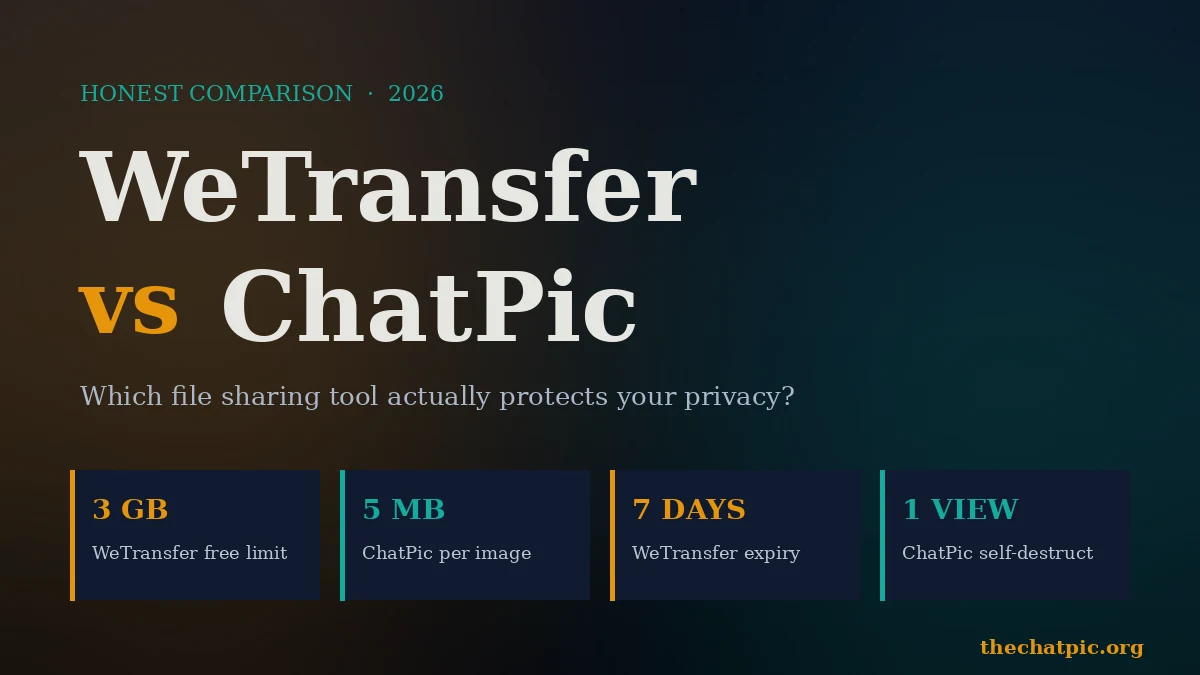
WeTransfer wins when you need to send a large file — up to 3 GB on the free plan — of any type, to someone you’ve already exchanged emails with, and you don’t mind the file living on a corporate server for up to seven days.
ChatPic wins when you need to share an image privately, anonymously, with automatic metadata removal and a link that can self-destruct after a single view — no account, no email, no record.
Here’s the side-by-side at a glance:
| Feature | WeTransfer (Free) | ChatPic |
|---|---|---|
| Account required | No (for basic sends) | No, ever |
| Max file size | 3 GB per transfer | 5 MB per image |
| File types | Any | JPG, PNG, GIF, WebP |
| Link expiry | 7 days (fixed on free) | 1 hour / 1 day / 1 week / never |
| Self-destruct after view | No | Yes |
| Auto EXIF metadata removal | No | Yes |
| End-to-end encryption (free) | No | No (server-side) |
| Email required to send | Yes (typically) | No |
| QR code | No | Yes |
| Best for | Large files to known recipients | Anonymous image sharing |
| Owner | Bending Spoons (Italy) | Independent |
The pattern is obvious once you see it laid out. WeTransfer is a courier service. ChatPic is a dead drop.
What WeTransfer Actually Does in 2026
WeTransfer is the Dutch-born file transfer service that became a verb. Upload a file, type the recipient’s email, and they get a download link. Done.
A few things have changed since you last used it, though, and they matter.
The Bending Spoons Acquisition (and What Changed)
WeTransfer was acquired by Italian software company Bending Spoons in July 2024. The free plan was tightened the following year: you now get 3 GB per transfer, capped at 10 transfers or 3 GB total over a 30-day period. Files expire after 7 days unless you’re on a paid plan. The familiar drag-drop-send flow is unchanged, but the soft limits have crept in.
The July 2025 Terms-of-Service Backlash
This is the part most “best file sharing tools” lists skip. In mid-2025, WeTransfer quietly updated clause 6.3 of its terms of service, granting itself a “perpetual, worldwide, non-exclusive, royalty-free, transferable, sub-licensable license” to user content, including language about training machine learning models.
The creative industry — designers, photographers, filmmakers who use WeTransfer to ship work under NDA — noticed within hours. The backlash forced a public reversal within days. WeTransfer issued a statement clarifying it does not use customer content to train AI and rewrote the clause, stripping out the most sweeping language.
The reversal was fast, but the lesson stuck. In my own conversations with freelance designers since then, the trust never fully came back. The episode highlighted how much rides on a single line of legal copy when you’re handing a company a folder of unreleased work.
How a WeTransfer Send Actually Works
- Open wetransfer.com.
- Drag in your file (up to 3 GB free).
- Type the recipient’s email and your own.
- Hit transfer. They get an email with a download link.
There’s a “link” option too, which generates a shareable URL instead of emailing it. But the underlying file still lives on WeTransfer’s servers, accessible to anyone with the link, for seven days. There’s no end-to-end encryption on the free tier, no metadata stripping, and no burn-after-view option.
For sending a 2 GB video draft to your editor, none of that matters. For sending a screenshot of a contract, all of it matters.
What ChatPic Actually Does in 2026
ChatPic — specifically the anonymous image sharing tool at thechatpic.org — takes the opposite design philosophy. It does one thing and tries to leak nothing while doing it.
You drop in a JPG, PNG, GIF, or WebP (up to 5 MB), pick how long the link should live, optionally tick “self-destruct after view,” and you get a short link plus a QR code. No email. No account. No “verify your address.” No download tracking sent back to the uploader, because there’s no uploader profile to send it to.
The Privacy Defaults That Actually Matter
Three things happen automatically with every ChatPic upload that don’t happen with WeTransfer:
1. EXIF metadata is stripped. Every photo from a phone or modern camera carries hidden GPS coordinates, device model, and timestamps. ChatPic re-encodes the image on upload, which removes that data as a side effect. The version your recipient receives is clean. WeTransfer passes the file through untouched.
2. You choose the expiry — including “never” or “after one view.” WeTransfer locks you into seven days on the free plan. ChatPic lets you set 1 hour, 1 day, 1 week, never, or burn-after-view. For a one-time password or a screenshot of something sensitive, that single-view option is the right answer.
3. There is no account tying the upload to you. WeTransfer’s “no signup for small sends” still typically asks for an email so the recipient can be notified — which is a record. ChatPic doesn’t ask, doesn’t store, doesn’t have anywhere to put it.
Where ChatPic Stops
Honest comparison means listing the limits. ChatPic caps at 5 MB per image. It doesn’t handle PDFs, ZIPs, video files, or anything that isn’t an image. If you need to send a 400 MB project folder to a client, ChatPic is not your tool. WeTransfer is.
Head-to-Head: Privacy, Files, Speed, Use Cases
This is where the comparison gets practical. I tested both tools on the same scenarios over a six-week stretch. Here’s what actually happened.
Privacy and Anonymity
There’s no real contest on this axis. WeTransfer is a hosted service from a company with shareholders, a recent ownership change, and a recently-litigated terms-of-service problem. Files sit on its servers for at least seven days, in plaintext, accessible to anyone with the link.
ChatPic strips metadata, doesn’t require identity, lets you destroy links on view, and stores nothing about you because there’s nothing to store. According to a Pew Research study, 81% of Americans feel they have little or no control over the data companies collect on them — that anxiety is most of the reason tools like ChatPic exist.
Neither tool is end-to-end encrypted on the free tier. If you’re handling regulated data (medical records, legal discovery, payment data), neither belongs in your workflow — you want a Tresorit-class service for that. For everyday private sharing, ChatPic is the more privacy-respecting choice by a wide margin.
File Size and Format
WeTransfer wins, decisively, and it’s the only category where it does so cleanly. 3 GB versus 5 MB is a 600× difference. Any file type versus four image formats is a different league.
If you’re a video editor sending dailies to a director, a designer shipping a layered PSD, or a developer sharing a build artifact, WeTransfer was built for you. ChatPic was not.
Speed and Friction
In my testing, ChatPic’s upload-to-shareable-link time on a 2 MB screenshot was consistently under five seconds. No email field, no recipient field, no “click to confirm.” Drop, wait, copy link.
WeTransfer’s flow takes longer — typically 30–45 seconds for the same 2 MB file, because of the email entry, the verification email it sometimes wants, and the upload-then-send sequencing. For a 2 GB file, the comparison doesn’t matter; the upload itself is what takes the time. For anything small, ChatPic is dramatically faster.
Recipient Experience
WeTransfer recipients get an email with a “download” button. The link opens a branded page with a download counter and an expiry date. It’s polished.
ChatPic recipients get a short link or QR code. The page loads the image directly, with no account wall, no app prompt, no “click to view full size.” If the link is set to self-destruct, they see it once and it’s gone.
Both work. WeTransfer’s flow feels more corporate; ChatPic’s feels more like a paper note slipped across a table.
Use Cases Where Each One Wins
Pick WeTransfer when:
- The file is over 5 MB or isn’t an image.
- The recipient expects an email notification.
- You need a download counter or a basic delivery receipt.
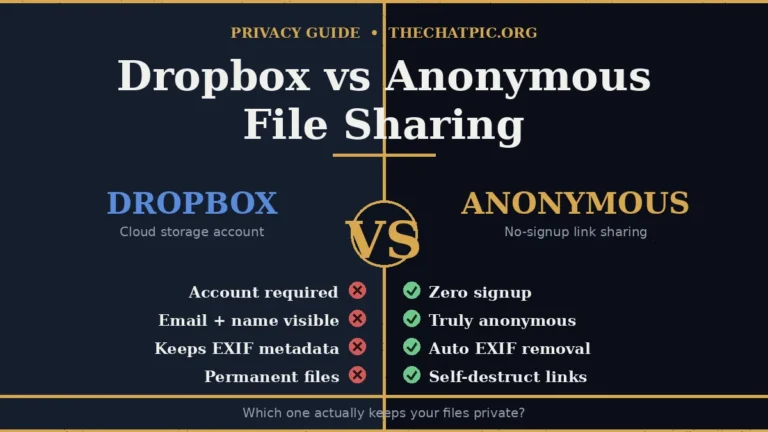
- The content isn’t sensitive and you’re fine with a 7-day window on someone else’s server. For cloud alternatives with longer storage but similar identity exposure, see the Dropbox vs anonymous file sharing breakdown.
Pick ChatPic when:
- You’re sharing a screenshot, photo, or graphic and privacy matters.
- You want the link to self-destruct after one view.
- You don’t want to give out an email or sign up for anything.
- The image contains visible context that might carry hidden GPS data.
- You’re posting on Reddit, Discord, or a forum — see our guides for Discord image sharing and Reddit posting.
For most people, the right answer isn’t “one or the other.” It’s both, used for what each one is good at.
Common Mistakes People Make with Both Tools
Six weeks of using these tools side-by-side surfaced a pattern of avoidable mistakes. Most of them come from treating either tool as something it’s not.
1. Treating WeTransfer as private. It isn’t. The free tier has no end-to-end encryption, the file sits on a corporate server for seven days, and the 2025 terms-of-service episode showed how fast the legal posture around your content can shift. Send your tax documents through it and you’re trusting Bending Spoons’ security team and lawyers, not math. The Google Drive vs self-destruct links privacy test covers the same default-permanence problem on Google’s side.
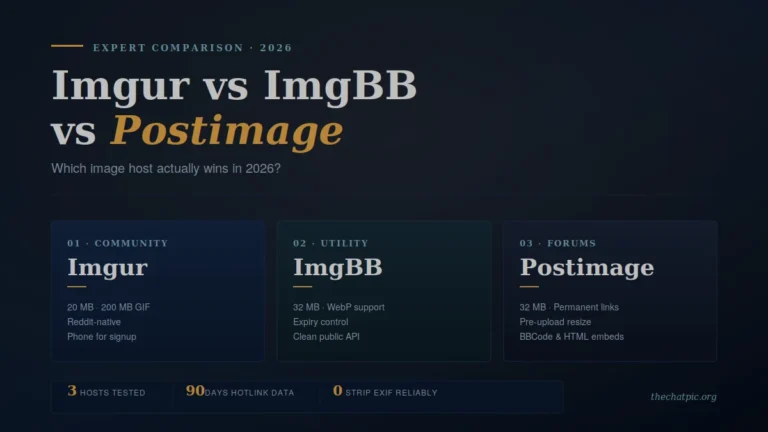
2. Using ChatPic for things that aren’t images. ChatPic is a 5 MB image tool. Trying to share a PDF or a video through it doesn’t work. Match the tool to the file. For general image hosts that handle larger images without privacy guarantees, the Imgur vs ImgBB vs Postimage comparison covers the trade-offs.
3. Forgetting that “anonymous” doesn’t mean “invisible to your ISP.” No web tool can hide that your laptop made a connection to a server. ChatPic strips identifying info from the upload, but your network provider can still see that you visited the site. For high-stakes uploads, the ChatPic + Tor/VPN guide covers how to add a network-level layer.
4. Posting “private” ChatPic links in public places. A short link is only as private as the place you paste it. Drop one into a public Discord channel and it’s not private anymore — even if the file is set to self-destruct, the first stranger to click it wins.
5. Skipping the burn-after-view option for sensitive shares. If a recipient only needs to see something once, set self-destruct. This is the single most underused feature on ChatPic and the single biggest privacy upgrade you can make in 30 seconds.
6. Trusting clone sites that pretend to be the original chatpic.org. The original platform shut down in November 2023 and is not coming back. Any site claiming to be “the original chatpic” is not. Stick to verified URLs, check the privacy policy, and never upload anything sensitive to a site you haven’t vetted. The ChatPic old vs new breakdown covers this in detail.
What to Look for in Any File Sharing Tool
Whichever tool you land on, the same five questions should run through your head before you upload:
- Does it require an account I don’t need? If a tool asks for identity to do a one-off share, that’s a record.
- What’s the expiry default? Forever is rarely the right answer.
- Is metadata stripped? If not, your phone is broadcasting your living room coordinates.
- Where does the file actually live? Server-side, end-to-end encrypted, or peer-to-peer changes the threat model entirely.
- What does the privacy policy actually say? Read clause 6 of any file sharing tool’s ToS before you trust it with anything sensitive. The WeTransfer episode is the obvious cautionary tale.
The Electronic Frontier Foundation has long advocated for collecting the minimum data necessary, retaining it briefly, and using it only for the immediate purpose. That’s a useful checklist. Tools that fail any of those three tests deserve more scrutiny than they usually get.
WeTransfer vs ChatPic: FAQ
Is ChatPic safer than WeTransfer?
Yes, for the kinds of files ChatPic was built for. It doesn’t require an account, strips EXIF metadata automatically, and lets you set links to self-destruct after a single view. WeTransfer stores files on corporate servers for seven days on the free plan with no end-to-end encryption and no metadata removal. For private image sharing, ChatPic is the safer default.
Can WeTransfer use my files to train AI?
WeTransfer updated its terms of service in July 2025 with language that appeared to grant it broad rights, including for machine learning. After public backlash, the company reversed the change within days and stated publicly that it does not use customer files to train AI models. The revised clause is narrower, but the episode left many creative professionals looking for alternatives.
What’s the maximum file size for WeTransfer vs ChatPic?
WeTransfer Free allows up to 3 GB per transfer, capped at 10 transfers or 3 GB total over a 30-day window. ChatPic allows up to 5 MB per image and supports JPG, PNG, GIF, and WebP formats only. They’re built for very different file sizes — WeTransfer for large files of any type, ChatPic for small images shared privately.
Does ChatPic require an account?
No. ChatPic has no signup, no email confirmation, and no login. You upload an image, set the expiry, and get a shareable link plus a QR code. The whole point is anonymity by default, which is why the tool doesn’t collect any identifying information from uploaders.
How long do WeTransfer links last?
WeTransfer free links last seven days, then the file is deleted from the servers. Paid plans allow longer expiry windows — up to 30 days or longer depending on the tier. ChatPic links can be set to 1 hour, 1 day, 1 week, never, or self-destruct after one view, giving you finer control on the free tier.
Can I use WeTransfer and ChatPic together?
Yes, and for most workflows that’s the right answer. Use WeTransfer for large files of any type going to known recipients — design files, video, project folders. Use ChatPic for one-off image shares where privacy, anonymity, or self-destruct matter — screenshots, personal photos, sensitive graphics. They solve different problems.
Is there a paid plan for ChatPic?
No. ChatPic is free with no premium tier, no upgrade prompts, and no credit card required. The tool exists as a single-purpose privacy utility rather than a product with a conversion funnel attached. If you need higher upload limits for video or larger files, the ChatPic Pro look at higher limits covers what’s available elsewhere in the ecosystem.
What happened to the original chatpic.org?
The original chatpic.org launched around 2014 as an anonymous image board and was permanently shut down in November 2023 after sustained legal pressure tied to unmoderated content. The modern tool at thechatpic.org is independent, was built from scratch with proper moderation and EXIF stripping, and is not connected to the original operators.
The Verdict: WeTransfer vs ChatPic in 2026
WeTransfer is the better tool for large files going to specific recipients you’ve already exchanged emails with. It’s polished, it scales to 3 GB on the free plan, and it handles every file type. If your job is “ship a 2 GB project folder to a collaborator,” WeTransfer wins.
ChatPic is the better tool for everything else in the image-sharing column — anonymous shares, sensitive screenshots, burn-after-view links, and any situation where you’d rather not hand a corporation another folder of your files. After the 2025 terms-of-service mess at WeTransfer, “rather not” applies to a lot more people than it used to.
For most workflows, the answer isn’t to pick one and abandon the other. It’s to stop using WeTransfer for things it was never built for — small private images, screenshots, sensitive graphics — and route those to a tool designed for the job.
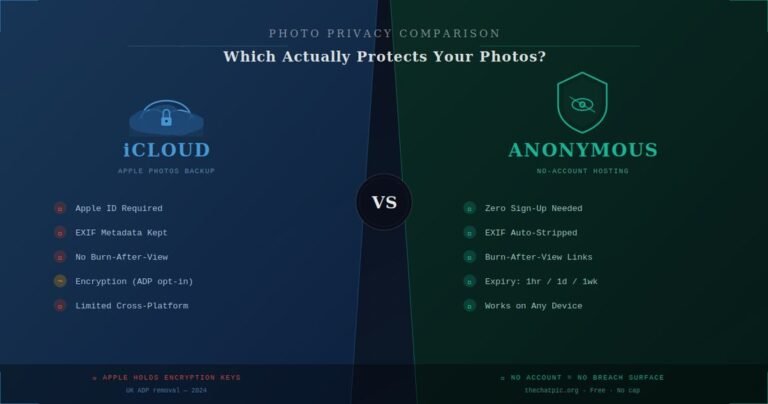
If you’ve been using WeTransfer as your default for everything, try ChatPic the next time you need to share a screenshot or a personal photo. If your photos live in Apple’s cloud, the iCloud vs anonymous photo hosting guide covers why even ADP-encrypted storage is not the same as anonymous sharing. The whole flow takes less time than reading this sentence. The link comes out in seconds, the metadata’s gone, and the file disappears when you want it to — which is what private sharing was supposed to feel like in the first place.
Start sharing privately at thechatpic.org — no signup, no tracking, no trace. For more head-to-head breakdowns, see our comparisons hub and the in-depth ChatPic vs Imgur for 2026 review.