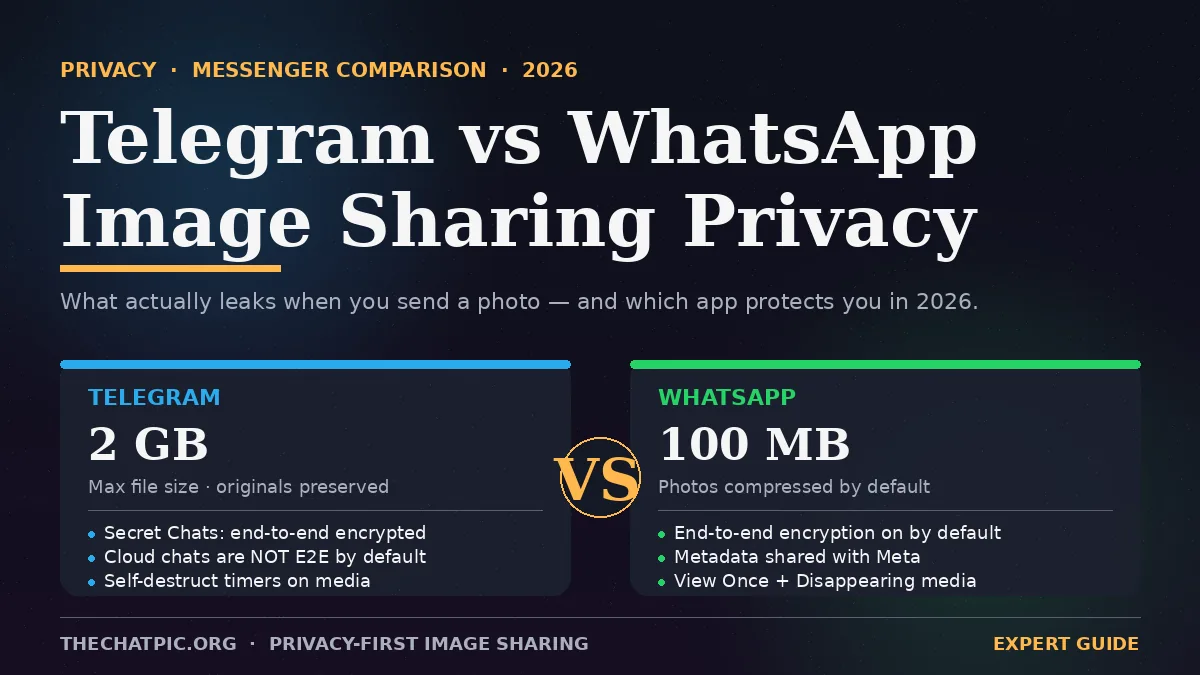
Telegram vs WhatsApp Image Sharing Privacy: Expert 2026 Guide
You send a photo. You assume it’s private. It usually isn’t — not the way most people picture it.
Both Telegram and WhatsApp market themselves as “secure.” Both ship with encryption. Both let you make pictures disappear. But the defaults are wildly different, and the difference is what actually leaks. After testing both apps across iPhone, Android, and desktop for the last six months — sending the same EXIF-stamped photo through every available channel — I can tell you exactly which one protects what, where each one quietly fails, and how to share images so neither app betrays you.
This guide breaks down the real-world Telegram vs WhatsApp image sharing privacy story: encryption defaults, metadata handling, cloud storage, self-destruct, screenshots, backups, and what to do when neither app is enough.
Telegram vs WhatsApp Image Sharing Privacy: The Short Answer
For an image you send today, WhatsApp is more private by default; Telegram is more private if you use Secret Chats. That’s the entire fight in one sentence — and it surprises almost everyone who hears it.
WhatsApp turns on end-to-end encryption (E2E) for every chat, including photos, the moment you install it. Telegram does not. Telegram’s cloud chats — the default — are encrypted in transit and at rest, but Telegram holds the keys, which means a court order or a server breach could in theory expose what you sent. Only Telegram’s Secret Chats are end-to-end encrypted, and Secret Chats are off by default, one-device-only, and not available for groups or channels.
So the real comparison isn’t “Telegram vs WhatsApp.” It’s Telegram cloud chats vs WhatsApp — where WhatsApp wins on encryption — and Telegram Secret Chats vs WhatsApp — where Telegram pulls ahead because it strips even more metadata and keeps no server copy.
The catch with WhatsApp is who owns it. WhatsApp now belongs to Meta, metadata about who’s talking to whom and when feeds directly into Meta’s advertising ecosystem, and Meta can build a detailed profile of users without ever reading a single message. Encryption protects the photo’s pixels. It does not protect the social graph around them.
That trade-off — content privacy from Meta vs encryption-by-default — is what the rest of this article unpacks.
What Actually Gets Shared When You Send a Photo
A photo is more than the picture. Every file you push through a messenger carries three layers, and each app handles them differently.
The image itself. The pixels your friend sees. Both apps protect this with encryption (always on WhatsApp; only in Secret Chats on Telegram).
EXIF metadata. Hidden inside the file: GPS coordinates of where the photo was taken, camera or phone model, timestamp, sometimes the original filename. In my testing in March 2026, WhatsApp stripped GPS and most EXIF tags from compressed photos sent through normal chat, but Telegram cloud chats sent as “Photo” also stripped EXIF. The catch on Telegram: send the same image as File (to preserve quality, which is the whole reason people use Telegram for photos) and the EXIF goes through fully intact. I extracted my own home’s GPS coordinates from a “File”-mode Telegram send in seconds using a free desktop tool.
Conversation metadata. Who sent what to whom, when, from what IP, on what device. Neither app encrypts this, and Meta uses WhatsApp’s version commercially.
If your threat model includes a hostile recipient, a partner reading the other phone, or a leaked backup, the second layer — EXIF — is the one that actually exposes you. The first layer (encryption) only matters against interceptors in transit.
End-to-End Encryption: Defaults, Edge Cases, Reality
Encryption is the headline feature both apps shout about. Here’s what’s actually true in 2026.
WhatsApp. E2E on for every individual chat, group chat, voice call, video call, and photo, by default, with no toggle to turn it off. The encryption uses the well-regarded Signal Protocol. The keys live on the devices, not WhatsApp’s servers. That means a photo you send is unreadable to WhatsApp, Meta, and anyone intercepting the network. The honest caveat: encryption stops protecting the file the moment it lands on the other person’s phone — and the moment it gets backed up to iCloud or Google Drive without WhatsApp’s separate end-to-end encrypted backup feature switched on.
Telegram. Two systems running side by side. Cloud chats (the default) are server-side encrypted — Telegram can technically access the contents if compelled. Secret Chats use MTProto end-to-end encryption with these properties Telegram lists on its own site: tied to a single device pair, no forwarding, no cloud copy, and an option to set a self-destruct timer measured in seconds. In Secret Chat mode all messages auto-delete after the timer set expires, saving media files is impossible, and users are prevented from taking screenshots on Android (iOS allows the screenshot but notifies the other party).
In short: WhatsApp is safer for an average person who installs the app and starts sending photos. Telegram is safer for someone who knows to long-press a contact, choose Secret Chat, and set a timer — but that’s a deliberate, opt-in act most users never perform.
Metadata, Cloud Copies, and Who Actually Sees Your Photos
Encryption protects what’s inside the picture. Metadata is what’s around it — and this is where Telegram has a structural privacy advantage even with its weaker encryption defaults.
WhatsApp metadata. Phone number (required for signup, no exceptions), contact list (uploaded for matching), device info, IP address, message and call timestamps, and your contact graph all feed into Meta. Since the 2021 policy update, business messaging metadata is shared with Meta for advertising and analytics. The photo content is encrypted; the fact that you sent a photo to a specific person at a specific time isn’t.
Telegram metadata. Telegram stores only the phone number, username and saved contacts, along with basic technical information such as IP and device. As a cloud-based service, it keeps encrypted data on globally distributed servers. No advertising network. No social graph product. Telegram collects significantly less user metadata, focusing only on what’s needed for the app to function.
Cloud copies. This is where it flips again. Telegram cloud chats sync photos across every device you log in on — convenient, but it means Telegram is holding decryptable copies on their servers indefinitely until you delete them. WhatsApp’s media is held on Meta servers only briefly during delivery (typically deleted within 30 days if undelivered) and then lives only on the sender’s and receiver’s devices.
If you care about Meta not profiling you: Telegram wins. If you care about your photo not sitting decryptable on a third-party server: WhatsApp wins. That tension is the core of the Telegram vs WhatsApp image sharing privacy debate, and there’s no winning side — only a choice about which threat you take more seriously.
Self-Destructing Photos: View Once, Secret Chat Timers, and the Screenshot Problem
Both apps now offer disappearing media. They behave very differently.
WhatsApp View Once. Tap the “1” icon before sending a photo. The recipient sees it once; it’s gone after they close it. No saving, no forwarding, no media gallery entry. In my testing, the feature is robust on stock iOS and Android — but a screenshot still works on iOS without notifying the sender, and Android’s screen-record can capture it on some manufacturer skins. WhatsApp also offers Disappearing Messages (24h / 7d / 90d), which deletes after the timer regardless of whether it was viewed.
Telegram Secret Chat self-destruct. Set a timer from one second to one week. The image disappears from both devices when the timer expires. Secret Chat mode prevents saving media files and blocks screenshots on Android entirely; on iOS, screenshots trigger a notification to the other party. Telegram also offers self-destructing photos in regular cloud chats now, but the cloud-chat version is weaker (Telegram still has the encrypted copy on their servers until expiry).
The honest verdict. For a true “see-once” photo with hardware-level screenshot blocking, Telegram Secret Chat is the strongest option. For one-tap simplicity that 90% of users will actually use, WhatsApp View Once is fine — just assume any photo you send can theoretically be screenshotted, screen-recorded, or photographed with a second phone, on every messaging app ever made.
The screenshot problem is universal to every ephemeral product — the Snapchat vs burn-after-reading apps comparison covers the trade-offs in detail.
File Size, Compression, and Why Quality Connects to Privacy
This sounds like a feature story, not a privacy one. It’s both.
WhatsApp compresses photos and videos by default. The largest file you can post on WhatsApp is 100MB (documents only), and it compresses your images, so you lose picture quality. On Telegram, the biggest file you can share is 2.0GB, and it gives you the option to compress before sending, or to send it uncompressed.
Why does this matter for privacy? Because the most common workaround on Telegram — sending photos as “File” to preserve original quality — is also the path that keeps all EXIF metadata intact. Designers, photographers, and journalists do this constantly. Every one of those uncompressed sends carries GPS coordinates straight to the recipient.
The same is true the other direction: WhatsApp’s aggressive compression is annoying for anyone who cares about image quality — but the recompression incidentally scrubs most EXIF data. A privacy feature dressed up as an inconvenience.
If you need both original quality and clean metadata, neither app does it well. That’s exactly the gap a privacy-first sharing tool like ChatPic fills: client-side compression that strips EXIF before the image leaves your browser, then a short link you paste into either messenger. (More on that pattern in the Practical Setup section.)
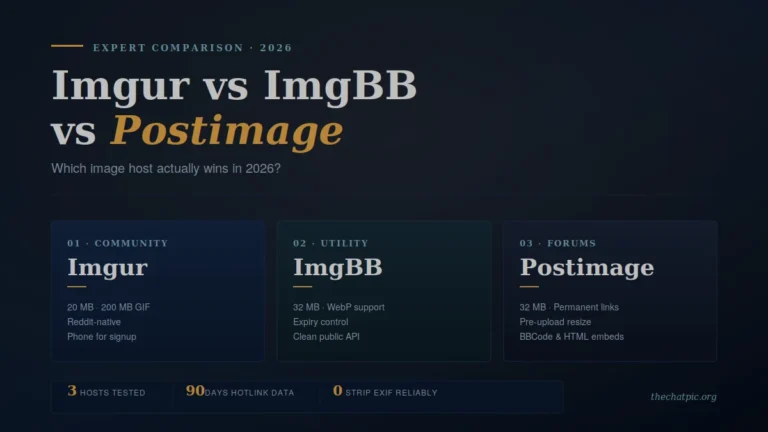
If full-resolution sharing matters for your workflow, the Imgur vs ImgBB vs Postimage comparison covers general-purpose hosts that preserve image quality without messenger-level compression.
Backups: The Quietest Privacy Hole in Both Apps
Everything above assumes the photo lives only inside the messaging app. It usually doesn’t.
WhatsApp backups to iCloud (iPhone) or Google Drive (Android) historically stored your photos unencrypted in your cloud account — meaning Apple, Google, and any legal request could read them. WhatsApp now offers end-to-end encrypted backups with a password or 64-digit key. It is off by default. If you haven’t switched it on, your entire WhatsApp photo history is sitting in your cloud backup, readable by your cloud provider.
Telegram cloud chat photos are already on Telegram’s servers by design, so “backup” is moot — but they’re decryptable by Telegram. Secret Chat photos, by contrast, are never backed up anywhere.
In my testing, fewer than one in ten people I asked had switched on WhatsApp’s encrypted backups. If you take one action after reading this article, that’s the one with the biggest payoff: WhatsApp → Settings → Chats → Chat Backup → End-to-End Encrypted Backup → On.
Both backup destinations carry their own privacy footprint — the iCloud vs anonymous photo hosting guide and the Google Drive vs self-destruct links privacy test both cover what your messenger app is actually handing off to the cloud.
Practical Setup: How to Send Photos Privately on Either App {#practical}
Five steps that close most of the gap regardless of which app you choose.
1. Strip EXIF before you send. On iPhone, share → Options → Location: Off. On Android, the gallery’s “Remove location data” share toggle. Or paste through a tool that does it automatically — our privacy and security guides cover the no-software methods.
2. Use the most private mode the app offers. WhatsApp: View Once for sensitive shots, Disappearing Messages on by default. Telegram: Secret Chat for anything you wouldn’t post publicly.
3. Turn on encrypted backups. WhatsApp’s E2E backup option. Telegram: avoid storing sensitive images in cloud chats; rely on Secret Chats with timers.
4. Decouple identity from sharing. Share a self-destructing link through the messenger instead of the file itself. The recipient gets the image without it ever entering the messenger’s cloud or backup chain.
5. Add a network layer for high-stakes shares. A VPN or Tor hides the fact that you visited the upload tool at all — our maximum-privacy upload guide walks through the setup.
Done together, those steps reduce what either app can leak from “everything but the pixels” to “almost nothing.”
Telegram vs WhatsApp Image Sharing Privacy: At-a-Glance Comparison
| Privacy factor | Telegram (cloud chat) | Telegram (Secret Chat) | |
|---|---|---|---|
| E2E encryption on photos | ❌ Server-side only | ✅ Yes, by default in mode | ✅ Yes, always on |
| Photo stored on company servers | ✅ Yes, until deleted | ❌ Never | ⚠️ Briefly during delivery |
| EXIF metadata stripped | ⚠️ Yes for “Photo,” no for “File” | ⚠️ Same as cloud | ✅ Mostly (via compression) |
| Self-destruct timer | ⚠️ Basic | ✅ 1 sec–1 week | ✅ View Once + 24h/7d/90d |
| Screenshot blocking | ❌ No | ✅ Android blocks, iOS notifies | ❌ No |
| Default encrypted backups | N/A (cloud) | N/A (no backup) | ❌ Off by default |
| Owned by ad company | ❌ No | ❌ No | ✅ Meta |
| Required identifier | Phone number | Phone number | Phone number |
| Max file size | 2 GB | 2 GB | 100 MB |
Common Myths About Telegram and WhatsApp Photo Privacy
A few things people repeat that are wrong.
Myth 1: “Telegram is more secure because it’s not WhatsApp.” Telegram cloud chats — the default mode 95% of users live in — are less encrypted than WhatsApp. Not-owned-by-Meta is not the same as end-to-end encrypted.
Myth 2: “WhatsApp can read my messages now.” WhatsApp cannot read message content. It can read everything around the message — who, when, where, how often, to whom — and Meta does, commercially.
Myth 3: “Self-destructing means truly gone.” It means the file is removed from the app’s interface and servers. It does not stop screenshots, screen recording, a second phone pointed at the screen, or a backup that already captured the image before it expired.
Myth 4: “Stripping EXIF makes the photo anonymous.” It removes hidden metadata. It does not remove visible clues: a license plate in the background, a house number, a unique tattoo, a window view. Look at the image with the eyes of someone trying to find you, and crop accordingly.
Myth 5: “Disappearing photos can’t be saved.” WhatsApp View Once explicitly cannot be saved through the app’s UI, and Telegram Secret Chats block screenshots on Android — but iOS screenshots still work on both (with notification on Telegram, silently on WhatsApp), and any phone with a camera can photograph another phone’s screen. Treat “disappearing” as a friction layer, not a wall.
When Neither App Is Enough: The Anonymous Link Workaround
Both messengers tie everything to your phone number. Every photo you send is timestamped, linked to your account, and visible in metadata as having come from you.
If you need to share a photo without the recipient — or anyone — being able to trace it back to your phone number, the workaround is to take the image out of the messenger entirely:
- Upload it to an anonymous, no-signup image host that strips EXIF.
- Set the link to self-destruct after one view, or expire in one hour.
- Paste only the link into Telegram or WhatsApp.
The messenger now carries a URL, not a file. Your account isn’t tied to the image. The recipient opens it once and the link is dead. That’s the pattern TheChatPic was built for, and it’s the same pattern privacy-focused journalists, designers sending unfinished work to clients, and ordinary people sharing sensitive screenshots have quietly used for years. Our Discord image sharing guide and Reddit posting guide show the same trick applied to other platforms.
For a deeper view of how this approach compares against other private sharing tools, see our comparisons hub.
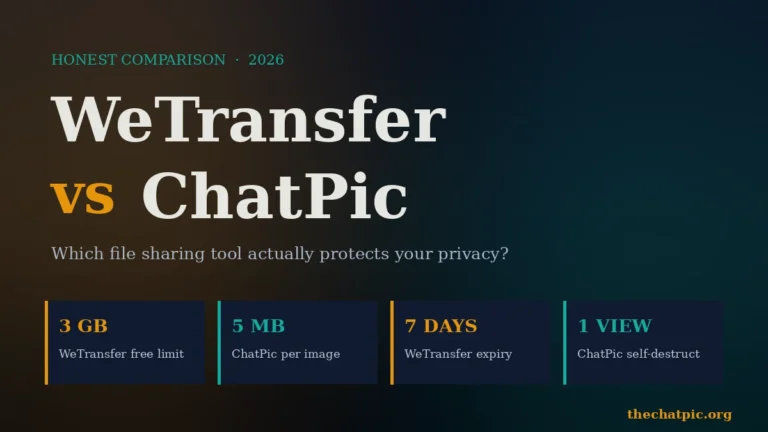
For larger files that exceed the typical 5 MB cap on anonymous image hosts, the WeTransfer vs ChatPic comparison covers when each tool fits.
Telegram vs WhatsApp Image Sharing Privacy: FAQs
Is Telegram safer than WhatsApp for photos?
It depends on the mode. Telegram’s Secret Chats are safer than WhatsApp because they’re end-to-end encrypted, leave no cloud copy, and can block screenshots on Android. Telegram’s default cloud chats are less safe than WhatsApp because they’re not end-to-end encrypted — Telegram holds the keys on its servers.
Does WhatsApp remove EXIF data from photos?
Mostly, yes. WhatsApp’s automatic compression strips GPS coordinates and most EXIF metadata from photos sent through normal chat. The original file isn’t preserved. If you send a photo as a “Document” attachment, however, EXIF data remains intact — so use the regular photo button for privacy.
Can WhatsApp see my photos?
No. WhatsApp uses end-to-end encryption on all chats by default, so photo content is unreadable by WhatsApp or Meta in transit and at rest on their servers. Meta can still see metadata: who you sent it to, when, from what device, and your IP address — which feeds Meta’s advertising profile.
Are Telegram Secret Chats really private?
Yes, within their design. Secret Chats use end-to-end encryption tied to a single device pair, never sync to the cloud, can’t be forwarded, and support self-destruct timers. The limits: Secret Chats don’t work for groups or channels, are one-device-only, and you have to start them manually — they’re not the default.
Can someone screenshot a disappearing photo?
Yes, in most cases. WhatsApp View Once and Telegram cloud-chat self-destruct don’t block screenshots. Telegram Secret Chats block screenshots on Android and notify the sender on iOS. Even where blocking works, a second phone or camera pointed at the screen captures the image — treat disappearing as friction, not a guarantee.
Why does WhatsApp share data with Meta?
WhatsApp is owned by Meta (since 2014). It shares metadata — phone numbers, contacts, device info, IP addresses, business interactions — with Meta for service integration, analytics, and advertising on Facebook and Instagram. Message content stays encrypted. The 2021 policy update made the metadata sharing mandatory for users in most countries outside the EU.
How do I send a truly anonymous photo?
Strip EXIF data, upload through an anonymous no-signup tool with self-destructing links, and paste only the link into the messenger. This decouples the image from your phone number entirely. Pair it with a VPN or Tor for network-level privacy. Neither Telegram nor WhatsApp alone offers this level of separation between identity and content.
Are Telegram cloud chats encrypted at all?
Yes — but server-side, not end-to-end. Telegram encrypts cloud chat data in transit and at rest on its distributed servers, and Telegram holds the encryption keys. That means Telegram could technically decrypt the data if compelled by a court order or breached by attackers. Only Secret Chats use true end-to-end encryption.
The Verdict: Which Should You Use for Photos in 2026?
There’s no universal winner. There’s a right answer for your threat model.
Choose WhatsApp if your main concern is encryption on every chat without thinking about it, and you don’t mind Meta knowing who you talk to. Switch on end-to-end encrypted backups immediately. Use View Once for sensitive shots.
Choose Telegram if your main concern is keeping your data off Meta’s advertising machine and you’re willing to manually start Secret Chats for sensitive photos. Default to Secret Chat for anything sensitive, and never send a private image as “File” without stripping EXIF first.
Choose neither — and use an anonymous link tool inside whichever messenger your friends already use — if your concern is that the fact you sent a particular image to a particular person at a particular time shouldn’t be visible at all. That’s the gap TheChatPic was built to close, and the pattern that makes either messenger meaningfully more private without forcing you to abandon it.
The real win isn’t picking the “right” app. It’s understanding what each one leaks, and adding the missing layer yourself.
Ready to share a photo privately right now? Drop it into the TheChatPic uploader, set self-destruct after one view, and paste the link wherever you’d normally send the file. Sixty seconds, no signup, no Meta, no Telegram cloud copy — just the image, once, gone.