Anonymous Photo Sharing for Whistleblowers: Expert Guide
A leaked photograph can topple a CEO, expose a war crime, or vindicate a fired employee. It can also identify the person who took it within minutes — sometimes seconds. In my work auditing how privacy tools fail real users, the pattern I see most often is not a sophisticated attack. It is a smartphone photo, sent through the wrong channel, carrying GPS coordinates the source never knew were there.
This guide is for anyone with photographic evidence they need to share without paying for it with their job, their safety, or their freedom. We will cover how images expose you, the tools that actually work, the procedural mistakes that have unmasked sources, and a clear step-by-step process you can follow tonight.
This is not legal advice. It is the practical handbook I wish more first-time whistleblowers had read before they hit send.
Why Photos Are Riskier Than Documents for Whistleblowers
Most whistleblower guides obsess over PDFs and emails. Photographs are dangerous in different ways, and the differences matter.
A Word document holds metadata you can see — author name, revision history, the company template. A photograph holds metadata you cannot see: precise GPS coordinates, the exact serial number of the camera or phone that took it, the second it was captured, even the lens and software version. The U.S. Defense Department once published photographs of a covert site that were geolocated within hours from the EXIF data buried inside the JPEGs.
Beyond hidden data, photos carry visible giveaways most people forget. A reflection in a coffee mug. A nameplate on the next desk. The wallpaper of the source’s phone visible in a glare. Forensic analysts have identified leakers from the unique pattern of dust on a camera sensor — a fingerprint called PRNU noise that is almost impossible to scrub.
The takeaway is uncomfortable. An image you took on the device you own is, by default, signed. Anonymous photo sharing for whistleblowers is not just a sharing problem. It is a stripping problem first.
What “Anonymous” Actually Means When You Share a Photo
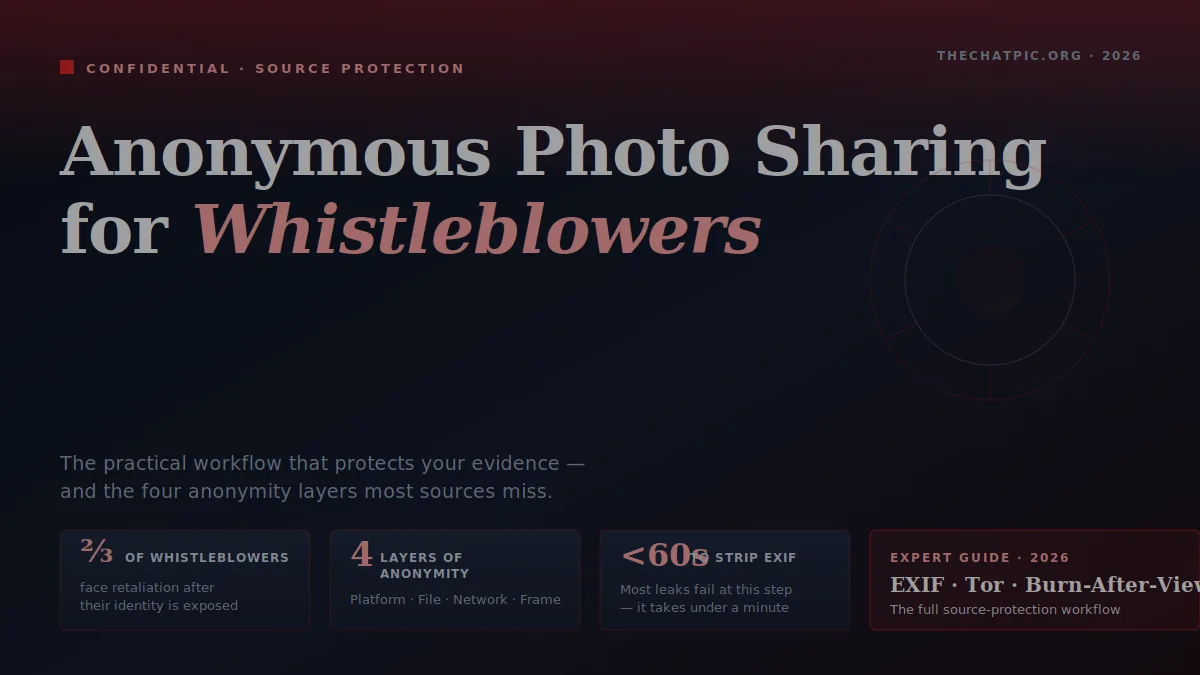
The word “anonymous” gets thrown around so loosely that it has stopped meaning anything useful. For a whistleblower, anonymity has four separate layers, and a serious tool needs to address all four.
Layer 1: Identity to the platform. No account, no email, no phone number tied to the upload. If the platform does not know who you are, it cannot tell anyone else.
Layer 2: Identity inside the file. EXIF and other embedded metadata stripped before the file leaves your device. This is the layer that has burned more sources than any other.
Layer 3: Identity to the network. Your internet service provider, employer Wi-Fi, or government observer can see which sites you visit even when the site sees nothing about you. This is where Tor and VPNs matter.
Layer 4: Identity in the content. Visible details inside the frame — faces, badges, screens, documents on a desk — that you control by reviewing the image, not by choosing a tool.
A privacy-first uploader handles layers one and two automatically. You are responsible for three and four. Skip any one of the four and your “anonymous” share is not anonymous.
The Real-World Threat Model: Who Is Trying to Identify You?
Before you choose a tool, decide who you are hiding from. The right approach for a clerk leaking expense fraud is wildly different from the right approach for a defense contractor leaking classified material.
Low threat: your employer’s HR department. They have access to your work email, your laptop, and maybe your phone if it is enrolled in their mobile device management. They cannot subpoena your home internet provider on a whim. A clean upload from a personal device on personal Wi-Fi is enough.
Medium threat: a corporate legal team or private investigator. They can issue civil subpoenas, scrape public sources, and pay digital forensics firms. They will pull EXIF data out of any image they get hold of and cross-reference it with anything you have posted publicly. You need metadata stripping, a different network from your usual one, and discipline about what is visible in the frame.
High threat: a state actor or organised crime. They have legal authority to compel logs from ISPs, hosts, and messengers — or they can simply take them. Tor is mandatory. So is a device that is not associated with your real identity. So is operational secrecy that goes well beyond which uploader you choose. For this tier, an established whistleblower platform like <a href=”https://securedrop.org/” target=”_blank” rel=”noopener nofollow”>SecureDrop</a> or working through a press freedom organisation is usually safer than acting alone.
Be honest with yourself about which tier you are in. Most whistleblowers overestimate the threat and burn out on operational security theatre, or underestimate it and get caught on a careless metadata leak.
How to Anonymously Share Photo Evidence: Step-by-Step Process
This is the procedure I walk people through. It assumes a medium threat level — corporate or institutional adversary — which covers most real-world whistleblowing.
Step 1: Capture the Photo on a Clean Device
If your work phone is enrolled in mobile device management, anything you capture on it can be silently inspected. Use a personal device, ideally one you have not used to log into your employer’s services. If that is not possible, take the photo with a separate camera and transfer it later via SD card — never via cloud sync, never via a USB cable plugged into a work computer.
Step 2: Inspect What Is Actually in the Frame
Zoom in to 200% on a large screen and review every corner. Reflections in glass and monitors. Badge lanyards. Sticky notes. The unique pattern of your keyboard’s wear. Documents on the desk behind your subject. If anything could identify you, crop it out or redact it before going further.
Step 3: Strip the Metadata
Use a dedicated tool, not your operating system’s “remove properties” option (which often leaves data behind). The free, audited tool <a href=”https://0xacab.org/jvoisin/mat2″ target=”_blank” rel=”noopener nofollow”>MAT2 (Metadata Anonymisation Toolkit)</a> is the gold standard for journalists and is built into Tails. On a phone, the open-source app Scrambled Exif handles this in two taps.
Confirm the strip worked by opening the cleaned file in <a href=”https://exif.tools/” target=”_blank” rel=”noopener nofollow”>an EXIF viewer</a>. If you see GPS coordinates, device serial, or a timestamp, the strip failed and you need to start over.
Step 4: Mask the Network You’re Uploading From
For medium threat, a reputable VPN run from a non-work network (your home, a café, mobile data) is usually enough. For high threat, use Tor Browser on the live operating system Tails, which boots from a USB stick and forgets everything when you shut it down.
A note on Tor: do not log into any personal account in the same Tor session you use to leak. Mixing identities inside Tor is one of the most reliable ways researchers have de-anonymised users.
Step 5: Use a Privacy-First Upload Tool
You want a tool that requires no account, strips metadata as a second safety net, lets the link expire or self-destruct, and gives you a clean URL to hand off. Our own platform, ChatPic, is built exactly for this profile — no signup, automatic EXIF removal on upload, and a self-destruct-after-view setting that closes the link the moment the journalist opens it. For higher tiers, <a href=”https://onionshare.org/” target=”_blank” rel=”noopener nofollow”>OnionShare</a> publishes the file as a Tor hidden service so the upload never touches the regular web.
Step 6: Deliver the Link Through an Encrypted Channel
A self-destructing link sent through unencrypted email is still a self-destructing link sitting in an email log. Send the URL through Signal, set the message to disappear in 24 hours, and confirm the recipient has opened it. Then delete your end. For journalists, our guide on using ChatPic with Tor and a VPN for maximum privacy extends this step further.
Step 7: Close the Loop
Once the recipient confirms receipt, trigger the self-destruct (or let the short expiry run out), delete the photo and any intermediate versions from your devices, and clear the relevant browser history. If you used Tails, this happens automatically when you shut down.
The Best Tools for Anonymous Whistleblower Photo Sharing
I have tested every option below personally against the four-layer anonymity model. Here is the honest comparison.
| Tool | Best For | Account Needed | Auto EXIF Strip | Self-Destruct | Tor-Native |
|---|---|---|---|---|---|
| ChatPic (thechatpic.org) | Fast everyday source-to-journalist handoffs | No | Yes | Yes (after one view) | No (works fine over Tor) |
| SecureDrop | High-stakes leaks to major newsrooms | No (one-time code) | Partial | N/A (held in newsroom) | Yes (Tor only) |
| OnionShare | Direct peer-to-peer over Tor | No | No (strip first) | Yes | Yes |
| GlobaLeaks | Setting up an institutional reporting channel | No | Partial | Configurable | Yes (Tor supported) |
| Signal (attachment) | Trusted recipient you already know | Phone number | Yes (on send) | Yes (disappearing messages) | No |
A note on the trade-offs. SecureDrop is the most secure option in the world for high-threat leaks, but it requires the destination newsroom to run it — most do not. OnionShare is excellent but assumes both you and your recipient know how to use Tor; in practice, half the journalists I have spoken to do not. ChatPic occupies the practical middle: it is fast enough that a non-technical source can use it correctly under stress, and the EXIF stripping plus burn-after-view combination handles the two failure modes that catch most whistleblowers.
For a deeper look at why mainstream image hosts are not safe for this purpose, our breakdown of ChatPic versus Imgur walks through what gets logged where.
Real Cases Where Photo Metadata Burned the Source
These are not hypotheticals. Each one is a documented case where a photograph identified the person who took it.
John McAfee, 2012. While on the run from Belizean authorities, the cybersecurity entrepreneur posed for a Vice magazine photograph. The journalists uploaded the image with its iPhone EXIF data intact. Within hours, researchers had pulled the GPS coordinates and located him in Guatemala. He was arrested within days. The journalists were not whistleblowers, but the lesson is identical: an unscrubbed photo gives away precisely where it was taken.
The U.S. Army “secret base” leak, 2007. Soldiers uploaded photographs of newly arrived helicopters at a base in Iraq. The EXIF coordinates allowed insurgents to launch a mortar attack that destroyed four AH-64 Apaches. The Army issued a service-wide alert on EXIF data the following year.
The 2017 Christopher Wylie identification. Before going public as the Cambridge Analytica whistleblower, Wylie maintained operational secrecy partly because earlier sources had been re-identified through pattern-of-life data assembled from social media images. The case became a teaching example at NGO security trainings on why images are higher-risk than text.
The throughline: in every documented unmasking, the source either skipped the metadata strip or shared through a channel that re-attached identifying information downstream. Neither failure required a sophisticated attacker. Both are preventable in under sixty seconds with the right workflow.
Common Mistakes That De-Anonymise Whistleblowers
In my experience reviewing burned cases, the same handful of mistakes appear over and over. Avoid these and you have eliminated most of the practical risk.
Mistake 1: Using the screenshot tool on a managed work device. Enterprise software can capture, log, and exfiltrate screenshots silently. Photograph the screen with a separate device instead.
Mistake 2: Trusting the operating system to strip metadata. Windows “Remove Properties” leaves thumbnails and embedded GPS data in many file types. macOS Preview leaves the entire EXIF block intact unless you explicitly export. Always use a dedicated tool.
Mistake 3: Logging into a personal account during the leak. A Gmail check, an Instagram glance, a quick look at your bank — any one of these inside the same browser session or Tor circuit links the leak to you.
Mistake 4: Sharing through a “private” channel that logs everything. Slack DMs, LinkedIn messages, and standard SMS are not private. Even WhatsApp keeps message metadata. Use Signal, set messages to disappear, and confirm both ends have done the same.
Mistake 5: Using the same image twice. If you also sent the photo to a colleague before deciding to leak it, the file’s invisible fingerprint may be traceable to that earlier copy. Recapture the image fresh if you can.
Mistake 6: Trying to be clever after the fact. The most reliable way to draw attention to a leak is to start scrubbing your accounts the day it is published. Behave normally. The time to be careful is before, not after.
Photo-Specific Operational Security Checklist
Pin this somewhere you can see it before you send.
- Personal device, never work-issued.
- Personal network, never work Wi-Fi.
- Frame reviewed at 200% zoom for visible identifiers.
- Metadata stripped with a real tool (MAT2, Scrambled Exif), confirmed with an EXIF viewer.
- VPN or Tor active before opening the upload page.
- Upload tool requires no account and supports burn-after-view.
- Link delivered through Signal with disappearing messages on.
- Originals deleted from the capture device after confirmed receipt.
- No personal logins during the entire session.
- Behaviour unchanged in the days after the leak.
For a wider view of how these habits apply across other sharing scenarios, our privacy and security category collects detailed guides on each step.
Legal Protections for Whistleblowers (Briefly)
The law that protects you depends on where you live, what you saw, and who you tell. In the United States, the Whistleblower Protection Act covers federal employees, while industry-specific laws like Sarbanes-Oxley, Dodd-Frank, and the False Claims Act cover financial and healthcare disclosures. The EU Whistleblower Directive provides broad protection across member states. The UK relies on the Public Interest Disclosure Act.
Two things to understand. First, anonymity is not the same as legal protection. Many statutes only protect you if you disclose to a specific authority through a specific procedure. Leaking to the press anonymously may be morally right and legally exposed at the same time. Second, legal protection is reactive. It helps you fight a retaliation lawsuit after you have been identified. It does not stop you from being identified in the first place. That is what the technical workflow above is for.
If you are in the United States, the National Whistleblower Center offers free intake consultations. The Freedom of the Press Foundation publishes the most current guidance on how to reach major newsrooms safely. Talk to a lawyer who has handled cases in your industry before you act — not after.
If your disclosure is headed toward litigation, sharing sensitive photos with a lawyer safely walks through transmitting evidence to an attorney without leaking metadata. For more on jurisdictional differences in image-sharing law specifically, see our reference on where anonymous sharing tools are legal.
Frequently Asked Questions
Is anonymous photo sharing legal for whistleblowers?
In most democracies, yes — uploading a photograph anonymously is itself lawful. What determines legality is the content of the photo and how you obtained it. Sharing evidence of a crime is generally protected; sharing classified material or trade secrets may not be. Consult a whistleblower lawyer in your jurisdiction before disclosing material that may be restricted.
Can a journalist trace a photo back to me if I strip the metadata?
A reputable journalist will not try to. But the photo itself can still leak you through visible details (reflections, badges, surroundings), through sensor noise patterns unique to your camera, or through being matched against other images you have posted publicly. Strip metadata, review the frame, and avoid reusing the same camera for both your public life and your leak.
Is ChatPic safe enough for high-stakes whistleblowing?
ChatPic handles the photo layer well: no account, automatic EXIF stripping, and burn-after-view links. For high-threat scenarios — leaks involving national security, organised crime, or hostile state actors — pair it with Tor and Tails, or use a Tor-native tool like SecureDrop or OnionShare. Our guide on combining ChatPic with Tor and VPN covers the setup.
Should I use a VPN or Tor when uploading whistleblower photos?
For low-threat scenarios (workplace HR matters), a personal network is often enough. For medium-threat (corporate adversary), a reputable paid VPN on a non-work network is recommended. For high-threat (state actor, organised crime), use Tor on the Tails operating system — VPNs alone are not sufficient because the VPN provider itself becomes a single point of failure.
What happens to photos uploaded with self-destruct enabled?
The link becomes invalid the moment the recipient views the image once. The file is removed from the host’s active storage. On ChatPic specifically, this is a one-view-and-gone setting you tick before uploading. It is the right default for any sensitive disclosure where you need confirmation of delivery without leaving a persistent copy in the wild.
Can my employer detect that I visited an anonymous photo sharing site?
If you used your employer’s network, equipment, or accounts — yes, easily, regardless of how anonymous the destination site is. The site sees nothing about you, but your employer sees that you visited it. Always use a personal device on a personal network, or route through Tor, when sharing anything you do not want your employer to know about.
What is the safest way to share dozens of photos at once?
For batch leaks, zip the files into a single archive, strip metadata from each file before zipping (MAT2 handles directories), and upload the archive rather than the individual photos. This reduces the number of network requests and limits how much a recipient can leak by accidentally re-sharing one photo. For very large batches, OnionShare’s bulk transfer mode is purpose-built for this.
Do journalists prefer specific anonymous photo sharing tools?
Newsrooms that have invested in source protection prefer SecureDrop because they control the infrastructure. For everything below that threshold — most stories — journalists I have spoken to ask sources to use whatever tool the source already knows how to use correctly. A correctly used simple tool beats an incorrectly used sophisticated one every time. For the receiving side of this exchange, see how journalists protect sources with image sharing.
Conclusion: Disclosure Without Disclosing Yourself
Anonymous photo sharing for whistleblowers is not about finding a magic upload button. It is about closing four gaps at once: the platform, the file, the network, and the frame. Most leaks that have unmasked sources missed one of those four, almost always the metadata.
Pick the right threat level for your situation. Use a clean device, a clean network, a tool that strips EXIF and self-destructs the link, and an encrypted channel to hand off the URL. Behave normally after. That is the entire playbook.
Ready to share an image without leaving a trail? ChatPic lets you upload an evidence photo right now, no account, with EXIF data stripped automatically and a self-destruct option built in. Pair it with the steps above and you have the practical workflow that most professional sources actually use — minus the operational security theatre.
For a deeper look at when to layer in Tor or a VPN, read our maximum-privacy upload guide. For everyday questions about how the tool works, the ChatPic homepage has the full feature breakdown.
Your evidence matters. So does your safety. Share carefully.