Anonymous Photo Sharing for Designers: Expert Guide
A leaked concept can kill a pitch before it ships. One stray Dribbble repost, one EXIF tag pointing at a client office, one Google Drive link that escaped into a Slack channel — and the rebrand you were quietly building for a Fortune 500 is suddenly public property.
Most designers I know still send work the way they did in 2014: a Google Drive link, an email attachment, a public Imgur upload. Every one of those leaves a trail. This guide breaks down anonymous photo sharing for designers — what it actually means, the workflows agencies use to protect NDA work, the mistakes that get freelancers in trouble, and the lightweight tools (paid and free) that do the job without a proofing platform’s monthly bill.
What Anonymous Photo Sharing for Designers Actually Means
“Anonymous” gets used loosely. For a designer or agency, it has a sharper definition than the consumer version.
Anonymous photo sharing for designers means uploading and sharing a visual without the file, the link, or the hosting account exposing three things: who made it, who it’s for, and where it lives long-term. That covers metadata stripping (no GPS, no camera serial, no Photoshop history block leaking client names), no public discoverability (the link isn’t indexed, isn’t browsable, isn’t on a profile), and ideally an expiry or single-view setting so the asset stops existing when the conversation ends.
The consumer version of anonymous sharing — drop on Imgur, copy link — fails on all three counts. Imgur indexes uploads, ties them to your IP and account when you have one, and keeps them forever by default. Imgur requires an account for serious use, runs ads on the viewer page, and doesn’t offer EXIF stripping, password protection, or burn-after-view as standard. Fine for a meme. Wrong for a logo concept under NDA.
The agency version sits somewhere between consumer hosts and full proofing suites like Ziflow or PageProof. You don’t need annotation threads or version stacks for a five-minute concept check. You need the file off your desk, into the client’s hands, and gone within the hour — without anything sticky left behind.
Why metadata is the part most designers miss
Every JPEG and PNG you export carries EXIF data. Open a recent client export in any metadata viewer (ExifTool, Jeffrey’s Image Metadata Viewer, even Mac Finder’s Get Info) and look at what’s in there. On phone-shot product photos: GPS coordinates accurate to about 5 meters, the device IMEI in some firmwares, and a timestamp. On Photoshop or Illustrator exports: the author field (often your full name from your OS account), the original file path (/Users/karen.designer/Clients/Acme_Rebrand_2026/…), the software version, and sometimes embedded thumbnails of earlier states.
That /Clients/Acme_Rebrand_2026/ string is enough to break an NDA on its own. A journalist with a copy of the file knows exactly which agency made it and which brand bought it, without ever leaving the file inspector.
How Designers and Agencies Share Anonymously (The Real Workflow)
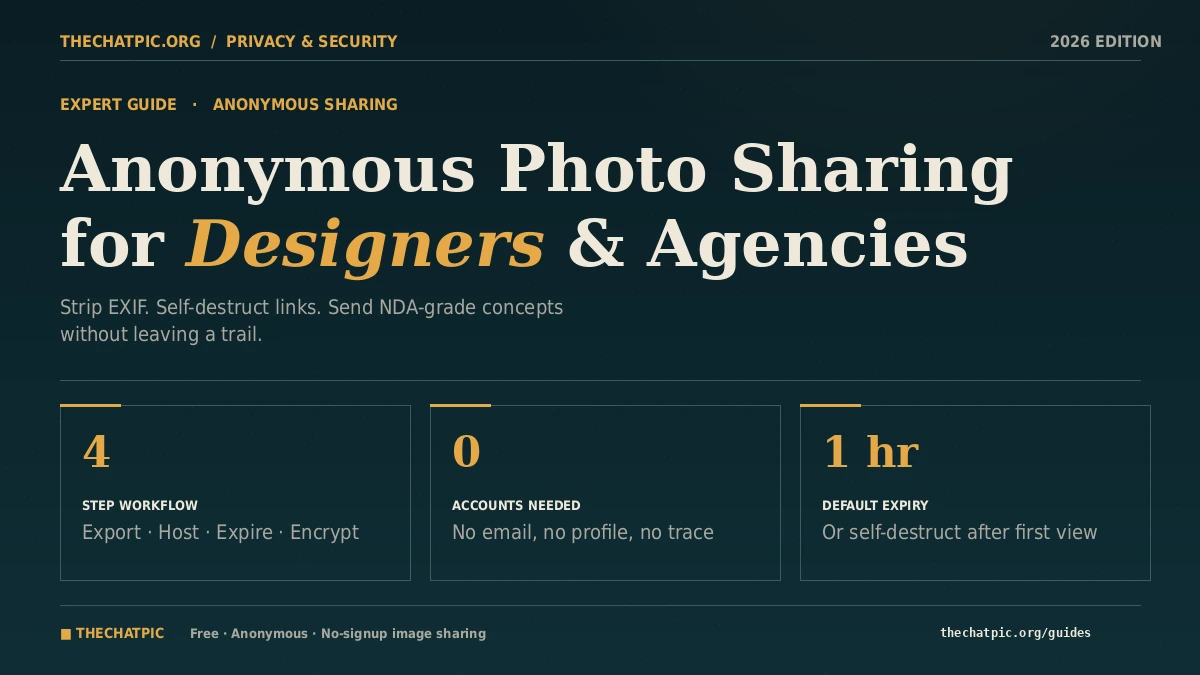
The workflow most experienced freelancers and agency PMs have settled on has four steps. None of them are technical. All of them get skipped by people in a hurry, which is why leaks happen.
Step 1: Strip metadata before the file leaves your machine
Do this at export time, not after upload. In Photoshop, use File → Export → Export As (not Save As) and uncheck Include Metadata. In Figma, the PNG export is already metadata-clean. In Lightroom, set your export preset’s Metadata field to Copyright Only or None. On iPhone screenshots, the share sheet now has a Remove Location toggle — use it.
For files you’ve already exported, ExifTool (exiftool -all= filename.jpg) wipes the lot. Right-click → Properties → Details → Remove Properties works on Windows. The free site Verexif handles it in a browser if you’re on someone else’s machine.
A clean export is the only step you fully control. Every other layer depends on it.
Step 2: Pick a host that doesn’t add new identifiers
This is where most workflows fall over. You can strip EXIF perfectly, then upload to a host that wraps the image in your account ID, a referral URL, or a public gallery page that gets crawled. The host needs to: not require an account, not display the image on any public index, not append tracking parameters, and ideally strip metadata again as a backup.
The shortlist I’d send a junior designer to in 2026, based on direct testing: thechatpic.org (free, no signup, auto-EXIF strip, self-destruct, 1h/1d/1w expiry), chatpic.io (free tier, adds password protection and view counts), imgland.net (anonymous up to 32MB), and Postimage (older, anonymous, but no expiry control or EXIF stripping). For paid agency-grade options, Dropbox Transfer with a custom expiry and password is the corporate-safe choice, and WeTransfer Pro allows password protection and 7-day expiry.
For most early-stage concept work — moodboards, logo rounds, screenshot reviews — I use thechatpic.org because the four settings I actually want (no account, EXIF strip, expiry, self-destruct) are all on by default. No toggling. No menus. If you are sending finals over a chat app, sending photos to WhatsApp without compression covers keeping full resolution.
Step 3: Set the link to die on its own
Self-destruct after one view is the right setting for anything you would not want sitting around in a Slack history. Concept presentations, logo proofs sent to a single decision-maker, NDA-bound preview frames. The link opens once, the asset disappears, and there is no copy living on a host server waiting to be discovered later.
For multi-stakeholder reviews where two or three people genuinely need to open the link, a one-day expiry is the next-tightest setting. A week is the absolute ceiling for anything client-confidential. “Never expire” is a setting for stock illustrations and your own portfolio, not client work.
Step 4: Send the link through a channel you trust
The link is only as private as the place you paste it. SMS, regular email, and unencrypted Slack DMs are all readable by someone in the middle. For NDA-grade work, send the link through Signal, an encrypted email service (Proton, Tutanota), or — if the agency mandates it — a managed channel like a client portal in your project management tool.
The combination that holds up: clean export, anonymous host with expiry, encrypted delivery channel. Skip any one of the three and you’ve left a thread for someone to pull.
Real Workflows: How Designers and Agencies Actually Use Anonymous Sharing
These are the workflows I see most often in 2026, based on conversations with freelancers and small studios over the last twelve months.
The freelance logo round
You’re showing a client three logo directions. You don’t want round 2 leaking onto Reddit’s r/logodesign as someone’s “design crit,” and you definitely don’t want the rejected concepts showing up in a future portfolio audit by the eventual winning brand’s legal team. Freelancers can see the full secure-handoff system in how freelancers share client work securely.
Workflow: Figma → export PNG at 2x with metadata off → upload each concept to thechatpic.org with 1-week expiry → paste all three links into a single client email. Each link dies on its own a week later. Nothing to clean up, nothing to remember, no asset sitting in a Drive folder you’ll forget about in 2027.
The agency pitch deck preview
You’re three days from a new-business pitch. You want one trusted contact at the prospect to sanity-check the strategic direction before you walk in the room. You absolutely cannot let a slide leak to a competitor pitching the same account. For sharing UI mockups and staging-site screenshots specifically, see the best way to share screenshots in bug reports.
Workflow: Export the three key slides as PNGs from Keynote (uncheck metadata in the export sheet) → upload to thechatpic.org with self-destruct after view on → send the link through Signal with a one-line message: “Open this once, on your phone, in the next hour.” Once they open it, the asset is gone. No screenshot survives on a host server. If they need a second look, you generate a new link with a new self-destruct.
The in-house creative reviewing with an external freelancer
You’re a brand designer at a mid-size SaaS. You’ve hired a freelance illustrator for hero artwork. You want to send them three reference shots from an internal photoshoot, including some product UI screens that aren’t public yet. Your company DAM (Bynder, Frontify, whatever) is overkill for a one-off — and it’ll leave a paper trail in audit logs.
Workflow: Screenshots → anonymous host with 24-hour expiry → freelancer downloads what they need within the day → asset is gone before the next compliance review. No account on either end. Nothing to revoke later.
The agency-to-client proof for sensitive industries
Pharma, finance, legal, and political clients have stricter rules than the rest. A poster concept for a new prescription drug can’t sit on a public host while waiting for legal review. Most agencies in these verticals already use enterprise proofing tools (PageProof, Ziflow), but anonymous sharing fills the gap for informal sends — the “quick check, does this direction feel right?” moment before formal proofing kicks in.
For these, pair the upload with a short expiry (1 hour) and a password the client gets through a separate channel. Belt and braces. The asset disappears either way. Photographers handle this same proof-delivery problem daily — our guide to how photographers send client proofs privately goes deep on watermarking and gallery settings.
The freelance retoucher’s reference pull
You’re retouching a fashion shoot. The art director sends you fifteen mood references over WhatsApp, which compresses them to garbage. You ask for the originals via direct link instead — three batches of five images each, uploaded to an anonymous host, opened on your desktop at full resolution, then expired by the next morning. The art director doesn’t need an account. You don’t need an account. Nothing is archived where it shouldn’t be.
Common Mistakes Designers Make with Image Sharing (And How to Avoid Them)
These are the patterns that turn a “small mistake” into a fired-from-the-account email.
Trusting the messaging app to handle privacy for you. WhatsApp, iMessage, and Telegram all strip some metadata when they recompress images for sending. They don’t strip all of it, and they hammer the image quality in the process. For client work, treat messenger apps as a delivery channel for a link, not a host. Upload separately, send the link, keep the original quality.
Reusing the same public Imgur or Dropbox link for multiple clients. I’ve seen this. A freelancer keeps a public Dropbox folder of “current work” and shares the same link as a portfolio teaser. The folder URL eventually gets indexed, scraped, or shared further than intended, and now Client A can see what you’re doing for Client B. One folder per client minimum, and ideally one link per send.
Assuming Slack and Notion are private by default. They’re private to the workspace, which means they’re visible to anyone in that workspace — including freelancers who left two years ago and never got removed, and the new hire who joined yesterday. Sensitive previews don’t belong in workspace-wide channels. Use a DM, or use an anonymous link the recipient can open without joining the workspace at all.
Stripping EXIF but forgetting visible identifiers. The image itself can still betray the client. License plates in a product shot. A logo on a coffee cup in the corner of a screenshot. A window reflection showing a building exterior with visible signage. EXIF tools won’t catch any of that. Crop and visually scan before you send.
Treating “anonymous” as legal cover. It isn’t. Anonymous sharing protects against casual leaks and crawler exposure. It doesn’t protect against a determined investigation, a subpoena to your hosting provider, or a forensic analysis of a leaked file. For high-stakes legal-sensitive work — litigation graphics, M&A pitch visuals, regulated-industry concepts — anonymous sharing should be one layer, not the only layer. Combine it with NDA paperwork, a paid enterprise tool with audit logs, and clear deletion timelines.
Never auditing your own old links. A “never expire” upload from 2022 is still live in 2026. If you’ve used anonymous hosts for years without expiry, go back and clean up. Most modern tools let you delete by visiting the link with the original session cookie or by submitting a takedown.
Free vs Paid: When Each One Fits
Free anonymous hosts cover most of what a solo designer or small studio needs day-to-day. Imgur, Postimage, and other established free hosts let you upload without an account and get a shareable link. Add a privacy-first option like thechatpic.org for anything where expiry or EXIF removal matters, and you’ve got a working stack for under $0 a month.
Paid proofing platforms — Ziflow, GoVisually, PageProof, and similar agency-grade tools — earn their cost when you need centralized feedback, version control, frame-accurate video commenting, and Adobe Creative Cloud plugins. PageProof reports agencies see roughly 40% workflow efficiency gains and 53% less rework with centralized proofing. Those numbers matter when you’re running ten concurrent client accounts. They don’t matter when you’re showing one logo round to one stakeholder.
The honest split I’d recommend:
- Solo freelancer, under 20 clients/year: free anonymous host for proofs, paid Dropbox or WeTransfer for final deliverables.
- Boutique agency, 3–15 staff: free anonymous host for informal previews, paid proofing tool for formal review cycles, enterprise file transfer for final assets.
- Mid-size or larger agency: all of the above, plus a DAM for asset management and an enterprise compliance layer for regulated clients.
The mistake is using the wrong tier for the moment. Sending a five-minute concept check through your $300/month proofing tool is friction the client will resent. Sending an NDA-bound logo through a public Imgur link is a fireable offense. Match the tool to the stake.
Frequently Asked Questions
Is anonymous photo sharing legal for client work?
Yes, in the United States and most jurisdictions. Anonymous sharing is a privacy practice, not a legal status. The content you share is governed by your client agreement, your NDA, and applicable copyright and privacy law. Anonymous tools simply reduce the data trail; they don’t override contractual obligations or grant special legal protections.
Will an anonymous host strip the metadata from my client files?
Some will, most won’t. Thechatpic.org and a few other privacy-focused tools strip EXIF automatically. Imgur, Postimage, ImgBB, and most general-purpose hosts preserve metadata or only strip GPS. Always strip metadata at export from your design tool first — don’t rely on the host as your only line of defense.
Can I use anonymous photo sharing for NDA-bound work?
Yes, when paired with the right settings and channels. Use a host that supports expiry or self-destruct, set the shortest practical lifespan, send the link through an encrypted channel like Signal, and document the share in your project notes. For high-stakes NDAs, layer this with a contract-grade proofing tool that maintains audit logs.
What’s the difference between anonymous sharing and a client proofing tool?
Anonymous sharing is one-way: send a link, link expires, conversation ends. Proofing tools like Ziflow and PageProof add structured feedback, version control, approval workflows, and audit logs. Use anonymous sharing for informal previews and quick checks. Use proofing tools when feedback needs to be tracked, attributed, and revisited.
How long should I keep a client preview link live?
Default to the shortest window that fits the review. For one-stakeholder approvals, use self-destruct. For small teams, one day. For multi-round reviews with international time zones, one week is the ceiling. Never use “permanent” expiry for unfinished client work — it’s the setting most likely to cause a leak six months later.
Are free anonymous hosts safe for commercial design work?
Free hosts that publish a clear privacy policy, offer expiry controls, and strip metadata are generally safe for early-stage concept work. Avoid mirror sites of shut-down platforms, hosts without a contact route, and any tool that asks for personal data while claiming to be anonymous. For final deliverables and contracted work, move to a paid tool with stronger SLAs.
Does anonymous sharing protect me if a client leaks the file themselves?
No. Once the recipient has the file, they control what happens to it. Anonymous sharing protects the path — your name isn’t on the host, the link can’t be found by crawlers, and the asset disappears when expiry hits. It doesn’t stop a recipient from saving, forwarding, or republishing. That’s what NDAs are for.
Should I use a VPN when uploading client work to an anonymous host?
For routine previews, no. For sensitive work in industries where even network-level metadata matters — political campaigns, regulated finance, certain legal contexts — a VPN adds a useful layer by hiding the upload from your ISP and the host’s server logs. Pair it with an anonymous host and self-destruct settings for the strongest combination.
The Takeaway
Anonymous photo sharing for designers isn’t a single tool. It’s a three-part habit: clean export, privacy-first host with expiry, encrypted delivery channel. Get all three right and the casual leaks that end careers stop being possible.
Most freelancers and small studios overpay for proofing platforms when they need them rarely, and underpay (with their reputation) when they send NDA work through public hosts. The fix is matching the tool to the stake. For 80% of concept previews, a free anonymous host with auto-EXIF removal and self-destruct links covers the job in under fifteen seconds.
If you want to try the workflow today, drop a test file into thechatpic.org with a one-hour expiry and the self-destruct setting on. Send the link to yourself first, open it once, watch it die, then read the related guides on EXIF removal and Tor/VPN workflows for the higher-stakes scenarios. The whole loop takes five minutes and changes how you send client work for good.