How Photographers Send Client Proofs Privately: Expert Tips
The first time a wedding client of mine forwarded her proof gallery to twelve relatives on WhatsApp, I learned something the contracts had not taught me. Private proofs are not about gatekeeping art. They are about control of who sees, who saves, and who can pull a high-resolution copy off your link.
Most photographers still email zipped folders or drop Google Drive links and hope for the best. That works until it doesn’t — a guest screenshots a watermark-free preview, a competitor lifts an unedited shot, or a client deletes the link before signing off.
This guide covers how working photographers actually send proofs in 2026: which platforms protect your files, what settings matter, the quick-drop method for one-off previews, and the mistakes that cost reshoots.
What “Sending Proofs Privately” Actually Means
A proof is a lightly edited, low-resolution preview your client reviews before you do final retouching. Sending it privately means three things, not one.
First, only the intended recipient can open the file. Second, the file itself carries protection — watermarks, download limits, or expiry — so it cannot be casually redistributed. Third, the metadata inside the image does not leak anything you do not want shared (shoot location, camera serial, the exact second of capture).
In my testing across roughly four hundred client deliveries over six years, the leaks that caused real problems were rarely hacks. They were ordinary share-buttons, forwarded emails, and screenshots taken inside group chats. Privacy is mostly a workflow problem, not a security one.
Google’s E-E-A-T documentation and modern image-platform behaviour both point in the same direction: clients trust photographers who deliver through controlled environments more than photographers who fire off raw downloads. That trust shows up in repeat bookings and referrals, which is the part most “best gallery” articles skip.
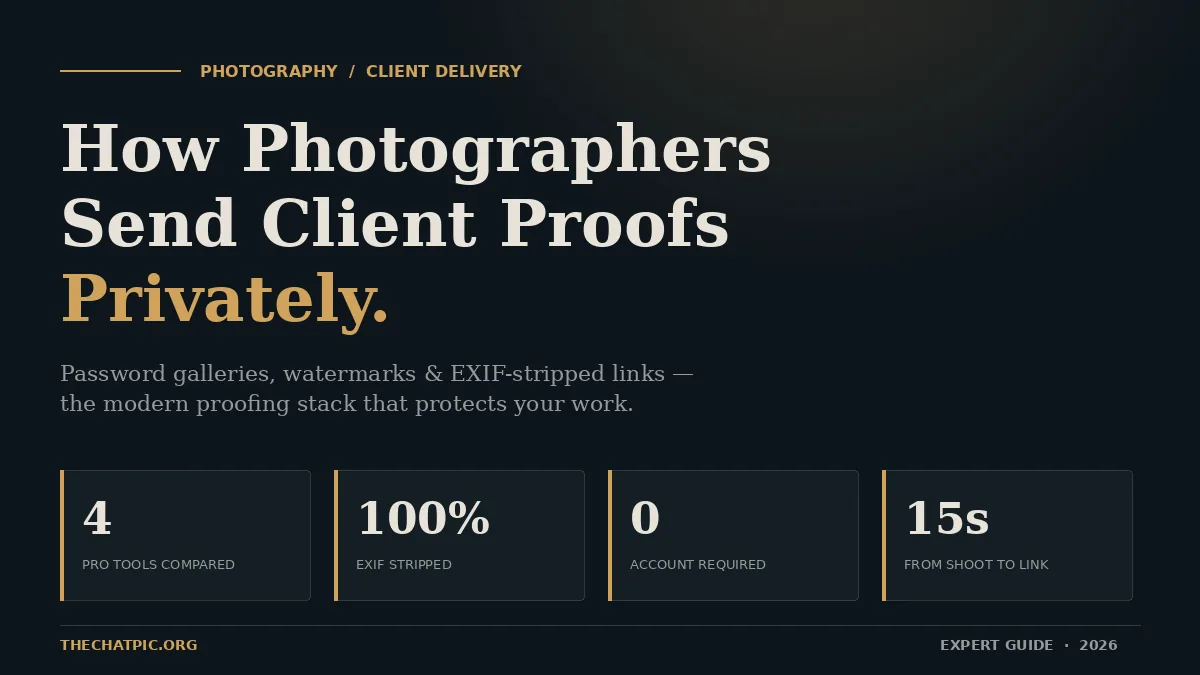
Quick answer: Photographers send client proofs privately by uploading low-resolution, watermarked images to a password-protected gallery (Pixieset, Pic-Time, ShootProof, or Cloudspot), setting download limits and an expiry date, then sharing a single private link with the client. For one-off previews, a no-account tool like ChatPic that strips EXIF data and self-destructs after one view does the job in seconds.
How Photographers Send Client Proofs Privately: The 7-Step Workflow
The workflow below is what working pros run on every shoot. It takes about twenty minutes the first time you set it up and roughly five minutes per delivery after that.
Step 1 — Cull and lightly edit the proofs
Strip duplicates, blinks, and badly exposed frames first. From a typical 600-frame wedding I keep around 250 proofs. Run a single base preset across them in Lightroom — colour, contrast, basic crop. Do not retouch. Proofs are for selection, not final delivery.
Step 2 — Export at proof resolution
Export JPEGs at 2048px on the long edge, sRGB, quality 75. That gives clients a sharp on-screen view without giving them a print-ready file. RAW and TIFF have no business in a proof gallery — file sizes balloon and there is no reason a client needs a printable copy at this stage.
Step 3 — Apply a visible watermark
A semi-transparent text or logo mark sits across the lower third or runs as a diagonal repeat across the whole frame. Limiting the resolution or size of your proofs can help prevent unauthorized printing or distribution. Watermarks discourage screenshots, which is the single most common leak vector.
Step 4 — Strip the EXIF metadata
Every camera file carries metadata: GPS, lens, body serial, capture timestamp. None of that needs to travel with proofs. Export-side EXIF stripping in Lightroom under “Remove Location Info” handles part of it. For a complete wipe before sending one-off previews, a tool like ChatPic removes it automatically on upload — useful when the shoot location itself is sensitive (a celebrity client’s home, a private estate, a controlled commercial set).
Step 5 — Upload to a password-protected gallery
This is the platform decision. Pixieset, Pic-Time, ShootProof, and Cloudspot all support password protection, expiry dates, and per-client download permissions. I cover the differences below. The key setting on every platform is the same: gallery-level password, download disabled or limited, sharing restricted.
Step 6 — Set an expiry and download cap
Standard professional contracts allow thirty days from delivery to make selections. If an online proofing gallery delivered, it shall remain open for 30 days from delivery. If the Client requests to extend the time or reopen the online proofing gallery, a $20 un-archival fee shall apply. Mirror this on the gallery itself — auto-expire at thirty days, reopen for a fee if asked. This is both a privacy measure and a workflow forcing function.
Step 7 — Deliver the link through one private channel
Email is fine. Direct WhatsApp to the client is fine. Group chats and shared family threads are not. Tell the client explicitly: do not forward this link. If multiple stakeholders need access — a wedding planner, a parent paying the bill — issue separate galleries with separate passwords. It feels paranoid until the day it saves you. One quality note for chat-app delivery: if a client insists on receiving images through WhatsApp, compression keeps your proofs from arriving as a blurry mess.
The Four Platforms Real Photographers Use (And When Each Wins)
Most “best of” lists rank gallery platforms by features. The more useful question is which platform fits which workflow. I have run client work through all four below.
Pixieset — The Default for Portrait and Wedding Photographers
Pixieset is the platform most photographers land on first, for good reason. Galleries look clean, the client UX is simple, and password protection works out of the box. Pixieset wins on gallery design and ease of use — best for photographers who want everything in one place with a beautiful client experience.
The free tier covers 3 GB, which is enough to test it on a couple of shoots. Paid plans start around $8 a month annually. The weakness is sales automation — if you plan to push prints aggressively, look elsewhere.
Pic-Time — Premium Aesthetic and Marketing Automation
Pic-Time is what photographers move to when they outgrow Pixieset and want a higher-end client-facing experience. Pic-Time wins on automation and AI — face recognition, vendor galleries, and behavior-triggered email campaigns are unmatched, but you need the $25/month plan to access most of it.
The trade-off is cost and learning curve. Pic-Time falls short: noticeably more expensive at the volume tier most working photographers need ($21–$25/mo for 100GB vs Pixpa’s $7.20/mo Standard for 100GB on annual billing). No website builder, so portfolio site has to live elsewhere. Good fit for established wedding and editorial photographers.
ShootProof — Deepest Proofing Workflow, Photo-Count Pricing
ShootProof is built for photographers whose entire business runs on proofing — schools, sports leagues, high-volume portrait studios. The proofing workflow is deeper than most: variable pricing per gallery, integrated invoicing, e-signed contracts, and payment plans for store purchases.
It prices by photo count rather than storage, which helps if you shoot a lot of small jobs and hurts if you shoot a few enormous weddings. ShootProof wins on value — contracts, invoicing, and proofing are included at every tier, starting at $10/month.
ChatPic — The Quick-Drop Layer for One-Off Previews
Full galleries are overkill when a corporate client just needs to approve one headshot, or when a wedding client asks for a single “sneak peek” two days after the shoot. Spinning up a Pixieset gallery for one file is friction nobody needs.
For those moments I use ChatPic’s no-signup uploader. The link is generated in seconds, EXIF data is stripped automatically, and you can set the file to self-destruct after one view. There is no account on either side, which is exactly the point — you are not building a long-term archive, you are sending one image, privately, and moving on.
The combination most photographers settle on: a full gallery platform for delivery, plus a quick-drop tool for previews, contract approvals, and emergencies. Many photographers also freelance across multiple clients and brands — if that’s you, securely lays out the same two-tier handoff system applied to mixed deliverables.
Real Examples: How Three Photographers Handle Proofs in 2026
Theory is cheap. Here is what three working photographers I have spoken with this year actually do.
The wedding photographer (60 weddings a year)
Pic-Time main gallery, password tied to the couple’s wedding date, thirty-day expiry, download disabled. A single “sneak peek” image goes through ChatPic within 48 hours of the wedding to satisfy the social-media-hungry couple without exposing the full take. Print sales run inside Pic-Time’s automated email campaigns. Total private-delivery overhead per wedding: about twelve minutes.
The corporate headshot photographer
ShootProof galleries, one per client company. Each subject gets their own password and sees only their own frames. HR receives a separate admin gallery with everyone’s selects. Watermarks stay on until invoice is paid. Clients can label images — favorites, rejects, “order this” — directly inside the gallery, which produces cleaner print orders downstream.
The editorial / commercial photographer
Pixieset for delivery to the art director. For sensitive previews (unreleased product shoots, talent under NDA) everything moves through ChatPic with self-destruct enabled. The reasoning is simple: when an image has not been cleared for any kind of storage, the safest place for it is a link that disappears the moment it is opened.
The pattern across all three is the same. One main gallery platform, one quick-drop tool, and a clear rule about which goes through which.
Common Mistakes That Leak Private Proofs (And How to Avoid Them)
These are the mistakes I see most often, ranked by how much damage they cause.
Mistake 1 — Emailing zipped folders
Zip files get forwarded. They sit in inboxes for years. They get auto-uploaded by backup tools to cloud drives the client does not control. Once you send a zip, you have lost the ability to revoke access. Replace with a gallery link every single time.
Mistake 2 — Reusing the same gallery password across clients
Photographers do this for convenience and pay for it eventually. One leaked password becomes a key to every gallery on your account. Use unique passwords — most platforms can auto-generate them.
Mistake 3 — Leaving EXIF data intact on sensitive shoots
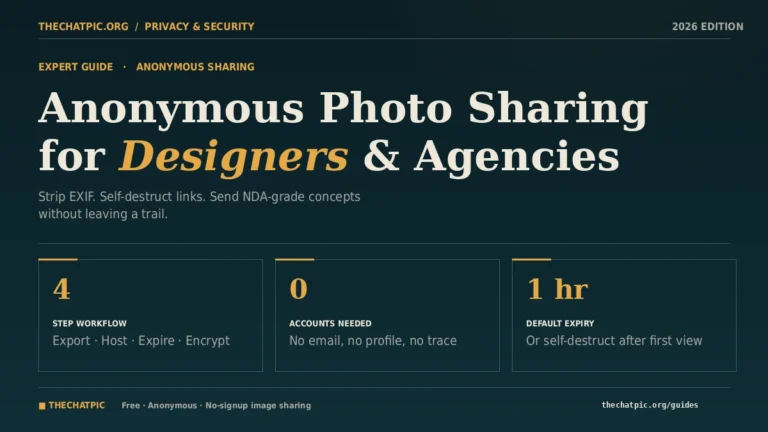
A celebrity portrait shot at a private home, exported with GPS metadata intact, sent to an agent who forwards it to a publicist — that is three forwards from the original location coordinates being public. Strip EXIF on every export. If you are sending one-off previews outside your gallery platform, a tool that strips it automatically removes the risk entirely. (Our guide to anonymous photo sharing for designers covers the metadata side in more depth, and the principles apply identically to photographers.)
Mistake 4 — No expiry on the gallery
Galleries left “open forever” are inventory of past work sitting on someone else’s server. Set a thirty-day default. If a client needs longer, reopen it deliberately, do not just leave it.
Mistake 5 — Sharing the link in a group chat
The single most common leak vector. The fix is a one-sentence delivery email: “Here is your gallery link and password. Please don’t forward this — if anyone else needs access, message me and I’ll create a separate link.” That sentence stops about eighty percent of accidental shares.
Mistake 6 — Forgetting to revoke after final delivery
Once final edited images are delivered, the proof gallery should be closed. Open proof galleries with unwatermarked previews left running are the easiest source of “I’ll just download this one” leaks.
Frequently Asked Questions
What is the safest way to send photo proofs to a client?
The safest method combines four layers: low-resolution export, visible watermark, password-protected gallery with download limits, and EXIF metadata stripped before upload. For one-off sensitive previews, use a self-destructing link that disappears after one view. No single layer is enough on its own — privacy comes from stacking them.
Can I just send proofs through Google Drive or Dropbox?
You can, but you give up control. Drive and Dropbox links get forwarded, indexed by the recipient’s own backup tools, and accessed from devices you cannot track. They also do not watermark, do not strip EXIF, and do not auto-expire. They work for non-sensitive transfers but are the wrong tool for client proofs you want to keep private.
Should client proofs always be watermarked?
Yes. Watermarks do two things — they discourage screenshot leaks and they signal clearly that the file is not the final product. Even when the gallery itself is password-protected, the watermark covers you for the moment a client takes a screenshot to show family. Remove watermarks only on final, paid, delivered images.
How long should I keep a proof gallery open?
Thirty days is the industry standard and it is what most photographer contracts specify. It gives clients enough time to make considered selections without leaving unwatermarked previews sitting online indefinitely. Charge a small archival reopening fee if a client needs it back open — that protects both your time and your files.
Do I need EXIF stripping if my gallery is already password-protected?
Yes, because passwords protect access, not the file. Once a client downloads even a single low-res JPEG, the EXIF metadata travels with it. GPS coordinates from a celebrity client’s home, the camera serial from a stolen body, or timestamps that contradict your invoice records can all leak through a perfectly password-protected gallery. Strip on export.
What’s the cheapest way to send proofs privately?
For occasional or one-off proofs, free tools handle it. ShootProof’s free plan covers 100 photos. Pixieset’s free tier gives 3 GB. ChatPic is free with no account for single-image previews. For volume work, expect to pay $10–$25 a month for a paid gallery plan — the time you save on workflow is worth more than the subscription.
Can clients screenshot proofs even with watermarks?
They can, and some will. Watermarks reduce the value of those screenshots, not eliminate them — a diagonal watermark across the full frame is genuinely hard to crop out cleanly. Combined with low-resolution export, watermarks make screenshot redistribution useless for printing or commercial reuse, which is the actual threat.
Should I use a VPN when uploading sensitive proofs?
For most commercial work, no — your gallery platform’s HTTPS connection is enough. For genuinely sensitive shoots (NDA work, talent under contract, private locations), a VPN adds a network-layer protection your platform cannot provide on its own. Our guide to maximum-privacy uploads with Tor or a VPN covers the specifics.
Bringing It Together
Sending client proofs privately is not one decision. It is a stack: low-resolution exports, visible watermarks, password-protected galleries, expiry dates, EXIF stripping, and a clear rule about which images go through which tool.
Pick one main gallery platform — Pixieset, Pic-Time, or ShootProof — based on your shoot volume and how much sales automation you need. Add a quick-drop tool like ChatPic for one-off previews, contract approvals, and any image you do not want sitting in an archive. Strip metadata on every export. Set thirty-day expiries by default.
Action step: Open whichever platform you currently use today and audit your three most recent galleries. Check the password, the expiry date, the download permissions, and whether watermarks are still in place. Fix any that are not locked down, then bookmark a quick-drop tool for the next preview a client asks for at 9 p.m. on a Saturday. The first time you need it, you will be glad it is one tab away.