How Journalists Protect Sources With Image Sharing
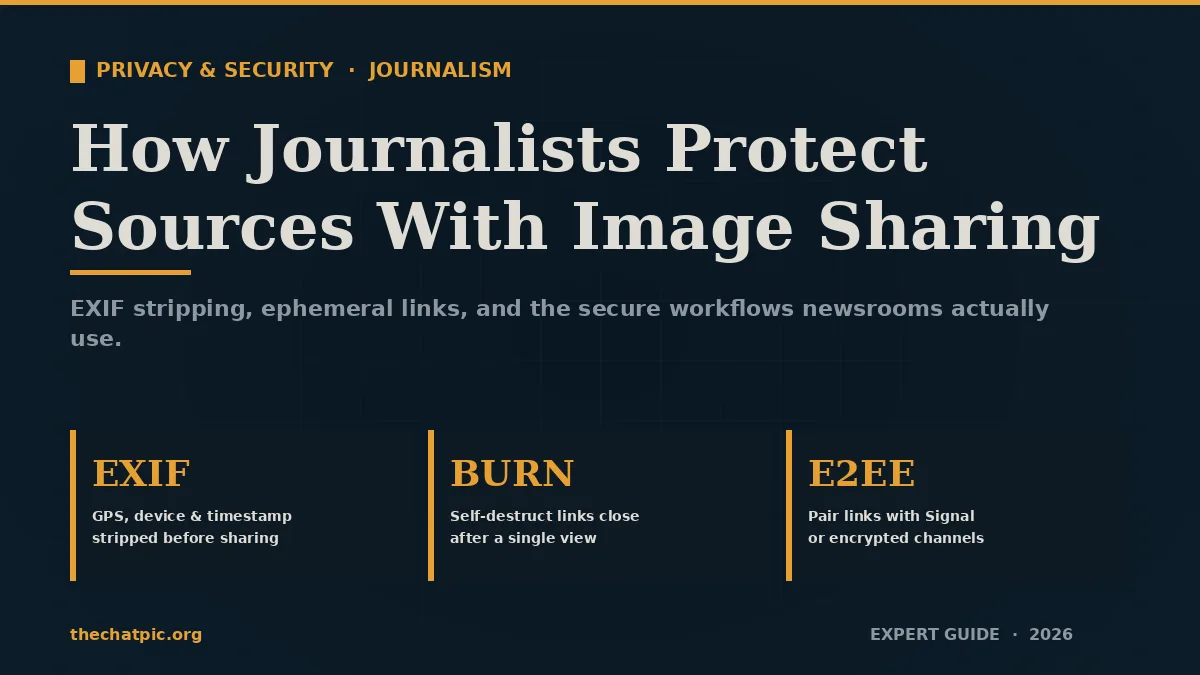
A photo of a leaked document is one of the most powerful pieces of evidence a journalist can publish. It is also one of the most dangerous things a source can hand over. The image itself shows the story; the hidden data inside it can show exactly who took the picture, where they were standing, and on which phone.
In my work auditing newsroom workflows over the past few years, the single most common mistake I see is treating a sensitive photo like any other attachment. It is not. Every modern image file carries a paper trail, and most journalists never check it before forwarding the file to an editor.
This guide walks through how journalists protect sources with image sharing in 2026 — the metadata risks, the secure tools that actually work, the step-by-step workflow used by major investigative desks, and the mistakes that keep getting whistleblowers identified.
Why Image Sharing Is the Weakest Link in Source Protection
Source protection is a recognized right in many jurisdictions. It prohibits authorities, including the courts, from compelling a journalist to reveal the identity of an anonymous source for a story. The legal shield, though, only covers what the journalist knows. It does not cover what an image file silently reveals on its own.
A modern smartphone photo embeds a block of data called EXIF (Exchangeable Image File Format). It can include the device make and model, the camera’s serial number, the exact timestamp, and — most damaging — GPS coordinates accurate to a few meters. A single picture can pinpoint a source’s home, their office, or the meeting room where the document was photographed.
This is not theoretical. GPS Latitude, GPS Longitude, GPS Altitude, User Comment, XP Author, Make, Model, Date/Time Original are all standard fields that travel with the file unless they are deliberately stripped. Security researchers regularly demonstrate that uploaded images on poorly configured platforms resolve to “a precise, real-world physical location.”
The risk has grown because the threat landscape has. Maintaining confidentiality has become more challenging due to increasing levels of digital surveillance and monitoring by authorities and the public. A leak investigation today does not start with the journalist’s notebook — it starts with whatever digital artifact made it out of the building.
The Hidden Data Inside Every Source Photo
Most reporters know “EXIF” as a word and assume their phone or their newsroom CMS handles it. Both assumptions are wrong often enough that they should not be assumptions at all.
Here is what is actually inside a typical source photo:
- GPS coordinates — latitude, longitude, and sometimes altitude, captured automatically by the device.
- Device fingerprint — make, model, and in many cases the camera’s unique serial number.
- Timestamp — the exact date and time the shutter was pressed, down to the second.
- Software trail — the operating system version and any editing app that touched the file.
- Author tags — if the source has set their name in their phone or camera settings, it rides along inside the file.
- Thumbnails — older formats sometimes embed a small preview that was not updated when the photo was cropped, leaking the original framing.
The case for paranoia gets stronger when you look at what platforms do and do not strip. Twitter/X strips EXIF metadata (including GPS coordinates) from public photo tweets during upload processing. However, images sent via Direct Messages and uploaded through third-party API clients may retain some metadata. Pre-upload cleaning remains the only guaranteed way to protect your location data regardless of how you share.
In my testing across email, Slack, WhatsApp, Signal, Telegram, and several newsroom CMS platforms, the only consistent result is that you cannot trust any of them to scrub for you. Some strip everything. Some strip nothing. A few strip metadata on the public copy but keep the original intact on their servers. The only safe assumption is that whatever the source sent is still inside the file until you personally remove it.
Step-by-Step: A Secure Image Workflow for Source Protection
Most newsroom guidance is written at the policy level. What follows is the operational version — the workflow I have seen hold up in real investigations and that maps directly to what press-freedom organizations recommend.
Step 1 — Establish the Channel Before the Image Moves
The first message to a source should never be the document itself. Open the channel first, agree on the tools, and only then transmit. Preparation before engaging with confidential sources for the first time is critically important, as is ongoing cooperation, secure communication.
For first contact, the standard options are an end-to-end encrypted messenger (Signal is the default), an anonymous-tip platform like SecureDrop, or a one-time encrypted email. Whatever you choose, the source should reach you on a channel you have hardened, not a public address scraped from your byline.
Step 2 — Have the Source Strip Metadata Before They Send
The safest scrub happens on the source’s device, not yours. By the time a photo touches an intermediary server, you have lost a layer of control. Walk the source through it in plain language:
- Open the image in a privacy-cleaning tool on their device.
- Remove all EXIF, IPTC, and XMP metadata.
- Save a clean copy with a generic filename.
- Delete the original from the camera roll if the situation requires it.
Browser-based tools that process the file locally — never uploading it to a server — are the right choice here. Cleaning at the edge ensures every user-generated file is sanitized, even if the uploader forgets.
Point your source to our companion guide on anonymous photo sharing for whistleblowers so they can prepare the image safely before it ever reaches you.
Step 3 — Receive the Image Through an Anonymous Channel
For high-risk material, the gold standard remains SecureDrop. SecureDrop is being used by at least 30 US and global media organisations and offers a way for sources to anonymously communicate via encrypted servers. The tool is built specifically so a source can submit documents and images “without leaving digital traces.”
For lower-risk material — a tip photo, a screenshot, a non-classified document — an ephemeral image-sharing tool that strips EXIF on upload is often enough. The source uploads, sends you a self-destructing link, and the image disappears after a single view. This site’s own privacy and security guides cover the trade-offs when SecureDrop is overkill.
Step 4 — Verify Before You Publish, Then Scrub Again
EXIF data can be useful for verification — confirming a photo really was taken at the claimed location and time — but that same data must never reach publication. When handling images from sensitive sources, your workflow must prioritize privacy. The first step is to inspect the metadata to understand what information is present. You need to know if the photo contains GPS tags, the source’s name in the copyright field, or other identifying details. Once you have identified the sensitive data, you must ensure it is stripped before publication or sharing with other parties.
Use a local, browser-based inspector to read what is there. Note anything useful for verification in a separate document. Then export a clean copy with all metadata removed and use that copy — not the original — for everything downstream.
Step 5 — Re-Crop, Re-Compress, and Watermark Where Needed
Even after metadata is gone, a published image can still identify a source. Sensor noise can fingerprint a specific camera. A reflection in a screen, the corner of a desk, or a unique mark on a document can be matched back. Crop tightly to the relevant content. Re-compress the image so any forensic artifacts are degraded. If the document layout itself is identifying, consider re-typing the relevant text as a quote rather than publishing the image at all.
Step 6 — Control the Onward Distribution
Once a clean image leaves your machine, you no longer control it. Internal sharing within the newsroom should go through a system that does not embed your name or location in re-saves. External sharing — to a lawyer, a fact-checker, a co-byline at another outlet — should use ephemeral links, not email attachments. Treat every internal copy as a leak waiting to happen.
Tools and Tactics Used by Major Investigative Desks
The toolkit below reflects what is actually in use across investigative newsrooms in 2026, not a wish list.
For source intake
- SecureDrop — the anonymous-submission system from the Freedom of the Press Foundation, deployed by the Washington Post, The Guardian, The New York Times, ProPublica, The Intercept, and dozens of others. Designed so the journalist learns nothing about the source beyond what the source chooses to reveal.
- Signal (with disappearing messages) — for direct, end-to-end encrypted contact when a real-time conversation is needed. Set the disappearing-message timer before sending anything sensitive.
- OnionShare — peer-to-peer file sharing over Tor, useful when SecureDrop is unavailable and email or commercial cloud is unsafe.
For metadata inspection and removal
- ExifTool — the command-line standard for reading and stripping every metadata field. Slower to learn, but it is the tool every digital-forensics team in the world also uses.
- Local browser-based strippers — for fast, no-install cleaning when ExifTool is overkill. The right ones do their work entirely in the browser; the file never reaches a remote server.
- Built-in OS tools — Windows’ “Remove Properties” dialog and macOS Preview can strip basic EXIF, but they miss XMP and IPTC fields. Use them only as a fallback.
For onward sharing
- Ephemeral image hosts with auto-EXIF removal and self-destruct links — for moving an image from intake to an editor or lawyer without sticking it in email. A link that expires after one view leaves a much smaller exposure window than an attachment forwarded across mailboxes. If you are choosing one, this site has a full guide to maximum-privacy uploads using Tor or a VPN.
- Encrypted cloud storage with client-side encryption — for the small set of files that must be retained for legal hold or fact-check archives.
For network hygiene
A reputable VPN or, for higher-risk work, the Tor Browser, sits underneath every other tool. Without a network layer, the fact that you visited a tip platform — even an anonymous one — is itself a piece of metadata.
Real Examples: When Image Metadata Outed a Source
The case histories are unflattering, and they all rhyme.
A widely reported pattern over the last decade involves “leaked” documents that turn out to have been photographed on a phone whose camera serial number was already known to the agency the source worked for. The image went through three intermediaries. None of them stripped the file. The serial number, paired with internal device-issue records, was enough to narrow the suspect pool to a single person.
A second pattern involves photos taken inside a building with location services on. The published image was clean to the naked eye. The EXIF block embedded the building’s GPS coordinates and a timestamp. Crossed against a badge-swipe log, that combination identified the source within hours of publication.
A third involves activists rather than classic whistleblowers. A 2025 reference case is illustrative: because she used a scheduling/auto posting application to post her photo, Sarah’s EXIF data was never stripped, making the GPS location of her posting accessible to people who downloaded it. Within hours of Sarah’s posting, the “secret” beach location was inundated with thousands of people using the EXIF data on her photo to find the GPS coordinates. Swap “secret beach” for “safe house” or “meeting location,” and the same mechanism becomes life-threatening.
These cases share a common root cause: a workflow that assumed somebody else — the phone, the platform, the CMS — would handle the cleanup. None of them did.
Common Mistakes That Burn Sources
In the workflow audits I run with editorial teams, the same five mistakes account for the majority of preventable exposures.
1. Forwarding the original file “just for verification.” Once the unscrubbed file is in a second mailbox, it is permanently outside your control. Inspect locally, then create and forward a clean export.
2. Trusting the platform to strip metadata. As covered above, behavior varies wildly across services and even across upload paths within a single service. The only safe default is to assume nothing has been stripped until you have personally checked.
3. Using email for sensitive images. Email is not private, is not ephemeral, and creates an unknown number of copies across servers, backups, and corporate archive systems. For sensitive material, use an end-to-end encrypted channel and an ephemeral host instead.
4. Cropping in-place rather than re-exporting. A crop performed in some editing tools leaves the original thumbnail and full-frame image embedded in the file. Re-export from scratch.
5. Believing screenshots are automatically safe. They are safer than camera photos, but not safe. Generally, no. Screenshots contain very minimal metadata, usually just the color profile and resolution — but the visible content of a screenshot can still leak identifying detail: a username in the corner, a unique window arrangement, a notification badge with a real name.
Myth check: “Social media strips everything, so it’s safe.” Not reliable. Public posts on many platforms do get scrubbed; direct messages, scheduled posts, and third-party clients often do not. Strip before you send. Always.
The Legal Layer Journalists Cannot Skip
Technical protection sits on top of a legal regime that varies sharply by jurisdiction. Some states have shield laws that provide legal protections for journalists who refuse to reveal the identity of anonymous sources. Shield laws vary in scope and strength, and may not apply in all cases or jurisdictions.
US reporters should know the limits in their state and at federal level. Journalists in the U.S. can be legally forced to reveal their sources. Journalists who decide not to comply can be imprisoned for obstruction of justice or contempt of court. The point of technical source protection is partly to ensure that even in that scenario, there is nothing useful to compel — because the reporter genuinely does not know the source’s identity. SecureDrop’s design is the clearest expression of this principle.
Outside the US, regimes vary from strong (formal protection statutes in much of the EU and several Commonwealth countries) to absent. Where the law is weak, the technical workflow has to be stronger.
A second legal layer matters for the images themselves. GPS coordinates in a photo can constitute personal data under GDPR, CCPA, and similar frameworks. Publishing a source’s data — even by accident — can create downstream privacy liability for the outlet on top of the harm to the individual.
Building a Newsroom Standard, Not Just Personal Habit
Individual heroics do not scale. The newsrooms that consistently protect sources have a written standard that every reporter, editor, and freelancer is expected to follow: For the mechanics of getting an image to legal counsel securely, see sharing sensitive photos with a lawyer safely.
- A single approved anonymous-intake channel, prominently linked from the outlet’s website and contact page.
- A mandatory EXIF-inspection step before any source-supplied image enters the editorial system.
- A “clean copy only” rule for internal sharing — no forwarding originals.
- A retention policy that deletes intake artifacts on a defined schedule, so there is less to compel later.
- Annual digital-safety training for everyone with byline access, refreshed when threats change.
The point is to remove human judgment from the parts of the process that have to be consistent. A reporter chasing a deadline will sometimes forget to strip a file. A workflow that strips it automatically will not.
ChatPic FAQs
What is the safest way for a source to send a journalist a photo?
The safest path is for the source to first strip EXIF metadata on their own device, then submit through an anonymous channel like SecureDrop or an ephemeral image-sharing tool over Tor. Direct email and standard cloud links create persistent copies and should be avoided for sensitive material.
Do all platforms remove EXIF data automatically?
No. Behavior varies by platform and by upload path within the same platform. Public posts on major social networks are usually scrubbed, but direct messages, scheduled posts, and third-party clients often preserve metadata. Always strip locally before uploading anywhere.
What is SecureDrop and why do journalists use it?
SecureDrop is an open-source anonymous-submission system maintained by the Freedom of the Press Foundation. It lets sources submit documents and images over Tor without revealing identity to the receiving newsroom. Most major investigative outlets — the Washington Post, The Guardian, ProPublica, The Intercept — run a SecureDrop instance.
Can a published photo still identify a source after EXIF is stripped?
Yes. Visible content matters too: a reflection, a unique desk arrangement, a printer’s micro-dot pattern, sensor noise, or distinctive document layout can all be matched. Crop tightly, re-compress, and consider transcribing key text rather than publishing the image whole.
Is sending a source image through Signal safe?
Signal’s transport is end-to-end encrypted, which protects the file in transit. It does not strip EXIF metadata from the image itself. Treat Signal as a secure pipe, not a sanitizer — clean the file before you send it.
Should journalists ever keep original source images?
Only when legally required and only in encrypted, access-controlled storage with a defined deletion date. The longer an original sits on a system, the larger the legal and security exposure if that system is compromised or compelled.
Do I need a VPN or Tor to receive source photos safely?
For routine tips, a reputable VPN is adequate. For high-risk material — adversarial governments, organized crime, large corporations with surveillance capability — Tor is the standard. The maximum-privacy upload guide walks through both setups.
What happens if a court orders me to hand over a source image?
Hand over what you have, but design the workflow so what you have cannot identify the source. Anonymous intake systems, automatic deletion, and stripped metadata mean a compelled disclosure produces a clean image rather than a digital fingerprint pointing back at the person who sent it.
Conclusion: Source Protection Is a Workflow, Not a Promise
Telling a source “I’ll protect your identity” is meaningless if the file they send carries their GPS coordinates and their phone’s serial number. Modern source protection is a sequence of small technical choices: an encrypted channel, an EXIF-stripped file, an ephemeral link, a tight crop, a short retention window. Each step on its own is unglamorous. Together they are the difference between a story that lands and a source who gets identified.
If you are setting up a workflow today, start with three things. Adopt one anonymous-intake channel and publish it. Make EXIF inspection a non-negotiable step before any source image enters your editorial system. Use ephemeral, metadata-stripping tools for every onward share, not just the obvious ones.
When you need a fast, no-signup way to move a source photo without leaving metadata behind, thechatpic.org gives you an anonymous link with auto-EXIF removal and a self-destruct setting in a few seconds. Drop the file, set it to burn after view, and send the link through Signal. That is the workflow — and the source you protect will never know how close they came to being identified.