How to Use ChatGPT Free Without Login: Complete Guide
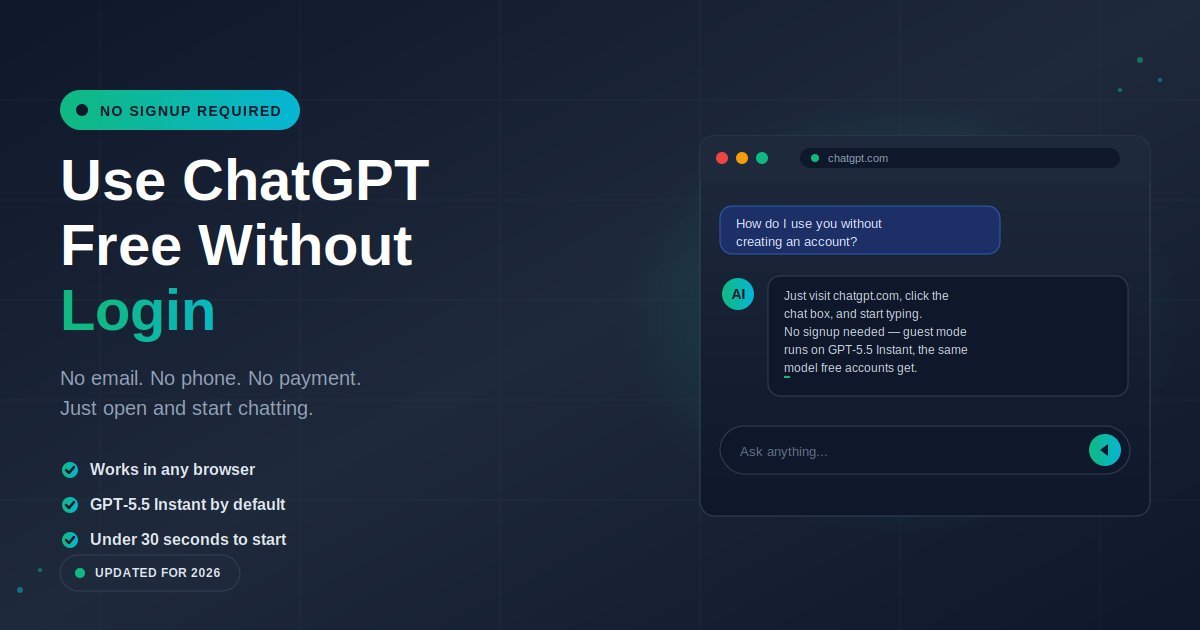
You can use ChatGPT free without login by going straight to chatgpt.com and typing into the chat box. No email, no phone number, no payment, no account. OpenAI quietly enabled this in April 2024, and the option has stayed live ever since.
Most people miss it because the homepage pushes you toward big “Log in” and “Sign up” buttons. The trick is to ignore both, click into the message field, and start chatting.
I have tested no-login access across Chrome, Safari, Firefox, and Edge — desktop and mobile — and it worked every time without friction. In this guide, I will walk through the exact steps, the real message limits, what guest mode actually does, what it cannot do, the safest alternatives, and the mistakes that quietly waste your free quota.
How do you use ChatGPT for free without login?
Open chatgpt.com in any browser, click into the message box at the bottom of the screen, type your prompt, and press Enter. ChatGPT replies in seconds. There is no signup screen, no email check, no phone verification. The official tool runs in guest mode by default if you ignore the login prompts.
The reason this is not obvious: the ChatGPT homepage is designed to convert visitors into accounts. You will see two large buttons — “Log in” and “Sign up for free” — and assume one of them is required. It is not.
If a sign-in pop-up appears, look for the small “Stay logged out” link, or close the prompt and click into the input field. From that point on, you can chat freely.
Guest mode is identical to the free account version in one important way: both run on GPT-5.5 Instant, OpenAI’s current default model. The only practical differences are that guests cannot save chat history, use memory, or access certain extras like custom GPTs.
What are the steps to access ChatGPT without an account?
The whole process takes under 30 seconds on any device. Follow these exact steps:
- Open your browser. Chrome, Safari, Firefox, Edge, or Brave all work. Mobile and desktop are both supported.
- Go directly to chatgpt.com. Type it into the address bar. Avoid sponsored “ChatGPT” results in Google — go straight to the URL.
- Dismiss any signup popup. Click “Stay logged out” if shown, or close the popup with the X icon.
- Click into the chat box. It sits at the bottom of the page with placeholder text like “Ask anything.”
- Type your prompt and hit Enter. ChatGPT responds in seconds.
- Keep chatting. Follow-up questions work in the same session.
That is the entire process. No verification email. No phone number. No CAPTCHA in most cases. Just open and type.
One thing to know upfront: if you close the browser tab, the conversation disappears. Without an account, ChatGPT cannot save chat history. If you want to keep something, copy it before you leave the page.
I recommend bookmarking chatgpt.com directly so you do not have to search for it again. That way you avoid the sponsored results that often link to third-party AI wrappers rather than OpenAI itself.
What features can you actually use without an account?
Guest mode gives you the core ChatGPT experience — text chat on GPT-5.5 Instant, light web browsing, and basic image analysis. You cannot save chat history, use voice mode, create custom GPTs, or get the full file-upload limits. The feature set is enough for everyday questions, writing help, and quick research.
Here is what guest access supports in practice:
Works without login:
- Text-based chat with GPT-5.5 Instant
- Asking questions, drafting short text, getting explanations
- Code generation and basic debugging
- Translation across major languages
- Real-time web search for recent information
- Image analysis (upload an image, ask about it)
- Math help, summarisation, brainstorming
Restricted or unavailable without login:
- Chat history saving
- Custom GPTs and the GPT Store
- Image generation in most regions
- Advanced Voice Mode
- File uploads beyond images in many cases
- Memory across sessions
- ChatGPT Tasks and scheduled briefings
For most casual use — checking facts, writing an email, getting a recipe, drafting a cover letter — guest mode is fully functional. You only feel the limits when you want a long-running project or repeated context across days.
In my experience, students and casual users rarely need anything beyond what guest mode offers. Heavy users — writers running multiple projects, developers in long debugging sessions, anyone needing saved chats — will outgrow it within a week.
What are the real message limits without an account?
OpenAI does not publish exact numbers for guest mode, but based on observed behaviour you get roughly 10 messages on GPT-5.5 Instant per 5-hour rolling window. After that, ChatGPT automatically switches you to a lighter “mini” model with no hard cap. The window resets 5 hours after your first message, not at midnight.
A few practical observations from real use:
- Conservative typing extends your limit. Each message counts as one, regardless of length. Three short follow-up questions burn three slots; combining them into a single, well-structured prompt burns one.
- Web search responses count the same. Asking ChatGPT to search the web does not use a separate quota.
- The mini fallback is usable. It is faster but less nuanced. Fine for definitions, recipes, and simple explanations — weaker on long-form writing or complex reasoning.
- No-login limits are tighter than free-account limits. Free accounts get noticeably more headroom and additional perks even after the cap kicks in.
If you find yourself hitting the cap regularly, that is the natural point to create a free account. Signing up takes 60 seconds and roughly doubles your usable quota while unlocking saved chat history and memory.
ChatGPT no-login vs free account vs Plus: which is right for you?
The three tiers serve different needs. No-login suits quick one-off questions, a free account fits regular casual use, and Plus is built for heavy daily users who need full Thinking mode, longer context, and unrestricted feature access. Picking the wrong tier either wastes money or wastes your time hitting limits.
Here is the side-by-side comparison:
| Feature | No-Login (Guest) | Free Account | ChatGPT Plus |
|---|---|---|---|
| Price | Free | Free | $20 / month |
| Default model | GPT-5.5 Instant | GPT-5.5 Instant | GPT-5.5 Instant |
| Advanced reasoning | No | Limited Thinking | Full Thinking mode |
| Message limit | ~10 per 5 hours | Roughly double guest | 160 per 3 hours |
| Chat history | No | Yes | Yes |
| Image generation | Restricted | Limited daily | Higher daily cap |
| Voice mode | No | Standard | Advanced Voice |
| File uploads | Images only | Files within limit | Generous limits |
| Custom GPTs | No | Use only | Create and use |
| Memory across chats | No | Yes | Yes |
| Best for | Quick lookups | Regular casual use | Daily heavy use |
If you only open ChatGPT once or twice a week, guest mode is enough. If you use it most days for personal tasks, the free account is worth the 60-second signup. If it is part of your daily workflow, Plus pays for itself in saved time.
What are the best free alternatives if ChatGPT limits you out?
If guest mode caps you or you want a backup, three alternatives stand out: Google Gemini, Microsoft Copilot, and Claude.ai. Each offers strong free access, though only Gemini and Copilot allow some no-login use through their search integrations. Claude.ai requires a free account but has generous limits.
Quick rundown of each:
Google Gemini — Google’s flagship AI assistant, with a generous free tier running on Gemini 2.5 Flash. Some access is available through Google Search’s AI Mode without a Google account, though the full chat experience expects you to sign in. Strong on multimodal tasks and integration with the Google ecosystem.
Microsoft Copilot — Built into Bing and copilot.microsoft.com, powered by GPT-5-class models from OpenAI. You can use it without a Microsoft account, though signing in unlocks longer conversations and image generation. A solid backup that often gives different phrasing than ChatGPT for the same prompt.
Claude.ai — Anthropic’s AI assistant, known for thoughtful long-form writing and careful reasoning. It needs a free account but no aggressive guest cap. Many writers and analysts prefer it for nuance on essays, code review, and document analysis.
DeepSeek and Mistral — Both offer free no-login chat through their official sites. Useful as quick backups, though less polished than the big three.
I rotate between ChatGPT guest mode and Gemini for general use, and switch to Claude.ai when I need careful long-form work. None of them require payment for the basics. The right pick depends on the task, not on which one is “best” overall.
What are the common mistakes people make using ChatGPT without login?
Five mistakes quietly ruin the no-login experience: trusting fake clone sites, wasting messages on tiny prompts, assuming guest mode is private, refreshing mid-conversation, and falling for “unlimited GPT-5.5 Pro free” claims. Avoiding all five gives you a smoother, safer, more productive session.
Mistake 1: Using fake “free ChatGPT” sites. Search for “free ChatGPT no login” and you will find dozens of clone sites. Some are legitimate wrappers around OpenAI’s API; many are ad farms or data harvesters. The official OpenAI URL is chatgpt.com. If a site shows banner ads, asks for personal details, or claims unlimited access to premium models, treat it with caution.
Mistake 2: Wasting messages on tiny prompts. Each message counts equally against your 5-hour cap. Combine related questions. Instead of three messages — “What is X?”, then “Give an example”, then “Explain simpler” — send one: “Explain X simply, include a real example, and end with a one-line summary.” You get the same answer in one slot.
Mistake 3: Assuming guest mode is anonymous. Not logging in means ChatGPT cannot tie a chat to your identity, but OpenAI still receives your IP address, browser fingerprint, and message content. If you need true privacy, do not paste sensitive personal data, passwords, or confidential business material into any chatbot — login or no login.
Mistake 4: Refreshing the page mid-conversation. A page refresh or accidental tab close ends the session and wipes the conversation. Without an account, there is no history to recover. Copy anything important before you close the tab.
Mistake 5: Believing the “unlimited GPT-5.5 Pro for free” claims. GPT-5.5 Pro is a paid model. Any site offering it free without login is almost certainly using a cheaper model, ad-funding the access, or simply lying. The real free no-login model is GPT-5.5 Instant with a mini fallback — capable, but not the top-tier reasoning model.
Is using ChatGPT without an account safe?
Generally yes, when you stick to the official chatgpt.com. OpenAI applies the same content filters and safety guardrails regardless of login status. The main risks come not from ChatGPT itself but from fake mirror sites and from pasting sensitive data you would not put in any public service.
A few safety practices worth following:
- Always check the URL. It should read “chatgpt.com” or “openai.com.” Anything else is a third party.
- Avoid pasting personal data. No passwords, no full credit card numbers, no medical records, no private business documents. Treat the chatbot like a public forum.
- Use a private browser window for sensitive questions. This reduces tracking through your normal browser session.
- Do not click every link in ChatGPT’s answers blindly. AI can hallucinate URLs that lead to dead pages or, rarely, lookalike domains.
For routine use — homework help, recipe ideas, writing drafts, code snippets — guest mode is about as safe as a normal Google search. The bigger privacy risk is what you type, not the fact that you skipped signup.
Frequently Asked Questions
Is ChatGPT really free without login?
Yes. OpenAI made ChatGPT available without signup in April 2024 and has kept the option live ever since. You can use it at chatgpt.com with no email, phone, or payment. The free no-login version runs on GPT-5.5 Instant, the same model free account holders get by default.
Which model do I get without an account?
You get GPT-5.5 Instant, OpenAI’s current default model. After you hit the rolling message limit, ChatGPT automatically switches you to a lighter mini model that stays available with no hard cap. The mini version is faster but less capable on complex reasoning, long-form writing, and nuanced tasks.
Can I save my ChatGPT chats without logging in?
No. Chat history requires an account. Without one, your conversation disappears the moment you close the browser tab or refresh the page. If you want to keep something, copy and paste it into a notes app before leaving. Creating a free account takes 60 seconds and unlocks full history.
Does ChatGPT no-login work on mobile?
Yes. The no-signup option works in any mobile browser — Safari on iPhone, Chrome on Android, or any other. You can also use the ChatGPT app, though the app pushes harder for login. The browser-based mobile experience is identical to desktop, just on a smaller screen with the same chat interface.
Why does ChatGPT keep asking me to sign up?
The signup prompt is OpenAI’s growth funnel. They want accounts because logged-in users return more often and convert to paid plans. Look for the “Stay logged out” link in the popup, or close the prompt with the X. Once dismissed, you can use ChatGPT freely without further interruptions.
Are third-party “free ChatGPT” sites legit?
Some are, some are not. Sites that openly state they use the OpenAI API are usually safe but feature-limited. Sites that promise unlimited GPT-5.5 Pro for free, ask for sensitive data, or are loaded with ads are not trustworthy. When in doubt, use chatgpt.com — it is free, fast, and clearly OpenAI’s official product.
Can I use ChatGPT no-login in restricted countries?
ChatGPT is unavailable in several regions including mainland China, Russia, Iran, and Hong Kong. In those countries, the official chatgpt.com may not load at all, with or without an account. A reputable VPN connecting to a supported country usually solves this, though you should check local laws and platform terms first.
What is the difference between guest mode and creating an account?
Guest mode gives you the same default model with a tighter message cap and none of the extras — no history, no memory, no custom GPTs, no image generation, no voice. A free account roughly doubles your message headroom, saves your chats, adds memory, and unlocks limited daily image generation and basic voice features.
Final thoughts and your next step
ChatGPT without login is the lowest-friction way to test what GPT-5.5 can actually do. No email, no card, no commitment — just open chatgpt.com, click into the chat box, and ask. For occasional use, that is genuinely all you need.
If you start hitting the cap or wanting saved history, take 60 seconds to create a free account. If you live inside ChatGPT for work, Plus is the natural upgrade. Keep Gemini, Copilot, or Claude.ai bookmarked as backups for when any one tool hits a limit or feels off.
The bigger point: you do not have to hand over your email to try a powerful AI tool. Start as a guest, see if it fits your workflow, and only upgrade when the friction outweighs the savings.
Try it now: Open chatgpt.com in a new tab, click into the message box, and ask the first question on your mind. That is the whole tutorial.
Join the curious—explore our community-favorite posts and see what everyone’s talking about.