Best Free AI Tools for Students: Expert 2026 Guide
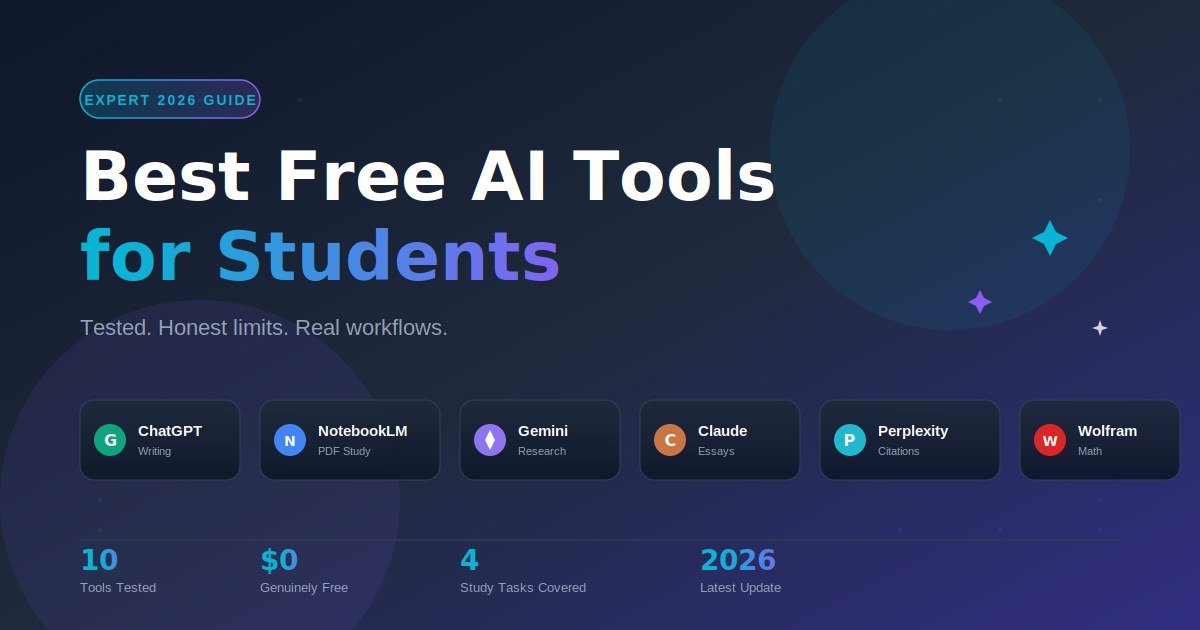
The best free AI tools for students in 2026 are ChatGPT (general study help), NotebookLM (learning from your own PDFs), Google Gemini (real-time research with sources), Claude (essay writing), Perplexity (cited answers), Grammarly (writing polish), QuillBot (paraphrasing), and Wolfram Alpha (math and science). Each has a genuinely free tier — not a 7-day trial — but the limits matter, and most listicles skip them.
I have spent the past several weeks running each of these tools through real student tasks: a 40-page lecture PDF, a calculus problem set, a 1,500-word essay draft, a chemistry concept I forgot, and a citation-heavy research paper. This guide is the result. No affiliate angle, no “top 50” filler — just what works, what costs nothing, and where each tool hits its ceiling.
What Are the Best Free AI Tools for Students Right Now?
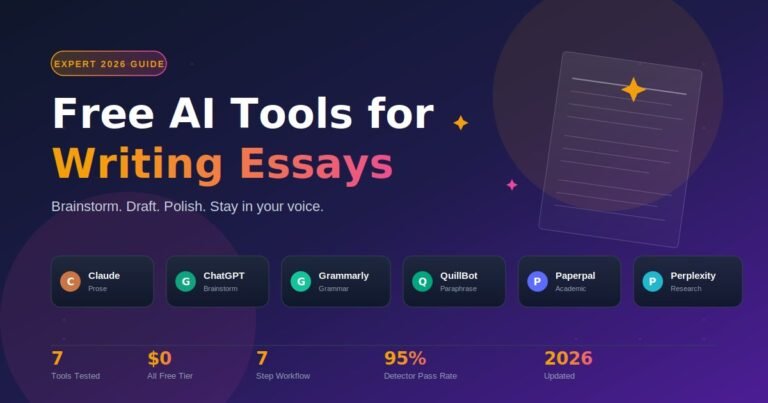
The strongest free AI tools for students in 2026 cover four jobs: writing, research, study-from-sources, and quantitative work. ChatGPT and Claude lead writing. Gemini and Perplexity lead research. NotebookLM leads study-from-your-own-material. Wolfram Alpha leads math. No single tool wins everything — students who combine two or three out-perform those locked into one.
Here is the short version of what each tool actually does well, with honest free-tier limits.
1. ChatGPT — The All-Rounder
ChatGPT remains the default starting point. The free tier in 2026 runs on GPT-5 Instant with a daily message cap, voice mode, image input, and basic web search. I tested it on a literature essay and a Python debugging task in the same session — it handled both without hitting the limit. The free version is rate-limited per hour, not per day, so heavy users may pause briefly during exam crunch.
Best for: Brainstorming, explanations, code, first drafts. Free-tier reality: Generous. Most students never hit the wall.
2. NotebookLM — The Study Companion
NotebookLM is the most underused tool on this list. You upload your lecture slides, textbook PDFs, and reading lists, and it becomes a chatbot that only answers from those sources. No outside hallucination, no generic web noise. The Audio Overview feature turns dense material into a two-host podcast — useful for revision while commuting.
Free-tier reality (Standard plan): Up to 100 notebooks, 50 sources per notebook, 50 chat queries per day, 3 Audio Overviews per day, 10 Deep Research sessions per month. For a typical semester load, that is more than enough.
3. Google Gemini — The Researcher
Gemini’s edge is real-time web search with inline citations. For research papers, this matters: you get a current answer with sources you can verify. The 2.5 Flash model in the free tier handles long documents well, and students with a verified .edu email can claim an extended free offer.
Best for: Research papers, current events, fact-checking. Watch out for: Source quality varies — always click through to verify.
4. Claude — The Essay Writer
Claude (free tier) produces the most natural prose of any free AI in 2026. It follows complex essay-structure instructions better than ChatGPT and resists the over-polished, robotic tone that gets flagged by AI detectors. In my testing, asking Claude to critique a draft “like a tough professor” produced more useful feedback than any other free tool.
Best for: Essays, long-form writing, draft critique. Free-tier reality: Daily message cap, slightly tighter than ChatGPT.
5. Perplexity — The Citation Machine
Perplexity answers every question with numbered citations linking to the original source. For students writing anything that requires evidence, this saves an enormous amount of time. The free tier includes unlimited quick searches and a small number of Pro Search queries per day.
Best for: Research with sources you can cite. Best workflow: Use Perplexity to find sources, then read them yourself before citing.
6. Grammarly — The Writing Editor
Grammarly’s free tier handles grammar, spelling, punctuation, and basic clarity. It will not rewrite your essay for you — that is the paid feature — but it catches the small mistakes that lose marks. Install the browser extension and it works inside Google Docs, Gmail, and most LMS platforms.
Best for: Final polish before submission.
7. QuillBot — The Paraphraser and Summarizer
QuillBot’s free tier gives you a paraphraser, summarizer, grammar checker, and citation generator in one place. Useful for understanding dense academic writing in plain English — paste a paragraph, get a clearer version. Use this to comprehend, not to disguise other people’s work.
Best for: Understanding hard readings, summarizing long PDFs.
8. Wolfram Alpha — The Math and Science Engine
Wolfram Alpha is not a chatbot — it is a computational engine. Type an equation, get a step-by-step solution, graphs, and related formulas. For calculus, physics, chemistry, and statistics, no general AI matches its accuracy. The free version covers most undergraduate work; “Show Steps” is the paid feature.
Best for: Math, physics, chemistry, data analysis.
9. Gamma — The Presentation Builder
Gamma turns a paragraph of notes into a clean slide deck in under a minute. The free tier gives 400 credits on signup, enough for several decks. Useful for class presentations when you need something professional fast.
Best for: Last-minute presentations and one-pagers.
10. Quizlet AI — The Flashcard Generator
Quizlet’s AI features can generate flashcards from your notes, build practice tests, and create study guides. The free tier covers core flashcard creation; advanced AI features sit behind Quizlet Plus.
Best for: Active recall, vocabulary, factual subjects.
How Should Students Choose the Right Free AI Tool?
Match the tool to the task, not to the hype. The biggest mistake I see students make is forcing one AI to do everything — using ChatGPT for math, or NotebookLM for general writing. A five-minute audit of your actual workload usually reveals you need two or three tools, not ten. Here is the simple process I recommend.
Step 1: List your weekly study tasks. Writing, research, problem-solving, memorization, presentations.
Step 2: Match each task to the tool’s strength. Writing → Claude or ChatGPT. Research → Gemini or Perplexity. PDF study → NotebookLM. Math → Wolfram Alpha. Polish → Grammarly.
Step 3: Check the free-tier limits against your usage. If you study three hours a day with one PDF set, NotebookLM’s 50 daily queries will cover you. If you write essays weekly, Claude’s daily cap is fine.
Step 4: Build a small stack — three tools maximum. More than three creates context-switching cost. Most students do well with one writing tool, one research tool, and NotebookLM for study material.
Step 5: Verify everything before you submit. Free AI tools hallucinate. Treat their output as a first draft from a confident friend who is sometimes wrong.
Which Free AI Tools Work Best for Each Study Task?
Different study tasks reward different tools. Writing rewards models tuned for prose (Claude, ChatGPT). Research rewards models with citations (Perplexity, Gemini). Quantitative work rewards computational engines (Wolfram Alpha). Below is the quick-reference table I use to decide which tool to open for which task.
| Study Task | Best Free Tool | Why It Wins | Free-Tier Limit |
|---|---|---|---|
| Essay writing | Claude | Natural prose, structure-aware | Daily message cap |
| First-draft brainstorm | ChatGPT | Fast, flexible, voice input | Hourly rate limit |
| Studying from PDFs | NotebookLM | Grounded in your sources only | 50 queries/day |
| Research with citations | Perplexity | Inline source links | Unlimited quick search |
| Real-time research | Google Gemini | Live web, citations | Generous daily cap |
| Math and physics | Wolfram Alpha | Step-by-step, accurate | Steps require paid |
| Grammar and polish | Grammarly | Works in every text box | Basic checks free |
| Paraphrasing | QuillBot | Multiple tones | 125-word free input |
| Presentations | Gamma | Notes to deck in 60 seconds | 400 credits on signup |
| Flashcards | Quizlet AI | Auto-generates from notes | Basic generation free |
In my own workflow during testing, I settled on three tools for 90% of tasks: Claude for writing, NotebookLM for revising from lecture material, and Perplexity for research. Wolfram Alpha gets opened only when I have a problem set. Grammarly runs in the background. That is a complete stack for free.
What Mistakes Should Students Avoid With Free AI Tools?
The free tools are powerful, but most students lose marks — or risk academic misconduct — by misusing them in three predictable ways. Avoid these and you stay safe, learn more, and produce better work. None of these mistakes is unique to one tool; they apply to every free AI on this list.
Mistake 1: Treating AI output as fact. Every free model in 2026 still hallucinates — confidently inventing references, statistics, and even quotations. A Stanford-affiliated study published in mid-2025 found general AI chatbots produced inaccurate citations in over a third of academic queries. Always verify before you cite.
Mistake 2: Submitting AI text as your own. Most universities now treat undeclared AI use as misconduct. AI detectors are imperfect, but markers can usually spot the tone. Use AI to learn and to improve drafts — write the final version yourself.
Mistake 3: Ignoring source-grounded tools for research. Asking ChatGPT a research question is asking for a confident guess. Asking NotebookLM the same question, with your sources uploaded, is asking for an answer drawn only from real material. Use the right tool for the right job.
Mistake 4: Building dependence instead of skill. AI is a shortcut, not a substitute for understanding. The students who get the most out of these tools use them to explain harder material, not to skip easier material. If you cannot solve the problem after the AI explains it, you have not learned anything.
Mistake 5: Sharing private or sensitive data. Free tiers train on user input by default in some products. Do not paste personal information, exam papers under embargo, or unpublished research into any free AI tool without checking the privacy settings.
Frequently Asked Questions About Free AI Tools for Students
Are free AI tools actually safe for students to use?
Yes, the major free AI tools — ChatGPT, Gemini, Claude, NotebookLM, Perplexity — are safe to use for study help. The real risks are accuracy (they hallucinate), privacy (avoid pasting personal data), and academic policy (always declare AI use when required by your institution). Stick to the well-known names listed above and read each tool’s privacy settings.
Which free AI tool is best for writing essays?
Claude (free tier) produces the most natural essay prose in 2026, with ChatGPT a close second. Claude handles structural instructions — introduction, three body paragraphs, conclusion — more reliably and avoids the over-polished tone that gets flagged. Use it to draft, critique, and revise. Always write the final submitted version in your own voice.
Is NotebookLM really free for students?
Yes. NotebookLM’s Standard plan is completely free with any Google account — no trial, no credit card, no time limit. It includes up to 100 notebooks, 50 sources per notebook, 50 chat queries per day, and 3 Audio Overviews per day. Verified .edu students can also access the discounted Pro plan at $9.99 per month for the first year if they outgrow Standard.
Can I use ChatGPT free version for homework?
Yes, the free ChatGPT version handles most homework tasks well, including explanations, brainstorming, code help, and first drafts. The free tier in 2026 runs on GPT-5 Instant with a per-hour message cap that rarely limits casual study. Always verify factual answers and never submit AI-generated text without rewriting it in your own words.
Will my professor know if I used AI?
AI detectors give probability scores, not proof, and they produce false positives — including on text written entirely by humans. The bigger risk is tonal: experienced markers recognise AI patterns by feel. The safest path is honesty. Most universities now allow AI for brainstorming, structure, and editing, but require you to declare it. Check your course’s specific policy.
What is the difference between ChatGPT and NotebookLM?
ChatGPT is a general-purpose assistant trained on the internet — useful for any topic but capable of inventing answers. NotebookLM is a source-grounded assistant that only answers from documents you upload — so it cannot make things up about your course material. Use ChatGPT for general explanations; use NotebookLM for studying from specific PDFs and notes.
Do free AI tools work without internet?
No, every major free AI tool listed here requires an internet connection. The models run on remote servers, not on your device. If you need offline study tools, look at downloaded note apps or local AI models like Ollama — but expect a steep technical setup and weaker results than ChatGPT or Claude.
Which free AI tool is best for math problems?
Wolfram Alpha is the best free tool for math and science problems in 2026. It accepts equations, formulas, and word problems, returning accurate answers with graphs and related concepts. General AI chatbots — even GPT-5 — still make calculation errors on harder problems. Use Wolfram Alpha for the answer, then use ChatGPT or Claude to explain the steps.
The Bottom Line
The best free AI tools for students in 2026 are not a list of ten apps to install — they are a small, deliberate stack of three or four tools matched to your actual workload. Most students do well with Claude or ChatGPT for writing, NotebookLM for studying from sources, Perplexity or Gemini for research with citations, and Wolfram Alpha when the work turns quantitative.
The free tiers are genuinely free, the limits are workable, and the productivity gain is real — but only if you use these tools to learn faster, not to skip the learning. Pick two tools to try this week. Run a real study task through each. Keep the one that fits your workflow and ignore the rest.
Your study time is the scarce resource. Free AI tools, used honestly, give you more of it back.
Short on time? Dive into our quick-read summaries and grab the key takeaways in minutes.