Snapchat vs Burn After Reading Apps: Expert 2026 Guide
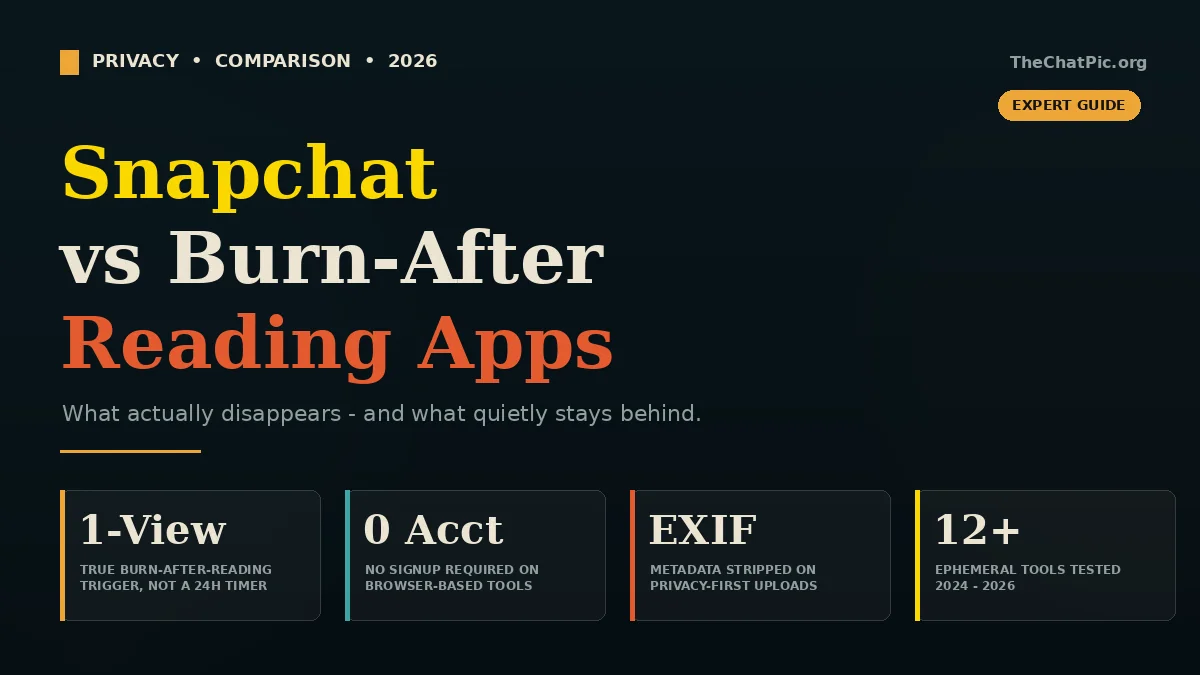
You send a photo on Snapchat and assume it disappears. It does, sort of. Then you read about a leaked screenshot, a recovered cache, or a server breach, and the question gets sharper: is Snapchat actually a burn-after-reading app, or is it something else wearing the costume?
After testing more than a dozen ephemeral tools across 2024–2026 — Snapchat, Signal disappearing messages, Wickr-style apps, one-time link services, and self-destructing image hosts — the gap between “feels temporary” and “is actually deleted” is larger than most users realise.
This guide breaks down the real difference between Snapchat and true burn-after-reading apps, where each one wins, where each one quietly fails, and which option fits a specific job. No marketing claims, just what holds up in practice.
What “Burn After Reading” Actually Means
A true burn-after-reading app destroys content the first time it is opened, leaving no recoverable copy on the sender’s device, the recipient’s device, or the provider’s servers. That is the strict definition. Anything looser is “ephemeral” — which is a much broader category.
The phrase comes from spy films and intelligence work, where a document was meant to be read once and immediately destroyed. Modern apps borrow the metaphor, but they implement it differently.
Three things separate a real burn-after-reading tool from a “disappearing” one:
- Single-view trigger. The content vanishes after one open, not after a 24-hour timer.
- No server retention. The file or message is deleted from the provider’s storage, not just hidden from the UI.
- No identity tied to the share. Ideally there is no account, no contact list, and no profile graph linking sender to recipient.
Snapchat fits the first criterion in many cases. It struggles with the second and third. That distinction is the whole reason this comparison exists.
Is Snapchat a Real Burn-After-Reading App?
Snapchat is an ephemeral messaging app with burn-after-reading behaviour layered on top of a full social network — which is a meaningfully different product from a pure burn-after-reading tool. It is closer to “Instagram with a self-destruct toggle” than to a privacy utility.
Here is what Snapchat actually does, based on its current public documentation and behaviour in 2026:
- Snaps are deleted from Snapchat’s servers after they are opened by all recipients, or after 30 days if unopened.
- Group snaps are deleted after everyone in the group has viewed them, or after 24 hours.
- Chat messages default to deleting after viewing, but users can save individual messages in chat, and the new “keep chat for 24 hours” toggle pushes Snapchat further from a pure burn-after-reading model.
- Memories, Stories, and Spotlight content are retained until the user deletes them.
The first line is the key one. Snapchat does delete the snap from its servers — but it also holds onto an enormous amount of related data: who you sent it to, when, your location at the time, your contact graph, your Bitmoji, and behavioural metrics. That is normal for any social app, and it is the opposite of how a strict burn-after-reading tool is built.
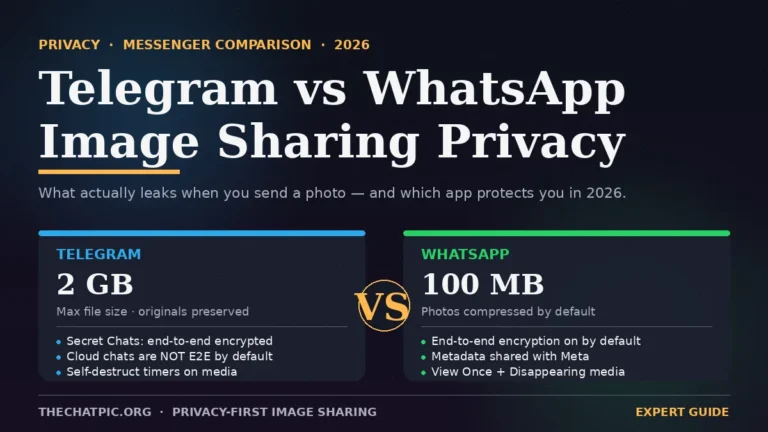
Snapchat is also a social platform first. There is an account, a username, a friend list, a public profile, and a discovery feed. For a parallel look at the messenger side, the Telegram vs WhatsApp image sharing privacy guide covers how Meta’s social graph quietly tracks who is sharing what to whom. None of that exists in a true burn-after-reading service, where the design goal is “no relationship between sender and recipient on the platform.”
So the honest answer: Snapchat uses burn-after-reading mechanics, but it is not a burn-after-reading app in the privacy sense. The two solve different problems.
Snapchat vs Burn-After-Reading Apps: Side-by-Side
The comparison below uses the categories that matter when you are choosing a tool for sensitive sharing — not feature counts, but actual privacy properties.
| Property | Snapchat | Burn-After-Reading Apps |
|---|---|---|
| Account required | Yes (username, phone, often email) | Usually no |
| Recipient needs the same app | Yes | No — recipient opens a link in any browser |
| Content deleted after one view | Yes (snaps) | Yes |
| Metadata stored about the share | Extensive (who, when, where, device) | Minimal to none |
| EXIF data stripped from images | Inconsistent | Yes, on privacy-first tools |
| Screenshot detection / blocking | Notification only | Varies — some tools blur or warn |
| End-to-end encryption | For one-to-one snaps | Varies; many encrypt in transit and at rest |
| Public profile / social graph | Yes | No |
| Use without installing software | No | Yes (browser-based tools) |
| Best for | Friends, casual sharing | One-time files, screenshots, secrets |
If your goal is talking to friends with playful filters and Stories, Snapchat is built for that. If your goal is sending a single sensitive item — a screenshot of a credit card, a private document, a one-time password, an image you do not want sitting on anyone’s server — a dedicated burn-after-reading tool is the better fit.
The Main Burn-After-Reading Apps Worth Knowing in 2026
These are the tools that come up most often when someone wants the real burn-after-reading experience rather than Snapchat’s softer version. Each fits a different job.
Signal (Disappearing Messages)
Signal is end-to-end encrypted by default and has a disappearing-messages timer that ranges from 30 seconds to four weeks. It is widely used by journalists and security researchers and audited by independent cryptographers. The catch: both people need Signal accounts and tied phone numbers. It is a messenger, not a one-off sharing link.
Best for: ongoing private conversations with people you already trust.
Wickr-Style Enterprise Messengers
Wickr Me has been retired, but its successors (Wickr Enterprise, Threema Work, and similar) keep the same model: encrypted messaging with configurable burn timers, no phone-number requirement, and server-side metadata minimisation. They tend to be paid and aimed at organisations.
Best for: teams that need disappearing internal communications with compliance controls.
One-Time Secret, Privnote, PrivateBin, Yopass
These are browser-based tools for sharing short text — a password, an API key, a private note — through a link that expires after one view. There is no account, no app to install, and no message history. The recipient opens the link, reads the text, and the link is dead.
Best for: sending a credential or short message to someone who is not on a particular app.
Burn-After-View Image and File Hosts
This is where image-focused tools sit. A service like thechatpic.org lets you upload a JPG, PNG, GIF, or WebP, mark the link to self-destruct after one view, and share it without an account. EXIF metadata is stripped automatically so the recipient does not receive the GPS coordinates baked into the original file. The link works in any browser, on any device, without an install.
Best for: sharing a screenshot, photo, or one-time visual that should leave no trail.
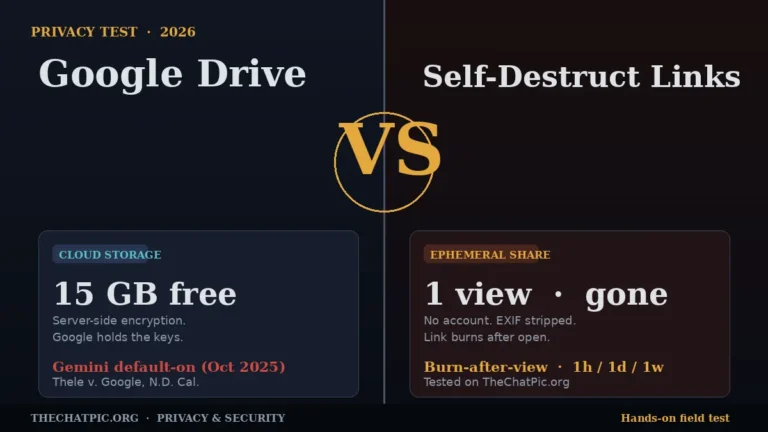
The Google Drive vs self-destruct links privacy test covers why the self-destruct model is the cleanest answer to the “shared and forgotten” problem.
Snapchat (For Comparison)
Included here so the difference is clear. Snapchat handles social messaging with snap-style ephemerality. It does not replace any of the above for one-off, account-free, link-based sharing — and the tools above do not replace Snapchat for Stories, friend chat, or AR filters.
Where Snapchat Actually Wins
It is easy to write Snapchat off in a privacy comparison and miss what it genuinely does well. In specific situations it is the right answer.
Friend-to-friend casual sharing. If you and the recipient already use Snapchat, the friction is zero. No link, no upload, no second app. The whole conversation lives inside one product designed for back-and-forth chat.
Real-time visual messaging. Snapchat is built around the camera. Capture, send, gone. For mundane updates between friends, that loop is faster than any link-based tool.
Group ephemerality. Group chats with auto-deletion are smoother on Snapchat than they are when you are pasting individual one-time links into a thread.
Social features wrapped in. AR lenses, Stories, Spotlight, Maps, Bitmoji. None of that exists in a burn-after-reading tool because none of it should. If you want those features, Snapchat is the product.
The trade-off is everything in the previous sections: an account, a social graph, extensive metadata, and a company that has access to a lot more than the snaps themselves. That is fine for casual use. It is the wrong tool for sensitive one-offs.
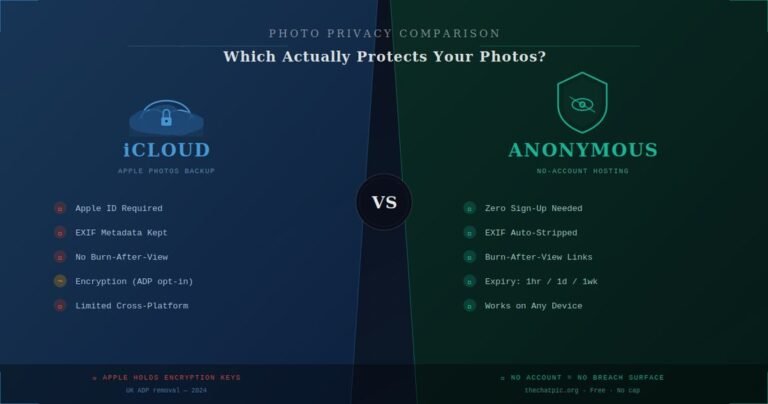
The same trade-off shows up across cloud platforms — the iCloud vs anonymous photo hosting comparison is the parallel read for anyone on iPhone deciding whether iMessage and iCloud sharing actually meets their privacy bar.
Where Burn-After-Reading Apps Win
The opposite case is just as clear.
Sharing something with someone who does not use your app. A burn-after-reading link works in any browser, on any device, anywhere in the world. There is no “do you have Snapchat?” gate.
Sensitive screenshots and documents. A password reset code, a private medical photo, a contract page, a screenshot you would rather not live on Apple’s or Google’s photo backups. Self-destruct links are designed for exactly this.
Tipping off a journalist or whistleblowing scenarios. Tools like Signal and privacy-first link services are the standard here. Snapchat is not used for this work because it links the snap to an identifiable account.
Anything you cannot afford to leave a trail of. Job offers in progress, legal correspondence, internal documents, intimate images shared between consenting adults. The whole appeal is “view once, no record, no account.”
Cross-platform handoffs. Moving an image from laptop to phone, sharing with a client who refuses to install another app, dropping a link into Slack or Discord. Link-based tools are friction-free in environments where Snapchat simply does not exist.
For image-focused versions of these jobs, the practical workflow looks like this: upload, set self-destruct on, copy the link, send it through an encrypted channel like Signal or iMessage. There is a full walk-through in our maximum-privacy upload guide that adds a network-level layer on top.
Five Common Myths About Snapchat and Burn-After-Reading Apps
Most of the confusion in this category comes from a handful of assumptions that sound right and are not.
Myth 1: “Snapchat permanently deletes everything.” It deletes opened snaps from its servers, but it retains a large amount of associated data — accounts, contacts, metadata, Memories you saved, and Stories you posted. “Snap deleted” is not the same as “data deleted.”
Myth 2: “Burn-after-reading means nothing can be recovered, ever.” A determined recipient can always screenshot, photograph the screen with another camera, or use a screen recorder. No tool — Snapchat or otherwise — can stop a human being from making a copy of what is shown to them. Burn-after-reading limits the digital trail, not human behaviour.
Myth 3: “If the app is encrypted, my share is private.” Encryption protects content in transit and at rest. It does not erase metadata about the share itself, and it does not protect you from a recipient who chooses to leak the content. Encryption is necessary, not sufficient.
Myth 4: “Snapchat is anonymous because the snap disappears.” Snapchat requires an account, builds a social graph, and stores extensive metadata about every interaction. It is not an anonymous platform. Anonymity is the opposite design goal — tools like a no-signup link service are built for it explicitly.
Myth 5: “Screenshot notifications protect the sender.” Snapchat notifies you if a recipient screenshots a snap. That is useful as a social cue, not a privacy guarantee. There are well-documented ways around it, and a second phone pointed at the screen defeats every detection system ever built.
How to Choose: A Decision Framework
The right tool depends on what you are sending and to whom. Three questions cut through most of the noise.
Question 1: Does the recipient already use the same app? If yes and the content is casual, Snapchat is fine. If no, a browser-based burn-after-reading link removes the install gate completely.
Question 2: Is the content sensitive enough that metadata matters? For a meme with a friend, no. For a screenshot of a banking app, a private photo, or a one-time credential, yes — and Snapchat’s metadata exhaust is a poor fit.
Question 3: Do you want a relationship on the platform with the recipient, or a single anonymous handoff? Snapchat is built for relationships. Burn-after-reading apps are built for handoffs. Pick the tool that matches the interaction.
A simple rule of thumb that holds up: Snapchat for friends, burn-after-reading tools for files. They are complementary, not competing.
What “Privacy-First” Should Actually Mean
The burn-after-reading category is full of tools that wrap weak privacy in strong marketing. A few signals separate the real ones from the rest.
A clear, plain-English privacy policy that describes what is collected and what is not. No account requirement for the core function. Automatic EXIF removal for image tools. A visible takedown route and a real contact channel. No surprise tracking scripts on the upload or viewer pages. No fake download buttons, pop-unders, or aggressive ads on what is supposed to be a privacy product.
If a tool fails any of those, treat it the same way you would treat an unfamiliar mirror site of a shut-down service: be cautious before uploading anything you cannot afford to lose control of. We cover the wider risk pattern in our breakdown of ChatPic mirror sites and how to spot a safe one.
Snapchat vs Burn After Reading Apps: FAQ
Does Snapchat really delete snaps after they are viewed? Snapchat deletes opened one-to-one snaps from its servers and removes them from devices after viewing. It still retains metadata about the snap — when it was sent, to whom, and from where — along with your account, contacts, and any Memories or Stories you saved.
What is the safest burn-after-reading app in 2026? For ongoing private chat, Signal with disappearing messages is the standard. For one-off text like passwords, browser-based tools such as One-Time Secret or PrivateBin work well. For images and files, a no-signup self-destruct host like thechatpic.org is purpose-built for the job.
Can someone recover a Snapchat snap after it disappears? Not reliably from Snapchat’s servers once it has been opened and deleted. The realistic risks are screenshots, third-party screen recorders, and another phone photographing the screen. Snap-recovery apps that claim to undelete snaps from your device are almost always scams.
Is Snapchat end-to-end encrypted? Snapchat encrypts snaps in transit and applies end-to-end encryption to certain one-to-one snaps. Chat messages, Stories, and metadata are not protected the same way, and Snap Inc. has access to a wide range of account data independent of the snap content itself.
Are burn-after-reading apps legal to use? Yes, in nearly every country. The legality of any tool depends on what you share through it, not the tool itself. Sharing illegal content is illegal regardless of whether the link self-destructs. The takeaway: privacy tools protect lawful privacy, not unlawful behaviour.
Can I use a burn-after-reading link instead of Snapchat for sensitive photos? Yes, and for most one-off sensitive shares it is the better choice. Upload the image to a burn-after-view host, set self-destruct on, and send the link through an encrypted messenger. The recipient sees the image once, and the link is then dead.
Do burn-after-reading apps strip image metadata? The good ones do. EXIF data — including GPS coordinates, camera model, and timestamps — should be removed automatically on upload. Tools that do not strip EXIF leak more about you than the image itself. If a service does not mention EXIF removal, assume it does not happen.
Why use a browser tool instead of Snapchat? Because the recipient does not need an account, the sender does not need an account, and the share carries almost no metadata. For a one-time handoff with someone outside your usual app circle, browser-based tools are faster and more private than any social app, including Snapchat.
The Bottom Line
Snapchat is a social messaging app with burn-after-reading behaviour. Burn-after-reading apps are privacy tools that happen to share content. They look similar from a distance and solve very different problems up close.
Use Snapchat for everyday chat with friends. Use a dedicated burn-after-reading tool when the content is sensitive, the recipient is not on your app, or the goal is “view once, leave no trace.” The two coexist comfortably — pick the one that matches the job rather than expecting either to do both.
If your next share involves an image you would not want sitting on any server, the simplest version of the privacy-first workflow takes under fifteen seconds: upload, switch on self-destruct, send the link through an encrypted channel. You can try it directly with the ChatPic anonymous image sharing tool at the top of our homepage, or browse the comparisons hub for more head-to-head breakdowns of the tools in this space.
For one-off image sharing specifically, the WeTransfer vs ChatPic comparison shows where each tool fits in a daily workflow.