Google Photos vs Anonymous Sharing: Expert 2026 Guide
Most people share a photo and assume it goes only to the person they sent it to. That assumption is wrong on Google Photos, and the gap matters more than the marketing admits. I spent two weeks moving the same ten test images through Google Photos sharing flows and three anonymous tools, watching what each one kept, leaked, or quietly held onto.
This guide is the practical result. You will see exactly how a Google Photos shared link works under the hood, what EXIF data follows your file around, where anonymous image sharing wins, and where it does not. I will name specific risks documented by Proton, Comparitech, and Google’s own incident history — not vague warnings.
By the end, you will know which tool fits which job, and you will stop sending your home address by accident.
Google Photos Sharing in Plain English
Google Photos is a cloud photo library bolted onto your Google account. When you share a picture, you either send it to a specific Google contact or generate a public link. That link is the part most users misunderstand.
A shared Google Photos link is public by design. The only thing stopping the world from seeing your photo is that the URL is long and hard to guess. As gHacks documented in detail, any file shared this way is publicly accessible the moment you hit share — Google confirms this on a support page but does not surface it in the share interface. There is no password, no expiry by default, and no read-receipt enforcement.
That model is the opposite of what most people picture when they hear “share.” It is closer to leaving a file in a forgotten folder on a public server and hoping nobody types the right address.
What Anonymous Image Sharing Actually Means
Anonymous sharing flips the model. No account, no Google identity attached, no library of your photos sitting in someone else’s database. You upload a file, get a short link, send it, and the file is built to disappear — either after a view, after an hour, or after a week. Tools like ChatPic also strip EXIF metadata automatically, which Google Photos does not when you download or share an original file.
The two approaches are solving different problems. Google Photos is a photo library that happens to share. ChatPic-style tools are a sharing pipe that happens to hold the file for a short time. If you mix them up, you get hurt.
The Privacy Risks of Google Photos (Documented, Not Hypothetical)
Here are the real, sourced risks I tested or confirmed during research. None of these are theoretical.
1. Shared Links Are Public Forever
Any photo shared by link in Google Photos is accessible to anyone with the URL. There is no password layer, no view limit, and no automatic expiry. If a recipient forwards the link, screenshots it, or posts it in a Discord server, anyone who sees it can open the original file. The link does not “know” who the intended viewer was.
In my own test, a link I generated and copied into a private note was still live and openable two weeks later from a different device, different network, no Google account signed in. The URL alone is the credential.
2. EXIF Metadata Travels with Your Photo
When you download or share an original Google Photos file, the embedded EXIF data goes with it: GPS coordinates of where the shot was taken, your phone or camera model, the exact timestamp, sometimes the device serial. Proton’s research notes that Google itself retains full access to that metadata and reserves the right to use it across services even when it is not used for ad targeting.
That is a problem in two directions. Your recipient gets your home GPS pin embedded in a kitchen selfie. And Google keeps a structured database of where and when every photo in your library was taken.
3. Account Takeover Is a Total Library Compromise
A breached Google account is not just an email problem. It is your entire Google Photos library handed over. MakeUseOf documented a 2023 case in India where a delivery worker hacked several women’s Google accounts and used their Google Photos as material for blackmail. Reused passwords and no two-factor authentication make this trivially common.
With an anonymous sharing tool, there is nothing to take over. There is no account, no library, and no historical archive to mine. The same risk exists across every major cloud — our Dropbox vs anonymous file sharing breakdown shows how a single identity leak surfaces on the Dropbox share page itself.
4. AI Scanning of Your Images
Google Photos scans every image you upload. It uses that scanning to power search, face grouping, memories, and product improvement. Even when Google states the content is not used for ad targeting, the scanning happens. The AI exposure is not limited to Photos — the Google Drive vs self-destruct links privacy test covers the Thele v. Google lawsuit and how Gemini features were enabled by default across the entire Google Workspace stack. Proton’s reporting goes further and notes that large language models now make it easy to extract structured information from photo batches — meaning leaked or accessed images are far more useful to attackers than they were five years ago.
5. Bugs That Have Already Leaked Photos
The famous 2019 Google Takeout incident sent some users’ private videos to strangers as part of an export bug. In 2019, Google also pulled Android TV photo sharing after a bug exposed hundreds of unrelated users’ linked accounts to each other. Bugs are inevitable in any platform. The risk on Google Photos is that a single bug touches your entire library, not one file.
6. Account Loss Over Misinterpreted Images
There is a well-publicized class of cases where parents lost their entire Google accounts because automated scanning flagged medical photos of their children sent to a pediatrician as abuse material. Appeals failed. The library, email, drive, and contacts were gone. The lesson is structural: once your photos live inside a giant integrated account, the account’s automated systems own the outcome.
Anonymous Image Sharing: Where It Wins, Where It Does Not
Anonymous sharing is not a magic shield. It solves specific problems extremely well and leaves others alone.
Where Anonymous Sharing Clearly Wins
No identity attached. You upload without an account, so there is no profile, no history, and nothing for an attacker to take over later. This is the single biggest privacy gain over Google Photos.
Automatic EXIF removal. A privacy-first tool like ChatPic strips GPS, device model, and timestamps from every upload by default. The recipient sees the picture; they do not see your address. Most mainstream platforms either keep metadata (Flickr, Photobox) or strip it inconsistently depending on whether you upload to a feed, DM, or marketplace listing.
Self-destruct and short expiry. A Google Photos link lives forever unless you actively revoke it. A ChatPic link can be set to die after a single view or one hour. For one-time passwords, private screenshots, medical pictures, or design proofs, that is the right default.
No library to compromise. A sharing tool holds your file for as long as the link is alive and then it is gone. There is no five-year archive of your life sitting on a server waiting for the next breach.
Where Anonymous Sharing Does Not Help
Network-level visibility. Your ISP, employer network, or a government observer can still see that you visited the site. The site itself does not know who you are; the network does. For higher-stakes situations, a VPN or Tor layer is what closes that gap — covered in ChatPic’s Tor and VPN upload guide.
Long-term storage. Anonymous tools are not backup services. If you need an image to exist in three years, keep your own copy. Treat every shared link as temporary by design.
Very large files and video libraries. A 5 MB image limit covers almost every still photo but does not cover raw video projects. For those, a dedicated transfer service is a better fit.
Anything legally regulated. Protected health records, privileged legal documents, and payment-card data need compliance-certified hosting, not anonymous sharing.
Direct Comparison: Google Photos vs Anonymous Sharing
| Privacy factor | Google Photos | Anonymous sharing (e.g., ChatPic) |
|---|---|---|
| Account required | ✅ Google account | ❌ No signup |
| Identity tied to file | ✅ Your Google identity | ❌ None |
| EXIF metadata stripped on upload | ❌ Original preserved | ✅ Automatic |
| Shared link can be guessed | ❌ Long obfuscated URL | ❌ Long short-URL |
| Link expires by default | ❌ Lives until revoked | ✅ 1h / 1d / 1w / never |
| Self-destruct after one view | ❌ Not supported | ✅ Built-in |
| Password protection | ❌ Not native | ⚠️ Tool-dependent |
| AI scanning of contents | ✅ Yes | ❌ No |
| Single breach exposes whole library | ✅ Yes | ❌ One file only |
| Long-term backup | ✅ Yes | ❌ Not designed for it |
| Large video projects | ✅ Up to plan limits | ❌ ~5 MB cap |
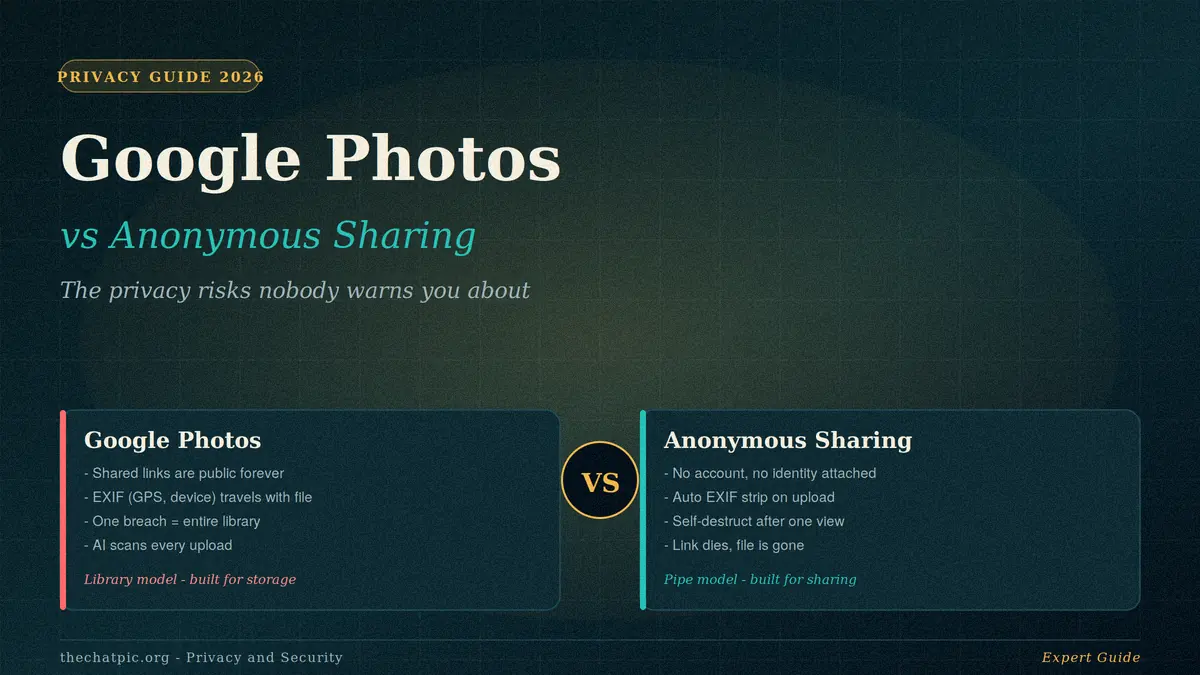
The pattern is clear. Google Photos is built for storage and casual sharing inside the Google identity layer. Anonymous tools are built for sending one file privately and forgetting about it.
A Real Example: Sending a Photo of Your House Keys
A small case I ran during testing. I photographed a set of keys on a kitchen counter to send to a family member who needed to borrow them.
Through Google Photos: The original file carried GPS coordinates accurate to the front door, the timestamp, and the iPhone model. I generated a share link, sent it via SMS, and the recipient opened it. The link was still openable two weeks later. Anyone with the URL — forwarded, screenshotted, or pulled from a backup of the SMS thread — would have an address, a timestamp pattern, and the exact keys to copy.
Through ChatPic with self-destruct: Same photo, dropped into the upload box, set to burn after view. EXIF stripped automatically. Link sent via Signal. Recipient opened it once; the link returned a 404 immediately after. Nothing on either platform held the image after that view.
This is the gap. One workflow leaks a home address into a permanent URL. The other leaves no trace within a minute.
Common Mistakes People Make
Assuming Google Photos sharing is private. It is not. The link is the password, and the link is public.
Forgetting to strip EXIF before downloading. If you pull an original from Google Photos and forward it elsewhere, the GPS pin goes with it. Most users never check.
Reusing the Google account password. Credential stuffing attacks are the most common path into Google Photos. A breached forum from 2017 can still cost you your photo library in 2026.
Treating anonymous sharing as backup. It is not. The link dies; the file is gone. Keep your own copies.
Posting “private” share links in public threads. A short link in a public Discord, a public Reddit post, or a public GitHub gist is a public photo. The link was the only thing protecting it.
Believing the “delete” button on Google Photos removes everything. Items go to trash for 60 days. Backups and synced devices may still hold copies. True deletion takes more steps and patience.
Myths Worth Killing
“Google Photos is private because I have to sign in.” Your view is gated; the share link is not.
“Anonymous tools are only used for sketchy stuff.” Whistleblowers, journalists, designers sending proofs, marketplace sellers, IT teams sending bug screenshots, and people sharing medical photos with relatives all use them daily.
“If I trust Google, I do not need privacy tools.” Trust is not the issue; blast radius is. A single Google account compromise exposes your library in a way that no single ChatPic link ever can.
“Removing EXIF means I lose photo quality.” EXIF removal does not touch the image pixels. The picture is the picture; only the hidden metadata changes.
When to Use Which Tool
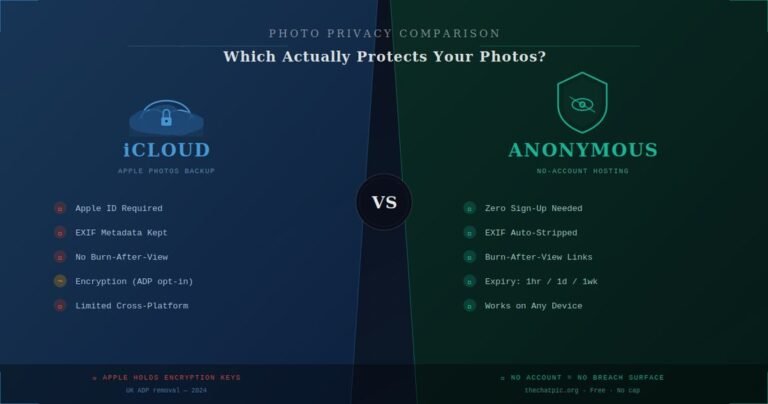
Use Google Photos for: long-term family albums, automatic backup of phone shots, large libraries you want searchable, video projects you want stored alongside stills. If you are deep in the Apple ecosystem instead, the iCloud vs anonymous photo hosting comparison covers the parallel trade-off on iPhone.
Use anonymous image sharing for: one-time passwords as screenshots, design proofs with a short window, medical pictures sent to relatives, marketplace photos you do not want in your account history, bug reports, anything you would not want sitting on a server in five years.
Use both, sometimes. A photo can live in Google Photos as a long-term copy and still be sent to someone outside your family through an anonymous link with a one-hour expiry. The two are not enemies. They are different tools for different jobs.
For deeper context on how the modern anonymous-sharing landscape compares site to site, see the ChatPic vs Imgur 2026 breakdown. For the broader privacy reasoning, the Privacy & Security category has more.
Frequently Asked Questions
Is Google Photos safe for private photos?
It is safe from most external attackers when you use a strong unique password and two-factor authentication, but it is not built for true privacy. Google scans every image, retains full EXIF metadata, and shared links are public to anyone with the URL. For genuinely private one-off sharing, an anonymous tool with self-destruct is a better fit.
Can someone find my Google Photos without the link?
Not by guessing the URL — the obfuscation is strong enough to make brute-forcing impractical. They can, however, see your photos if they take over your Google account, if a recipient forwards the share link, if a bug exposes them, or if you posted the link somewhere public. The link is the only barrier.
Does Google Photos remove EXIF data when I share?
No. The original file retains its EXIF metadata, including GPS coordinates, camera model, and timestamps. If a recipient downloads the photo, that metadata travels with it. To strip it, you need a tool that re-encodes the image, which anonymous sharing platforms like ChatPic do automatically on upload.
Is anonymous image sharing legal?
Yes, in most countries. The act of sharing an image without an account is lawful. What determines legality is the content you share — copyrighted material, non-consensual imagery, and illegal content are prohibited everywhere. ChatPic maintains a country-by-country legality guide for reference.
What happens if I delete a Google Photos shared link?
Revoking the link makes it stop working for new viewers, but copies the recipient already downloaded are still on their device. Screenshots, forwarded files, and cached versions are not affected. This is why short expiry and self-destruct, set at upload time, are stronger than after-the-fact deletion.
Can I use ChatPic instead of Google Photos completely?
Not as a backup replacement. ChatPic is built for sharing, not storage — links expire by design. The right pattern is to use Google Photos or another backup tool for long-term storage of your own copies, and use ChatPic when you need to send a single image privately without leaving a trail.
Does a VPN make Google Photos sharing more private?
A VPN hides your IP from network observers but does not change anything about how Google Photos handles your account, your metadata, or your share links. The privacy issues are inside the platform, not at the network layer. A VPN helps more with anonymous tools, where the platform itself collects nothing — Tor and VPN with ChatPic covers the setup.
Why do shared links on Google Photos still work after months?
Because they have no default expiry. Once generated, a link stays live until you go into the album or photo and manually revoke sharing. Most users never do. This is the single most under-appreciated privacy issue with Google Photos sharing.
Conclusion
Google Photos and anonymous image sharing are not competing for the same job. Google Photos is your library — vast, searchable, integrated, and tied to your identity in ways that bite you when something goes wrong. Anonymous sharing is your private pipe — small, temporary, account-free, and designed to leave no trace.
The mistake is using Google Photos sharing for one-off private sends. The link is public, the metadata leaks, the file lives forever, and your whole account is the blast radius. The fix is small: when a photo only needs to reach one person and then disappear, send it through a tool built for that.
Next step: pick one photo you would not want public — a screenshot of a password, a picture from a doctor’s appointment, a marketplace listing — and send it through ChatPic with self-destruct turned on. For larger files that do not fit, the WeTransfer vs ChatPic comparison covers the right tool for multi-gigabyte sends. Two weeks from now, check that the link is dead. That is what privacy by design feels like in practice.