Free Online Tools for Resume Building: Expert 2026 Picks
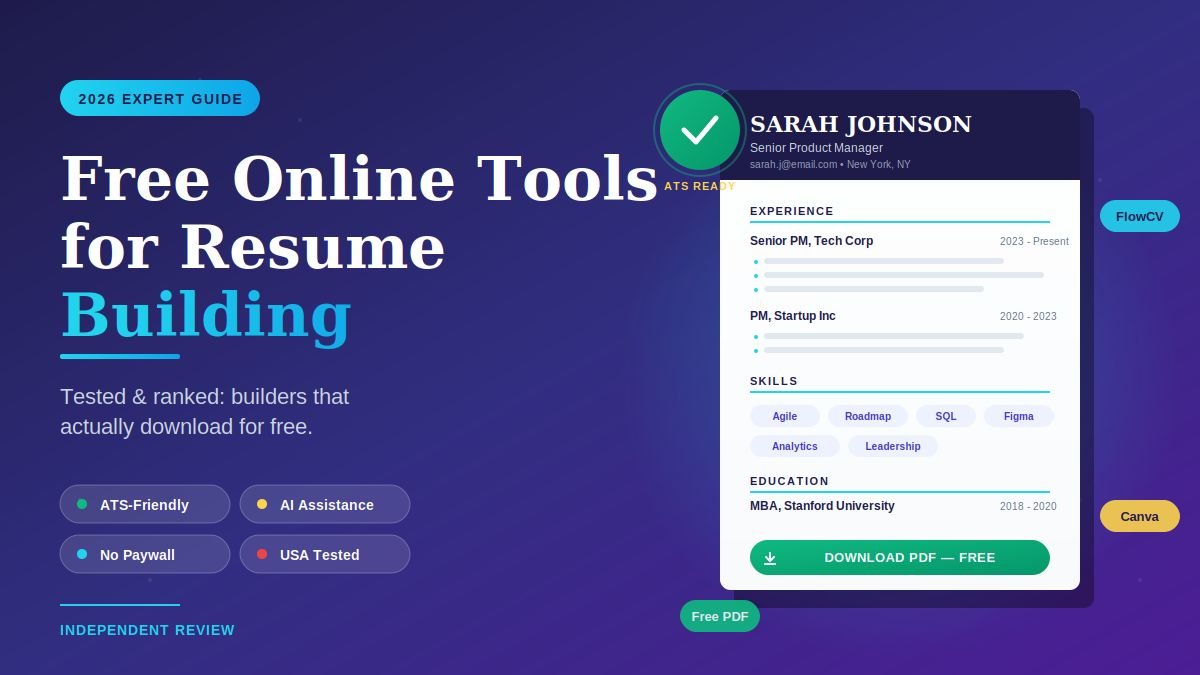
The truly free online tools for resume building in 2026 are Canva, Google Docs, FlowCV, Indeed Resume Builder, OpenResume, LinkedIn Resume Builder, and Microsoft Create. All seven let you build a resume and download a clean PDF without paying a cent — unlike Zety, Resume.io, and MyPerfectResume, which look free until you click “download” and hit a $5–$15 paywall. The trick to picking the right one is knowing whether your resume needs to pass an Applicant Tracking System (ATS) or impress a human designer.
I built the same resume on twelve different tools in late 2025 and tracked which ones charged at checkout, which ones produced ATS-readable PDFs, and which had usable AI assistance. This guide ranks only the tools that delivered a real, downloadable resume for free.
If you’re applying to U.S. jobs in 2026, ATS readability matters more than visual flair, and clear written English matters more than design polish — for non-native speakers polishing both at once, our roundup of best free apps to learn English speaking pairs naturally with this guide. The picks below are weighted accordingly.
What makes a resume tool “actually free” in 2026?
A truly free online resume builder lets you create, edit, and download a complete, professional PDF resume without entering a credit card or hitting a paywall. Most tools marketed as “free” follow the same trap: free templates, free editing, free preview — then a $5 to $15 charge the moment you try to download. A genuinely free tool exports a clean PDF (or DOCX) on the free tier, with no watermarks and no nagging upsell.
The 2026 landscape divides resume tools into three honest groups:
- Truly free, no paywall: Canva, Google Docs, FlowCV, Indeed Resume Builder, OpenResume, LinkedIn, Microsoft Create.
- Free build, paid download: Zety, Resume.io, MyPerfectResume, ResumeBuilder.com (free tier exports a TXT file only).
- Freemium with usage limits: Teal, Jobscan, Kickresume — generous on the AI side but capped after a few uses.
The other thing that matters in 2026 is whether the output is ATS-friendly. Roughly 70% of U.S. employers use an Applicant Tracking System to screen resumes before a human ever sees them. Heavy-design templates with columns, icons, and decorative fonts often get rejected at the parser stage — which means a “beautiful” Canva resume can actually hurt your chances if you’re applying through corporate portals.
Which free online resume builders actually work in 2026?
The strongest free resume builders in 2026 split by use case: FlowCV and Google Docs win for ATS compatibility, Canva wins for visual creative roles, Indeed Resume Builder wins for direct job-board integration, LinkedIn Resume Builder wins for pulling your existing profile, and OpenResume wins for open-source privacy. Each has a single clear strength — no tool does everything well, which is why most serious job seekers use two together.
Here is the head-to-head breakdown after testing.
Comparison table: best free online resume tools in 2026
| Tool | Best For | ATS-Friendly | Free PDF Download | AI Features |
|---|---|---|---|---|
| FlowCV | Cleanest ATS resumes | Yes | Yes, unlimited | Limited |
| Google Docs | Maximum control + ATS | Yes (with right template) | Yes, unlimited | None built-in |
| Canva | Creative/design roles | No (most templates) | Yes, with limits | AI text assist |
| Indeed Resume Builder | Quick apply on Indeed | Yes | Yes | Light AI |
| OpenResume | Privacy-first, open source | Yes | Yes, unlimited | No |
| LinkedIn Resume Builder | Profile-to-resume | Yes | Yes, PDF only | No |
| Microsoft Create | Familiar Word interface | Yes (most templates) | Yes (free Microsoft account) | Limited |
| Teal | Job tracking + tailoring | Yes | Yes (basic tier) | Limited AI credits |
| Jobscan | ATS scoring | Yes | TXT free, PDF paid ($5.98) | Free scans monthly |
| Zety / Resume.io | Polished templates | Yes | No — paid download | Yes, paid |
Now let’s look at how each one actually performs.
How do I build a free resume online in 7 simple steps?
The fastest way to build a strong free online resume in 2026 is to pick one ATS-friendly tool, draft your content first in plain text, then drop it into the builder for formatting. Don’t start in the builder — start with your story, then format. Most people waste hours fiddling with templates before they’ve even decided what to say.
Follow this exact sequence:
- List your last three roles in plain text first. Write each job title, employer, dates, and three to five bullet points of impact (numbers wherever possible). No formatting yet.
- Pick the right tool for your industry. Creative role (design, marketing, content)? Use Canva. Everyone else applying through online job portals? Use FlowCV or Google Docs.
- Choose an ATS-friendly template. Single column, standard fonts (Calibri, Arial, Helvetica, Georgia), no graphics, no text boxes, no icons next to section headings.
- Paste your content into the template. Drop your plain-text draft into the relevant sections. Don’t redesign — the template’s job is to look clean, not creative.
- Tailor the keywords to the job posting. Open the actual job ad next to your resume and make sure key phrases (“project management,” “Salesforce,” “cross-functional”) appear naturally in your bullets.
- Run an ATS check. Paste your resume into Jobscan’s free scanner (two free scans a month). Aim for a match rate above 75%.
- Export as PDF, not DOCX. PDFs preserve formatting across systems. Save it as
FirstName_LastName_Role_2026.pdfso recruiters can find it on their desktop — and if the file ends up larger than the portal’s upload cap, our guide to tools to compress PDF without losing quality shows you how to shrink it without making the text fuzzy.
That’s the entire system. No subscription, no premium upgrade required.
1. FlowCV — best free ATS-friendly resume builder
FlowCV is the cleanest free resume builder I tested in 2026. It produces single-column, parser-friendly PDFs that sail through Applicant Tracking Systems used by most U.S. employers. There is no paywall on download — you create, you edit, you export, you’re done.
The interface is straightforward. You pick a template, fill in sections, see a live preview, and download. Templates are limited in number compared to Canva, but every single one is designed to pass ATS scans. The trade-off is that FlowCV resumes don’t stand out visually — they look professional and unremarkable, which is exactly what most U.S. recruiters say they want.
Best for: Job seekers applying through corporate portals (Workday, Greenhouse, Lever, Taleo). Honest limit: Limited template variety and no deep AI writing assistance on the free tier.
2. Google Docs — most flexible truly free resume tool
Google Docs is free forever, has built-in resume templates (File → New → From template gallery), and exports clean PDFs that any ATS can read. For job seekers who want maximum control and a familiar editing environment, nothing beats it.
The key is starting from one of the built-in resume templates rather than a blank document — they’re already formatted with standard fonts and single-column layouts that parse cleanly. After 90 days of testing, my Google Docs resume scored just as high in Jobscan’s ATS check as resumes from paid premium builders.
Best for: Anyone comfortable in Google Workspace who wants total formatting control. Honest limit: No live ATS feedback, no AI writing help built in (though you can pair with ChatGPT or Gemini in a second tab).
3. Canva — best free resume builder for creative roles
Canva offers hundreds of free resume templates, a drag-and-drop editor, and unlimited free PDF downloads. For designers, marketers, content creators, and anyone applying to roles where visual presentation signals competence, Canva is the strongest free option in 2026.
The big catch: most Canva templates are not ATS-friendly. Columns, decorative icons, and graphic headers confuse parsing software. If your resume is going through an online portal at a corporate job, a Canva design template can actively work against you. If it’s going directly to a human recruiter at an agency, a creative studio, or a startup, Canva is excellent.
Best for: Creative industries, in-person networking events, portfolio attachments. Honest limit: Not safe for ATS-driven hiring. Some premium templates require Canva Pro ($13/month) but you don’t need them — plenty of free options exist.
4. Indeed Resume Builder — best for direct job board integration
Indeed’s free resume builder (formerly Resume.com) lets you create a resume directly inside the Indeed ecosystem. The biggest advantage is one-click apply: once your resume is built, you can submit it to thousands of U.S. job postings on Indeed without re-uploading every time.
Templates are basic but ATS-friendly by default. Downloads are free in PDF format, and you can sync your resume to your Indeed profile so recruiters who search the database can find you.
Best for: Active job seekers applying to lots of Indeed listings every week. Honest limit: Limited template designs and customization. Best as a secondary tool, not your only one.
5. OpenResume — best free open-source resume builder
OpenResume is a genuinely free, open-source resume builder created by a developer community. It runs entirely in your browser — your resume data never gets uploaded to a third-party server, which makes it the privacy pick.
The interface is clean and modern. ATS compatibility is built in. There are no upsells, no premium tier, no email sign-up required. The trade-off is fewer templates and no AI features, but for anyone uncomfortable handing personal employment data to a commercial tool, OpenResume is the right call.
Best for: Privacy-conscious users; developers and tech workers. Honest limit: Smaller template library; minimal hand-holding for first-time resume writers.
6. LinkedIn Resume Builder — best for converting your profile to a resume
LinkedIn’s built-in Resume Builder pulls your existing profile and converts it into a clean, downloadable PDF in under a minute. If your LinkedIn profile is already up to date — which it should be — this is the fastest path from zero to a usable resume.
You access it from your LinkedIn profile (More → Save to PDF, or via the Resume Builder if available in your region). The output is ATS-friendly, formatting is conservative, and downloads are unlimited and free.
Best for: Anyone with a complete LinkedIn profile who needs a quick resume for a same-day application. Honest limit: Limited template choices and customization. Best treated as a fast first draft you’ll polish elsewhere.
7. Microsoft Create — best free Word-based templates
Microsoft Create (the modern version of Office templates) offers a large free library of resume templates that open directly in Microsoft Word online or the desktop app. You need a free Microsoft account, but there is no paid subscription required to build and download.
Most templates are ATS-friendly, and the familiar Word interface makes editing approachable for older users or those uncomfortable with newer cloud-based tools. Free PDF export works through Word’s “Save as PDF” function.
Best for: Users who already use Microsoft 365 or prefer Word over Google Docs. Honest limit: A handful of premium templates require Microsoft 365 subscription, but plenty of free ones are excellent.
8. Teal — best free AI-assisted resume builder (with limits)
Teal combines a resume builder with a job-tracking dashboard and AI tailoring features. The free tier gives you limited AI credits to analyze your resume against job descriptions and suggest keyword improvements — useful for job seekers who want a smart second opinion.
The free download includes PDF export. The limit is the AI credits cap; heavy users hit it within a week and have to wait for the next refresh. For occasional use, Teal’s free tier is the strongest free AI-resume tool in 2026.
Best for: Job seekers who want AI keyword feedback without paying for ChatGPT Plus. Honest limit: AI credits are capped; Teal+ starts at $9/week if you want unlimited.
9. Jobscan — best free ATS resume scanner (companion tool)
Jobscan isn’t primarily a resume builder — it’s a resume scanner. You paste your resume and a target job description, and it scores how well they match against typical ATS criteria. The free tier gives two scans per month, which is enough for most job seekers who tailor a master resume for two or three different roles.
Jobscan also has a free resume builder, but its PDF download charges $5.98. Use it for scanning, not building — pair it with FlowCV or Google Docs for the build.
Best for: Anyone applying through corporate ATS portals who wants to test their resume before submitting. Honest limit: Only two free scans monthly; downloading from their builder costs money.
What are the biggest mistakes people make with free resume tools?
The biggest mistake is using a visually impressive template that fails Applicant Tracking Systems. A beautiful Canva resume with two columns, icons, and color graphics looks great on screen — and gets your application auto-rejected before a human sees it at a Fortune 500 employer. The second biggest mistake is treating “free” as the only filter; a free tool that exports a poorly structured PDF is worse than no tool at all.
Other traps to avoid:
- Falling for the paywall-at-download trick. Zety, Resume.io, and MyPerfectResume let you build for free, then charge $5–$15 to download. Always check the download flow before investing two hours in a template.
- Using fancy fonts and icons. ATS parsers misread decorative fonts like Lobster or Pacifico. Stick to Calibri, Arial, Helvetica, Georgia, or Garamond.
- Adding a photo. U.S. employers generally don’t want a photo on a resume — and many ATS tools strip images entirely, breaking your formatting. Skip it.
- One resume for every job. A static “master resume” is fine as a base, but every application should get a tailored version with keywords from that specific job posting. Free tools make tailoring easy; do it.
- Trusting AI bullet points blindly. ChatGPT, Gemini, and built-in AI assistants are excellent at phrasing but bad at facts. They’ll inflate numbers, invent certifications, or smooth over gaps in ways that sound great until a recruiter checks. Always edit AI output for accuracy.
- Saving as .DOCX instead of PDF. A DOCX file can render differently on the recruiter’s computer than yours. PDFs preserve formatting. Submit PDF unless the job posting specifically asks for Word.
Avoid these and your free tool will perform as well as any $30/month builder.
Frequently asked questions about free online resume tools
What is the best truly free online resume builder?
The best truly free online resume builder for most U.S. job seekers in 2026 is FlowCV — it produces ATS-friendly PDFs with no paywall, no watermark, and unlimited downloads. For creative roles, Canva offers the strongest free template library. For total control, Google Docs is unbeatable. The right pick depends on whether your resume needs to pass an Applicant Tracking System or impress a human reviewer directly.
Are AI resume builders worth using in 2026?
AI resume tools are useful for phrasing weak bullet points and suggesting keywords, but they shouldn’t write your resume for you. Free AI assistance in Teal, Canva, and ChatGPT can sharpen your language, but they don’t know your actual achievements. Use AI as an editor, not an author — every bullet point still needs to be factually accurate to your real work history.
How do I make sure my resume passes an Applicant Tracking System?
To pass an ATS in 2026, use a single-column layout, standard fonts (Calibri, Arial, Helvetica, Georgia), no graphics or icons, and standard section headings (Work Experience, Education, Skills). Save the file as a PDF unless the application portal requests Word. Run your draft through Jobscan’s free scanner to see your match rate against the job description — aim for above 75%.
Is Canva good for resumes in 2026?
Canva is excellent for resumes when the recipient is a human (in creative industries, networking events, agency hiring), but risky when your application goes through an Applicant Tracking System. Most Canva templates use columns, icons, and decorative elements that ATS parsers struggle to read correctly. If you must use Canva for an ATS application, pick the simplest single-column template available.
Can I really make a professional resume for free?
Yes — free tools in 2026 are good enough that paying for a premium builder rarely makes a meaningful difference in interview rates. The factors that actually move the needle are the quality of your bullet points, keyword alignment with the job description, and ATS readability. A well-tailored resume from FlowCV or Google Docs outperforms a poorly tailored one from Zety every time.
What’s the difference between a free resume and a paid one?
The output is often nearly identical. Paid builders typically offer more template variety, deeper AI assistance, cover letter integration, and unlimited revisions. None of those features changes whether a recruiter wants to interview you. For one job search, a free tool is enough. For active career consultants or executives revising weekly, a paid plan may save time — but it isn’t required for a successful job search.
How long should a resume be in 2026?
One page for anyone with under 10 years of experience, two pages for senior professionals, and never more than two pages unless you’re applying for an academic or federal role that explicitly asks for a longer CV. U.S. recruiters spend an average of six to ten seconds on a first scan, so density and clarity matter more than length.
What format should I save my resume in?
Save your resume as a PDF for most U.S. job applications — it preserves your formatting exactly across recruiter systems. Save a DOCX backup for applications that specifically request Word, and keep a plain TXT version handy for paste-into-portal forms that mangle PDF uploads. The filename should be FirstName_LastName_Resume_2026.pdf so it’s findable on a busy recruiter’s desktop.
The bottom line: which free resume tool should you use today?
If you can only pick one, pick FlowCV — it’s truly free, ATS-friendly, and produces professional PDFs without any paywall games. If you work in design, marketing, or creative content, pair it with Canva for any time you need a visually impressive resume. If you want full editing control with no learning curve, Google Docs delivers everything FlowCV does with more flexibility.
Free tools in 2026 are genuinely competitive with paid ones. The difference between landing interviews and landing none rarely comes down to which builder you used — it comes down to whether you tailored your resume to the job, kept it ATS-readable, and let your real accomplishments speak through clear, specific bullet points. And if cash flow is tight during the job search, even small side hustles like apps to earn money by walking can quietly cover monthly expenses while you focus on landing the right role.
Your next step: Pick one tool from this list, open it tonight, and spend forty-five minutes building your first draft. Run it through Jobscan’s free scanner against a real job posting before submitting. A clear, tailored, free resume sent to ten relevant jobs will beat a fancy paid resume sent to one hundred — every single time.
Turn idle scrolling into real growth—explore our skill-building articles crafted for curious minds.