Best Apps for Tracking Daily Expenses: Expert 2026 Picks
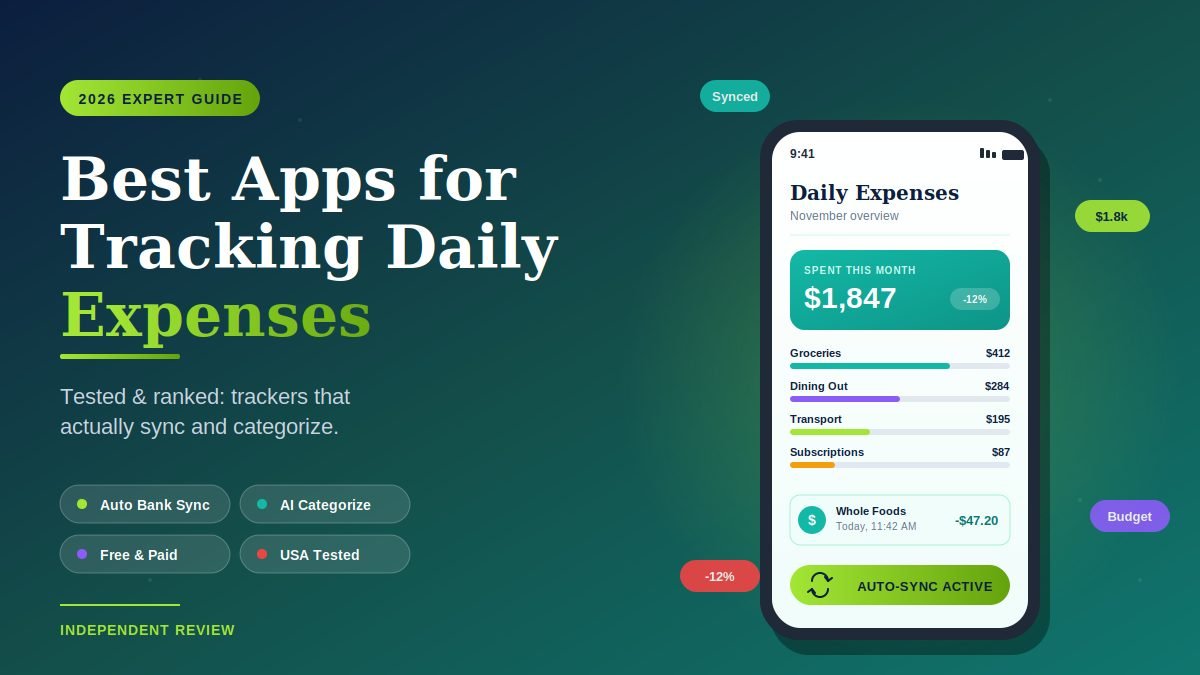
The best apps for tracking daily expenses in 2026 are Rocket Money (free, automatic Mint replacement), Monarch Money ($99/year, all-in-one dashboard), YNAB ($14.99/month, hardcore zero-based budgeting), Goodbudget (free envelope system), Copilot (iOS-only premium), and Empower Personal Dashboard (free investment-aware tracker). Each one solves a different problem — pick the wrong one and you’ll abandon it in two weeks.
I connected the same five U.S. bank and credit-card accounts to ten expense-tracking apps in late 2025 and tracked daily usage for ninety days on iOS and Android. This guide ranks only the apps that actually held up to real, messy daily spending — including Venmo splits, cash transactions, recurring subscriptions, and travel.
If you’re an American adult with multiple cards and accounts, the picks below are weighted for bank-sync reliability, post-Mint replacement quality, and honest privacy practices.
What does “tracking daily expenses” actually mean in 2026?
Tracking daily expenses in 2026 means using an app that automatically pulls transactions from your bank accounts and credit cards through a secure aggregator (Plaid or MX), categorizes each purchase, and shows you running totals against simple budgets. The era of manual receipt entry is over for most users — the best apps now use AI to categorize transactions, scan receipts via phone camera, and flag forgotten subscriptions, all in the background.
There are three honest categories of expense trackers in 2026:
- Auto-sync apps (Rocket Money, Monarch Money, Empower, Copilot) connect to your bank and credit cards via Plaid or MX and import every transaction automatically.
- Manual entry apps (Goodbudget, YNAB on the strict side, Monefy, Spendee) require you to log each expense yourself — slower but more mindful.
- Hybrid apps (Wallet by BudgetBakers, Buddy, DailyBean) offer both, letting you connect accounts when convenient and tap in cash transactions on the fly.
After Mint shut down in 2024, the U.S. market opened up. Rocket Money has emerged as the most-downloaded free Mint replacement. Monarch is the most-recommended premium pick. The rest of the field is still shaking out.
Which apps are the best for tracking daily expenses in 2026?
The strongest expense-tracking apps in 2026 split by purpose: Rocket Money wins for free bank-sync, Monarch wins for couples and all-in-one finance, YNAB wins for proactive budgeting, Goodbudget wins for envelope-style cash management, Copilot wins for design-first iOS users, and Empower wins for tracking spending alongside investments. Most serious users settle on one main app and one supplementary tool.
Here is the side-by-side breakdown after ninety days of testing.
Comparison table: best expense tracking apps in 2026
| App | Best For | Bank Sync | Free Tier | Paid Price |
|---|---|---|---|---|
| Rocket Money | Best free Mint replacement | Yes (Plaid) | Yes, generous | Premium: pay-what-you-want $4–$12/mo |
| Monarch Money | All-in-one premium dashboard | Yes | 7-day trial | $99/year or $14.99/month |
| YNAB | Zero-based budgeting | Yes | 34-day trial | $14.99/month or $109/year |
| Goodbudget | Envelope budgeting | No (manual) | Yes, 20 envelopes | $10/month |
| Copilot | iOS-only design-first | Yes | 30-day trial | $13/month or $95/year |
| Empower Personal Dashboard | Investment + spending tracker | Yes | Yes, fully free | Free (advisory service is separate) |
| PocketGuard | “In My Pocket” daily spending | Yes | 7-day trial | $12.99/month |
| Spendee | Visual charts, multi-currency | Both | Yes, limited | $2.99/month |
| Wallet by BudgetBakers | Hybrid sync + manual | Both | Yes, limited | $7.99/month |
| Tiller | Google Sheets power users | Yes | 30-day trial | $79/year |
Now let’s break down what each app actually delivers.
How do I start tracking daily expenses in 6 simple steps?
The fastest way to start tracking daily expenses in 2026 is to pick one auto-sync app, connect your two most-used accounts (your main checking and your primary credit card), and let the app run for a full month before adjusting anything. Most people fail because they try to categorize every old transaction perfectly from day one — skip that, just let the data come in.
Follow this exact sequence:
- Pick the right app for your money personality. Hate manual entry? Use Rocket Money or Monarch. Want every dollar assigned a job? Use YNAB. Don’t trust apps with bank credentials? Use Goodbudget.
- Connect your most-active accounts first. One checking account and one credit card cover 80% of most U.S. spending. Add savings and investment accounts later once the daily flow is working.
- Don’t fix old transactions yet. Let the app auto-categorize a month of imports. Look at the totals, not individual lines.
- Set three simple budgets, not fifteen. Groceries, dining out, and a “fun” category cover most discretionary spending. More than three budgets and you’ll stop checking.
- Add one weekly check-in. Sunday mornings, five minutes. Look at last week’s totals and forecast the upcoming week. That’s it.
- Cancel one subscription you forgot about. Almost every user finds one forgotten $9.99 charge in the first month. Cancelling it pays for any premium app you’re considering.
That’s the entire system. No spreadsheets, no envelope sorting, no ten-hour setup.
1. Rocket Money — best free app for daily expense tracking
Rocket Money is the most-downloaded free Mint replacement in 2026 and the easiest way for U.S. users to get a Mint-style automatic experience without paying. You link your bank and credit card accounts via Plaid, and Rocket Money pulls in transactions, categorizes them automatically, and tracks spending against simple budgets.
The standout feature is the subscription manager: Rocket Money scans your transactions for recurring charges and lists every active subscription in one place. Even on the free tier, you can see them all — though you have to cancel unwanted ones yourself. The premium tier (pay-what-you-want $4–$12/month) lets Rocket Money cancel for you and negotiate bills.
Best for: Anyone who wants automatic Mint-style tracking without paying a fixed price. Honest limit: Some advanced features (like net worth tracking and full transaction history) sit behind the pay-what-you-want premium tier.
2. Monarch Money — best premium all-in-one tracker
Monarch Money is the most-recommended paid Mint replacement in 2026, and the one most reviewers settle on after testing the field. At $99 per year, it combines automatic spending tracking, custom budgets, net worth, investment tracking, and shared accounts for couples in a single clean dashboard.
The shared-finances feature is the killer app for households. Monarch lets you and your partner have separate logins, see shared data, and tag individual transactions — no other major tracker handles this as cleanly. The trade-off is the price tag and a short 7-day trial.
Best for: Couples, households, and anyone who wants one dashboard for everything financial. Honest limit: No permanent free tier; the $99/year cost is the entry point.
3. YNAB — best for assigning every dollar a job
YNAB (You Need a Budget) is not just an expense tracker — it’s a budgeting philosophy. The app uses zero-based budgeting: every dollar that arrives in your account gets assigned to a category (rent, groceries, vacation fund, emergency savings) until you have $0 left to assign. Then every transaction is tracked against that plan in real time.
YNAB users tend to be religious about it because it works — but the learning curve is real. The 34-day free trial is generous, and YNAB publishes free workshops to walk new users through the method. At $14.99/month or $109/year, it’s the most expensive consumer app in the category.
Best for: Users who want to actively budget, not just monitor where money went. Honest limit: No permanent free tier; the steep learning curve scares off casual users.
4. Goodbudget — best free app for envelope-style budgeting
Goodbudget is the modern digital version of the old cash-envelope system. You assign money to virtual envelopes (groceries, gas, fun money), and as you spend, you log each transaction against an envelope. When the envelope is empty, that category is done for the month.
There is no bank sync — you enter transactions manually — which is exactly the point. The friction of typing in a $4.50 coffee makes you think twice before buying the next one. The free tier covers 20 envelopes and is enough for most households.
Best for: Households that want intentional, mindful spending without bank-credential anxiety. Honest limit: Manual entry is the whole point; this isn’t for users who want automation.
5. Copilot — best iOS-only design-first tracker
Copilot has the cleanest interface in the category and an obsessive focus on automatic transaction enrichment. Merchant names show up with proper logos, locations, and categories — not a cryptic “SQ*COFFEE 47291” mess. Categorization is uncannily good thanks to AI that learns your habits.
The catch: Copilot is iOS-only as of 2026, and there’s no permanent free tier. The 30-day trial is generous, and pricing sits at $13/month or $95/year. For iPhone users who appreciate design, it’s the most pleasant app to open daily.
Best for: iPhone users who care about interface quality and detailed transaction enrichment. Honest limit: No Android version; single-user only (couples need workarounds).
6. Empower Personal Dashboard — best free tracker with investment view
Empower Personal Dashboard (formerly Personal Capital) is fully free, and it does something most expense trackers don’t — it shows your daily spending alongside your investments, retirement accounts, and net worth in one view. For users who want a holistic picture, not just a spending log, it’s unmatched on the free tier.
The catch is that Empower is also a financial advisory service, and the free dashboard exists partly to convert users to that paid advisory tier. You’ll get the occasional call or email pitching the service. Decline politely; the free dashboard continues to work just as well.
Best for: Users with growing investment accounts who want spending tracking layered on top. Honest limit: Advisory sales calls are part of the package; the tool itself is free.
7. PocketGuard — best for “what can I spend today” tracking
PocketGuard’s signature feature is “In My Pocket” — a single number showing how much you have left to spend after accounting for bills, savings goals, and budgets. It’s the answer to the question most people actually ask: Can I afford to go out for dinner tonight?
The trade-off: as of 2026, PocketGuard moved to a 7-day free trial model. After the trial, you need a subscription ($12.99/month) to continue using the app meaningfully. That puts it in a different category than the “truly free” picks above.
Best for: Users who want one clear number instead of charts and reports. Honest limit: Effectively a paid app now; no permanent free tier.
8. Spendee — best free app for visual spending charts
Spendee’s free tier offers some of the cleanest charts and visual breakdowns in the category. You can see your daily, weekly, and monthly spending visualized as colorful pie charts and bar graphs — useful for visual learners who don’t engage with raw transaction lists.
It supports multi-currency tracking, which makes it a quiet pick for U.S. expats and frequent international travelers. The free tier is limited (one cash wallet, basic categories), and bank sync is paid, but the visual experience is genuinely good for casual tracking.
Best for: Visual learners and frequent international travelers. Honest limit: Bank sync and unlimited wallets require the $2.99/month premium tier.
9. Wallet by BudgetBakers — best hybrid sync + manual tracker
Wallet by BudgetBakers handles both bank-synced and manually-entered transactions cleanly, which makes it a strong pick for users who use mostly cards but occasionally pay cash. Budgets, categories, and reports are all on the free tier; bank sync and advanced reports sit behind the $7.99/month premium plan.
The interface is more old-school than Copilot or Monarch but reliable. International coverage is strong — useful if you have accounts outside the U.S.
Best for: Users with mixed cash-and-card spending or non-U.S. accounts. Honest limit: Free tier is functional but bank sync is paywalled.
10. Tiller — best for spreadsheet power users
Tiller takes a completely different approach: it pulls your bank and credit card transactions into Google Sheets (or Excel) daily, leaving you to build whatever budgets, charts, and analyses you want. For spreadsheet users, it’s heaven. For everyone else, it’s overwhelming.
There is no mobile app — Tiller lives in your spreadsheet. At $79/year after a 30-day free trial, it’s priced for serious DIYers.
Best for: Power users who want total flexibility and live in spreadsheets. Honest limit: No mobile app; you build the entire dashboard yourself.
What are the biggest mistakes people make with expense tracking apps?
The biggest mistake is downloading an app, connecting one account, and never opening it again. Expense tracking only works if you build a weekly 5-minute check-in habit. The second biggest mistake is over-budgeting — setting up fifteen categories with strict limits, hitting two of them on day three, and giving up by week two.
Other traps to avoid:
- Trusting auto-categorization blindly. Every app miscategorizes some transactions. A $40 Target run shows up as “Groceries” when half of it was clothing. Spend two minutes a week fixing miscategorized items so your totals stay honest.
- Linking every account at once. Start with two — checking and primary credit card. Add savings, investments, and secondary cards only after the main flow is working.
- Forgetting about cash. If you use cash, you have to log it manually. None of these apps can read your wallet. Even one cash transaction a week, tracked, makes the data more honest.
- Ignoring privacy policies. Monarch, YNAB, and Copilot explicitly don’t sell data. Empower uses your data to feed its advisory sales pipeline. Read the privacy section before connecting accounts — your spending data is sensitive.
- Worrying about giving banks your password. You don’t have to. Plaid and MX (which Rocket Money, Monarch, YNAB, Copilot, and Empower all use) provide read-only access through your bank’s open-banking API. They can’t move money, and you can revoke access from your bank’s portal anytime.
- Trying to track every dollar from day one. Just look at totals for the first month. Detail comes later.
Avoid these and your tracking app becomes a quiet, reliable financial co-pilot.
Frequently asked questions about expense tracking apps
What’s the best free expense tracker app after Mint shut down?
Rocket Money is the most-recommended free Mint replacement in 2026 — it offers automatic bank sync via Plaid, transaction categorization, and a free subscription manager. Empower Personal Dashboard is the strongest free alternative for users who also want investment and net worth tracking. Both are genuinely free, with optional premium features.
Are expense tracker apps safe to give my bank login to?
Modern expense trackers in the U.S. don’t store your bank password. Apps like Rocket Money, Monarch, YNAB, and Empower connect through Plaid or MX, which use read-only open banking APIs under CFPB Section 1033 guidance finalized in 2024. The aggregator can see transactions but cannot move money. You can revoke access from your bank’s online portal at any time.
Which expense tracker is best for couples?
Monarch Money is the most-recommended app for couples in 2026. It lets each partner have a separate login while sharing accounts, with per-user transaction tagging. YNAB also supports shared budgets but with a steeper learning curve. Rocket Money allows shared access via a single login, which works but isn’t ideal for privacy between partners.
Do I need a paid expense tracker, or is a free one enough?
For most users, a free app like Rocket Money or Empower is enough to track daily spending and spot wasteful patterns. Paid apps like Monarch ($99/year) and YNAB ($14.99/month) earn their cost if you want couples support, deep budgeting tools, or a unified dashboard for spending plus investments. If you’re new to tracking, start free — upgrade only after you know what you actually need.
What’s the difference between an expense tracker and a budgeting app?
Expense trackers (Rocket Money, Empower) tell you where your money went. Budgeting apps (YNAB, Goodbudget) tell you where it should go before you spend it. The split has blurred in 2026 — most apps do both — but if you’re naturally a planner, lean budgeting. If you want awareness without a strict plan, lean tracking.
Can I track expenses without linking my bank account?
Yes. Goodbudget, Monefy, Spendee, and Buddy all work entirely on manual entry — you type each transaction in yourself. The trade-off is friction: you have to remember to log each purchase. The upside is total privacy; nothing leaves your phone. For users uncomfortable with bank aggregators, manual-entry apps are the right call.
How do expense tracker apps make money if they’re free?
Free expense trackers typically monetize in three ways: optional premium tiers (Rocket Money’s pay-what-you-want plan), advisory upsells (Empower pitches its paid wealth management service), or anonymized data partnerships. Rocket Money, Monarch, YNAB, and Copilot have explicit privacy policies stating they do not sell user data. Always read the policy before connecting accounts. The same caution applies when you save statements or receipts as PDFs to share with an accountant — pair an offline option from our guide to tools to compress PDF without losing quality so those files never touch a third-party server.
Will an expense tracker app help my credit score?
Not directly. Credit scores are influenced by payment history, credit utilization, and length of credit history — none of which are reported by expense trackers. What expense trackers can do is help you avoid missing payments by surfacing upcoming bills, which protects your score indirectly. For credit-score tools specifically, look at Credit Karma or Experian.
The bottom line: which expense tracker should you download today?
If you can only install one app, install Rocket Money — it’s free, it replaces Mint, and the subscription scan alone often saves users more than any paid app costs. If you want a premium experience and don’t mind paying, Monarch Money ($99/year) is the most-recommended all-in-one. If you want to actively budget rather than just monitor, YNAB is worth its price for the discipline it builds.
Expense tracking only works if you actually use it. The single best app is the one you’ll open every Sunday morning for five minutes — not the one with the most features. And if you’re looking for ways to grow the dollars you’re tracking, even passive options like apps to earn money by walking can quietly cover a forgotten subscription each month with steps you were already taking.
Your next step: Pick one app from this list, install it tonight, and connect just one account — your main credit card. Let it run for two weeks before judging. The first hidden subscription you cancel will tell you whether the habit is worth keeping. For most U.S. users, it is.
Stop guessing and start knowing—tap into research-backed reads that clarify the complex.