Complete Guide to End-to-End Encrypted Image Sharing
Most people assume that sending an image through a popular messaging app keeps it private. For a surprising number of platforms, that assumption is wrong.
When a photo travels without true end-to-end encryption, the company’s server decrypts it, processes it, and could hand it over on request. Understanding how end-to-end encrypted image sharing works is no longer just a technical curiosity. It’s practical knowledge for anyone who cares about what happens to their photos after they hit Send.
This guide covers the real mechanics, maps out which tools actually deliver genuine encryption, and calls out the misconceptions that put users at risk every day.
What Is End-to-End Encrypted Image Sharing?
End-to-end encrypted image sharing means your photo is encrypted on your device before it leaves, travels as unreadable ciphertext through every server in between, and decrypts only on the recipient’s device. No company, no server, no interceptor can see the original image. Only the sender and the recipient hold the keys.
The phrase on the device is what separates real E2E encryption from everything else.
Most services that sound secure use encryption in transit — your image encrypts between your phone and their server, the server decrypts and processes it, then re-encrypts it for delivery. The company sees your photo in plaintext during that middle stage. They can store it, analyze it, and hand it over if asked.
With end-to-end encryption, the provider’s server receives only ciphertext. Scrambled binary data it cannot read, not because of a policy, but because it lacks the mathematical keys to even attempt decryption.
Two fundamentally different models:
Server-side encryption (not E2E): Google Photos, standard Dropbox, regular Telegram chats. These services encrypt your images, but hold the decryption keys themselves. They can access your images. In response to a valid court order, they must.
Client-side / E2E encryption: Signal, WhatsApp in direct chats, Proton Drive. Encryption keys are generated on the user’s device and never transmitted to any server. The provider cannot decrypt your images — not as a policy choice, but as a mathematical fact — even if a government compels them to try.
The technical difference sounds minor. The privacy implication is not.
How Does End-to-End Image Encryption Actually Work?
When you send an encrypted image, your device generates a unique key for that photo, encrypts the photo with it, then encrypts that key using the recipient’s public key. Both pieces — the encrypted image and the encrypted key — go to the server. Only the recipient’s private key can unlock the image key, and therefore the image itself.
Here is the full process:
Step 1: Key Pair Generation When you first install an E2E encrypted app, your device creates an asymmetric key pair. The public key is shared openly — the app registers it on the server so your contacts can find it. The private key never leaves your device. It is generated locally, stored locally, and the server never sees it.
Step 2: Key Exchange Before your first conversation, your device and the recipient’s device run a cryptographic key exchange protocol. The most common is a variant of Diffie-Hellman: two parties agree on a shared secret without ever transmitting that secret across the network. Signal uses a more advanced version called X3DH (Extended Triple Diffie-Hellman), which lets your device pre-generate keys that work even when the recipient is offline.
Step 3: Symmetric Key Generation for the Image When you pick an image to send, the app generates a fresh random symmetric key — typically AES-256 — for that specific image. Your device encrypts the photo with this key. The result looks like random noise: there is no image information visible in the output.
Step 4: Key Wrapping The symmetric key is then encrypted using the recipient’s public key or the shared session key from Step 2. Now even the key is ciphertext.
Step 5: Transmission Both the encrypted image and the encrypted key travel to the provider’s server. The server stores or forwards two blobs of ciphertext. It cannot decrypt the image because it lacks the symmetric key. It cannot decrypt the symmetric key because it lacks the recipient’s private key. The server is mathematically excluded from this exchange.
Step 6: Decryption on the Recipient’s Device The recipient’s app uses their private key to unwrap the symmetric key. With the symmetric key recovered, it decrypts the image. The original photo appears on their screen.
Why Use Both Symmetric and Asymmetric Encryption?
Asymmetric encryption (RSA, ECDH) is powerful but slow — not practical for encrypting a 5MB photo. Symmetric encryption (AES-256) is extremely fast but requires both parties to already share a key. The hybrid approach solves both problems: use asymmetric crypto to securely exchange a small symmetric key, then use that key to rapidly encrypt the actual image. Every serious E2E implementation works this way.
Perfect Forward Secrecy — The Layer Most People Miss
Apps like Signal layer the Double Ratchet Algorithm on top of this foundation. It generates a new encryption key for every single message — including every image. If an attacker captured all your encrypted photos over the past year and then somehow obtained your current device keys, they still cannot decrypt those old images. Each was encrypted with an ephemeral key that no longer exists anywhere.
This property is called Perfect Forward Secrecy. Basic E2E implementations skip it. Signal-grade implementations treat it as non-negotiable.
Which Apps Use True E2E Encryption for Images?
Signal and WhatsApp encrypt all images end-to-end by default. iMessage does the same in blue-bubble conversations between Apple devices. Telegram encrypts images only in Secret Chats — not in regular chats, not in groups. Most cloud photo storage services, including Google Photos and standard iCloud, do not use true end-to-end encryption for stored images.
In my testing across platforms, the gap between what’s marketed as “private” and what actually qualifies as E2E is significant. Telegram is the single most dangerous example of that gap. This same disconnect affects disappearing photos too — a photo that vanishes from view is not the same as one that was never readable by the platform.
Messaging Apps: E2E Image Encryption Status
| Platform | Images E2E Encrypted | On by Default | Backups E2E Protected |
|---|---|---|---|
| Signal | ✅ Always | ✅ Yes | ✅ Optional (full E2E) |
| ✅ All chats | ✅ Yes | ⚠️ Opt-in only | |
| iMessage | ✅ Blue bubbles | ✅ Yes | ⚠️ Requires Apple ADP |
| Telegram (standard) | ❌ No | ❌ No | ❌ No |
| Telegram (Secret Chat) | ✅ Yes | Must manually start | N/A — local only |
| Facebook Messenger | ⚠️ E2E chats only | ❌ No | ❌ No |
| Google Messages (RCS) | ✅ When available | ✅ Yes | ❌ No |
| Snapchat | ❌ No | ❌ No | ❌ No |
Cloud Storage: Zero-Knowledge Encryption for Images
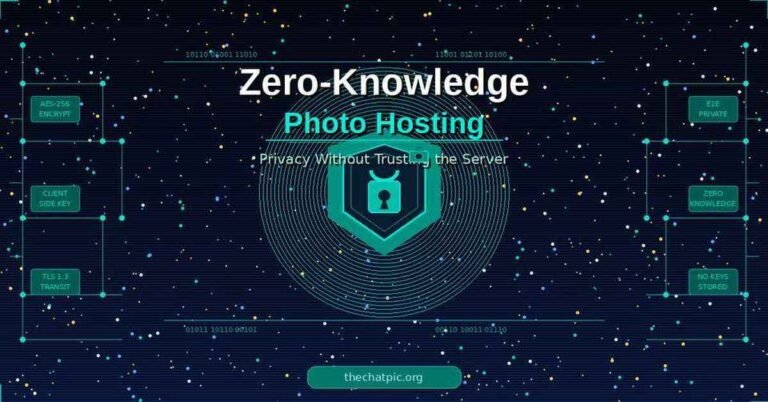
Standard photo clouds hold your encryption keys. Google Photos, Dropbox, and iCloud without Advanced Data Protection all encrypt stored images — but the provider controls the decryption keys. They can access your images, run AI analysis against them, and comply with subpoenas by producing decrypted files. The model that closes this gap entirely is zero-knowledge photo hosting, where the server stores only ciphertext it mathematically cannot decode.
Services with genuine zero-knowledge encryption:
Proton Drive — Swiss-based, open-source clients, independently audited by Securitum. Proton holds no keys to your stored images. I’ve used it for sharing confidential documents with collaborators; the encrypted link sharing works cleanly, though the photo browsing UX is less polished than Google Photos.
Tresorit — Business-grade, zero-knowledge architecture, audited by Ernst & Young. The strongest option for professional image sharing where compliance matters.
Internxt — Open-source, zero-knowledge, and considerably cheaper than Tresorit. Solid choice for individuals who want verifiable privacy without the enterprise price tag.
Cryptomator — Free, open-source, and works with storage you already have. Install it locally, create an encrypted vault on your Google Drive or Dropbox folder, put images there, and it encrypts everything before upload. The cloud service sees only ciphertext. This is the most practical option for people who don’t want to switch services.
For image-sharing platforms specifically, the security threshold is the same: client-side encryption before upload, or signed expiring links with encrypted payloads. Anything less means the platform operator can see what you share.
Common Myths About Encrypted Image Sharing
The most persistent myth is that Telegram provides end-to-end encryption — it doesn’t by default. Right behind it: the belief that HTTPS protects your images from the company you’re sending them through. It doesn’t.
Myth 1: Telegram is end-to-end encrypted
Telegram has built a strong privacy-focused reputation. That reputation is not matched by the default product for image sharing. Regular Telegram chats and all group chats are stored on Telegram’s servers in a form Telegram can access. Their own documentation confirms that only Secret Chats use E2E encryption — and Secret Chats can’t sync across devices, can’t be searched, and can’t be forwarded outside the Secret Chat thread.
Research published by the Royal United Services Institute (RUSI) in 2021 found widespread confusion about this. Many users believed their regular Telegram image conversations were private. They were not.
Myth 2: HTTPS means the company can’t see my images
HTTPS encrypts the connection between your device and the server. It protects your image from someone intercepting network traffic — a third party on the same Wi-Fi, for example. The moment your image arrives at the server, the server decrypts it. HTTPS and E2E encryption are solving completely different problems. Confusing them is common and costly.
Myth 3: My account password protects my photos
Account passwords control who can log into your account. They have no relationship to whether images are encrypted on the server. Google Photos requires your Google password, but Google holds the encryption keys for every image in your library. Authentication is not encryption.
Myth 4: WhatsApp is fully private because it uses the Signal Protocol
WhatsApp image content is end-to-end encrypted using the Signal Protocol — that part is accurate and verified. The caveats are real though. WhatsApp collects substantial metadata: who contacts whom, timestamps, frequency, IP addresses, device identifiers. Meta, as WhatsApp’s parent company, processes that metadata at scale. And prior to 2021, WhatsApp chat backups to Google Drive or iCloud were not E2E encrypted. The E2E backup option now exists but it’s opt-in, buried in settings, and most users haven’t touched it.
Myth 5: E2E encryption makes my image completely safe
End-to-end encryption protects images in transit and blocks server-side access. It does not protect against:
- The recipient screenshotting or forwarding the image
- Malware on either device
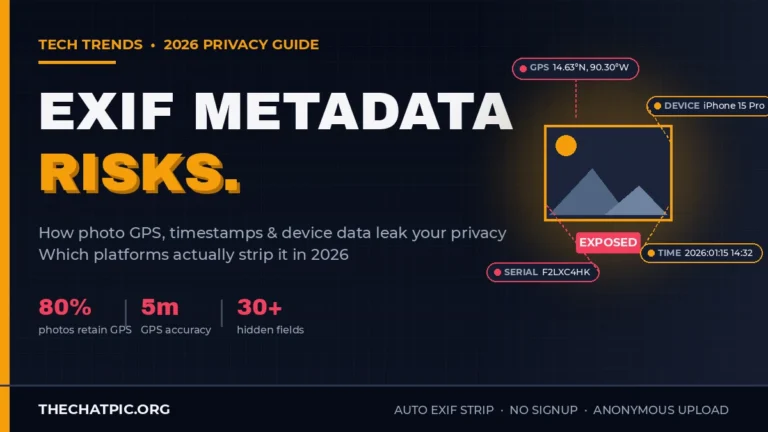
- EXIF metadata in the image file (GPS coordinates, timestamp, device model) if the app doesn’t strip it before sending — a risk that exists independently of how strong the encryption is
- Physical access to an unlocked, already-decrypted device
Signal strips EXIF metadata before encrypting and sending. WhatsApp does too. Many other platforms do not, which means the encrypted payload can still carry location data readable by whoever receives it.
Frequently Asked Questions
Can law enforcement access end-to-end encrypted images?
With genuine E2E encryption, the provider cannot hand over decrypted images because they don’t have the keys. Law enforcement would need physical access to an unlocked device. Signal has demonstrated this repeatedly in U.S. federal court proceedings, producing only encrypted data it cannot decrypt. Compelling the provider gets investigators nothing useful — which is exactly the point of client-side key management.
Is WhatsApp image sharing truly end-to-end encrypted?
Yes. Images in WhatsApp chats use Signal Protocol E2E encryption. WhatsApp cannot view them. The meaningful caveats are metadata collection by Meta, and backups: if you back up to Google Drive or iCloud without enabling E2E backup in WhatsApp Settings → Chats → Chat Backup, those backups may not be E2E protected. For active in-chat image content, the encryption is genuine.
Does Snapchat use end-to-end encryption for images?
No. Snapchat images are not end-to-end encrypted. The disappearing-image feature is a client-side behavior — Snapchat instructs the app to delete the image after viewing, but the server held the image and could access it during that window. Snapchat’s infrastructure operates with full access to content. The ephemeral feel is a product choice, not a cryptographic guarantee.
What is the difference between E2E encryption and zero-knowledge encryption?
These overlap but aren’t the same. E2E encryption describes protection in transit: content is encrypted on one endpoint and decrypted only on the other. Zero-knowledge describes storage architecture: the provider holds no keys and cannot access data at rest, even on their own servers. Signal is E2E in transit. Proton Drive is zero-knowledge in storage. The strongest services implement both.
Is iMessage end-to-end encrypted for images?
Yes — in blue-bubble conversations between Apple devices. Images in iMessage are E2E encrypted. The risk: if standard iCloud backup is enabled, Apple may hold keys to your message backups. Apple’s Advanced Data Protection (ADP), available since iOS 16.2, extends E2E encryption to iCloud backups including message history and images. To enable it: Settings → [Your Name] → iCloud → Advanced Data Protection.
How do I verify that an app actually uses E2E encryption?
Four checks: (1) Find an independently published security audit from a named firm — not a self-assessment. (2) Check whether the client code is open-source and publicly inspectable. (3) Confirm the key model: private keys must be generated and stored only on user devices, never on the company’s servers. (4) Look for key verification tools — Signal’s Safety Numbers, for example — that let you confirm you’re talking to who you think you’re talking to and not an intercepted connection.
Does E2E encryption protect EXIF metadata in images?
Partly. E2E encryption protects the entire image file in transit, including any embedded EXIF data. The recipient receives the EXIF-intact file once decrypted. If the app doesn’t strip EXIF before encrypting (Signal does, WhatsApp does, many others don’t), the recipient gets your GPS coordinates, camera make and model, and the exact timestamp the photo was taken. Check your specific app’s privacy documentation.
What happens if I lose my phone — can I recover encrypted images?
It depends on the app. Signal’s approach prioritizes security over convenience: without an encrypted backup, losing your device means losing message history. WhatsApp recovers backups from Google Drive or iCloud, though E2E protection of those backups is opt-in. Proton Drive stores encrypted files on their servers with user-held keys, so you can recover them by re-authenticating on a new device. Zero-knowledge services that lose keys permanently lose access to data — which is both the security feature and the usability trade-off.
Conclusion
End-to-end encrypted image sharing comes down to one principle: only your device and the recipient’s device ever hold the decryption keys. The provider is mathematically excluded from the loop.
The practical choices are clear. Signal for the highest-trust messaging — verified by independent audits, court cases, and open-source code. WhatsApp for broad compatibility with solid (if imperfect) image privacy. Proton Drive or Tresorit for storing and sharing sensitive images with zero-knowledge guarantees. Cryptomator if you want to layer real encryption onto Google Drive or Dropbox without switching services. For anonymous one-shot sharing without any account, see the ranked list of no-signup image hosts for hosts that combine privacy with simplicity.
The biggest risk is not a weak encryption algorithm. It’s misplaced trust — assuming Telegram’s regular chats are private, assuming HTTPS means the provider can’t see your photos, assuming a password equals encryption.
Now you know exactly what the technology does, what it doesn’t do, and which tools actually deliver what they promise. Use that to make a real decision about which platforms you trust with your images.