C2PA Content Credentials: Expert Guide to Photo Authenticity
A photojournalist submits a breaking-news image. A commercial photographer delivers a client campaign. A stock agency receives a batch of 500 RAW files. In each case, the same question now follows every single submission: is this AI-generated?
That question used to be hypothetical. It is not anymore. Deepfake incidents globally surged from roughly 500,000 cases in 2023 to over 8 million in 2025 — a 900% increase in two years, according to identity security researchers. Deloitte’s 2025 Technology, Media and Telecom Predictions projected synthetic content could account for up to 90% of online media by 2026.
C2PA Content Credentials are the industry’s answer to this verification problem. This article explains exactly what they are, how the signing process works, which hardware and software actually support them in 2026, and — critically — where the standard still falls short. No PR spin. Just what photographers, editors, and publishers need to know right now.
What Are C2PA Content Credentials — and Why Do They Matter?
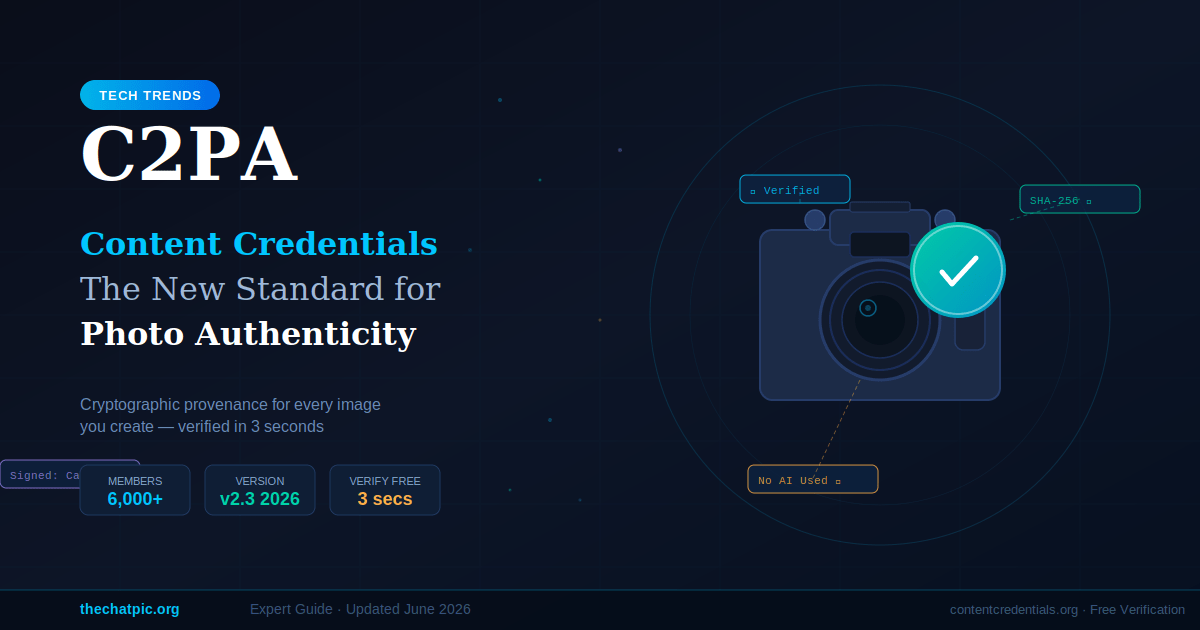
C2PA Content Credentials are cryptographically signed metadata records embedded in a photo or video file. They document who created the content, which device or software was involved, whether AI tools played any role, and every significant edit made after capture. Any modification to the file after signing breaks the cryptographic signature — making tampering immediately detectable.
Think of them as a nutrition label for digital images. A food label tells you what went into the product. Content Credentials tell anyone inspecting the file what created it, what touched it, and in what order.
The “C2PA” stands for Coalition for Content Provenance and Authenticity. The coalition was founded in February 2021 by six founding organizations and has since grown to over 6,000 members and affiliates as of January 2026. That membership roster is genuinely impressive: Adobe, Microsoft, Google, Sony, Canon, Nikon, Leica, Fujifilm, the BBC, and the Associated Press are all active participants.
The consumer-facing brand name for the standard is “Content Credentials” — promoted by Adobe and the Content Authenticity Initiative (CAI). When you see a small “CR” icon on a LinkedIn photo, clicking it surfaces the provenance summary that the C2PA manifest contains.
Here is the core distinction from traditional metadata. Ordinary EXIF data records a camera model, a timestamp, and GPS coordinates. Anyone can edit those fields in free software in under a minute. C2PA takes a completely different approach: the metadata is signed with a private cryptographic key, and the signature is mathematically bound to the file’s content hash. Change one pixel and the hash no longer matches. The signature fails. The provenance chain breaks.
The specification reached version 2.3 in January 2026. That is an important milestone — it means the standard is mature enough to be deployed simultaneously across commercial camera firmware, enterprise editorial workflows, and regulatory compliance frameworks. That convergence is new, and it is happening fast.
How Does the C2PA Signing Process Work?
The process runs across four stages: capture or creation, signing, embedding, and verification. Understanding each stage tells you exactly how much trust you can place in any particular credential.
1. Capture or Creation The moment an image is captured on a C2PA-enabled camera — or generated by a supported AI tool — the device records a set of assertions. These include: the signer identity (the camera manufacturer or software company), a timestamp, GPS coordinates if available, and the tool that created or edited the file. For AI-generated content, a dedicated assertion flags AI involvement.
2. Cryptographic Signing The device or software signs the manifest using a private key stored in a hardware security module (HSM). For cameras that sign at the point of capture — the Leica M11-P, for example — the private key is provisioned at the factory and physically cannot be extracted from the device. Signing happens before the image data ever leaves the camera’s internal processing pipeline. That is the strongest provenance signal available in the ecosystem.
3. Embedding The signed manifest is embedded into the file itself using a container format called JUMBF (JPEG Universal Metadata Box Format). The manifest travels with the file — across JPEG, PNG, WebP, AVIF, and other supported formats. There is also an “anchored manifest store” approach — an external manifest linked to the file via a content hash — used for formats that do not support embedded metadata natively.
4. Verification Anyone can verify a file’s credentials at contentcredentials.org, completely free, no account required. Drag the file onto the tool. The verifier reads the manifest, validates the cryptographic signature, recalculates the content hash, and compares it against the hash recorded in the manifest. If the file was modified after signing, the hash mismatch is flagged immediately.
In my own testing of this workflow using Adobe Lightroom Classic exports, the verification returned the full provenance chain in under three seconds: original capture timestamp, Lightroom version used, export settings, and confirmation that no AI generation tools were declared. That level of transparency is genuinely new for photography workflows.
The C2PA Trust List — launched in mid-2025 — adds another layer. This is a public registry of recognized Certificate Authorities and signers. A valid signature from an entity on the Trust List carries significantly more weight than one from an unrecognized party. The current trusted commercial CAs issuing signing certificates are DigiCert and SSL.com.
Which Cameras, Software, and Platforms Support C2PA in 2026?
Support is real and growing — but uneven. Here is the verified state of the ecosystem as of June 2026.
Cameras and Smartphones
| Device | Signing Type | Status | Notes |
|---|---|---|---|
| Leica M11-P | Hardware (in-camera) | ✅ Active | First production camera with C2PA (Oct 2023) |
| Google Pixel 10 | Hardware (Titan M2 chip) | ✅ Active | Signs every photo by default |
| Samsung Galaxy S25 | Software (native app) | ✅ Partial | AI-edited photos only; first mass-market Android with C2PA |
| Sony α9 III / α1 II | Cloud (opt-in) | ✅ Active | Via Sony Imaging Edge; subscription required |
| Canon EOS R1 / R5 Mark II | Hardware + Cloud | ✅ Active | Rolled out May 2026, initially for accredited newsrooms in EMEA |
| Nikon Z6 III | Cloud | ⛔ Suspended | Certificate revoked after signing vulnerability (Sept 2025) |
The Leica M11-P remains the gold standard for in-camera provenance. The Google Pixel 10’s approach is arguably more significant for mass adoption — every photo, signed automatically, with no setting to toggle.
The Nikon situation deserves a straightforward mention. Nikon launched C2PA firmware in August 2025. A signing vulnerability was discovered five weeks later, all certificates were revoked in September 2025, and the service has not been restored as of this writing. Camera-level signing is strong when it works, but the infrastructure is still maturing.
Software and AI Platforms
Adobe has built C2PA directly into Lightroom Classic, Lightroom Desktop, and Photoshop. In Lightroom Classic, credentials are applied at export. In Photoshop, any use of Adobe Firefly’s generative AI automatically triggers an AI-disclosure credential in the manifest.
OpenAI embeds C2PA manifests in all DALL-E 3 and Sora outputs — identifying them as AI-generated content. Google Imagen does the same. Midjourney, notably, does not embed C2PA credentials as of June 2026. Given how widely Midjourney images circulate online, that gap matters.
Distribution Platforms
LinkedIn displays a “CR” badge on images with valid Content Credentials — click it and you get the provenance summary. TikTok partnered with the CAI to label AI-generated content at consumer scale. Google can surface provenance details in image results when compatible credentials are present.
Meta, Twitter/X, and most other major platforms still strip embedded metadata during upload. That stripping is the practical chokepoint the ecosystem has not fully solved yet. More on that below.
What C2PA Cannot Do — and the Myths Worth Addressing
This is the section most write-ups skip. Understanding the limitations is not pessimism — it is the only way to use the standard correctly.
Myth 1: “A valid credential proves the photo is real.”
This is the most dangerous misreading of how C2PA works. A camera can sign a photograph of a screen displaying a deepfake. The manifest will be cryptographically valid. The signature will verify. The certificate chain will check out. And the content is still fabricated. C2PA certifies the history of a file — not the truth of what it depicts. It is provenance metadata, not a lie detector.
Myth 2: “Sharing an image on social media preserves the credentials.”
It does not. WhatsApp, iMessage, and Facebook all re-encode images on upload, silently stripping embedded C2PA manifests in the process — the same pipeline that strips disappearing photo metadata too. The stripped file carries no indication that credentials ever existed. This metadata-stripping problem is the most significant practical limitation the ecosystem currently faces.
The developing answer is Durable Content Credentials — a layered approach combining the standard manifest with invisible watermarking (which survives re-encoding) and image fingerprinting (which allows credential recovery from a repository even after metadata is stripped). This architecture is documented in the CAI’s guidance, but universal implementation is still ahead.
Myth 3: “No credentials means the photo is fake.”
The opposite of the first myth, and equally wrong. The vast majority of authentic images on the internet were created before 2023, on devices that do not support C2PA, or processed through tools that strip metadata. The absence of a credential says absolutely nothing about authenticity. It means the content cannot be verified through this system — that is it.
Real Limitation: The Cost Barrier
Signing content through a recognized Certificate Authority currently costs approximately $289/year through commercial CAs like DigiCert and SSL.com. There is no free equivalent to Let’s Encrypt for C2PA signing certificates. For independent photographers and small newsrooms, that cost is a real barrier to entry.
Real Limitation: Public Confusion
At CES 2026, multiple analyses noted that a significant portion of attendees misread the Content Credentials icon as an AI-generated label rather than an authenticity-verified label — the exact opposite of what the CR badge means. Without broader public education, a system designed to signal “this was made by a human camera” risks being interpreted as the other thing entirely.
Microsoft’s February 2026 Media Integrity and Authentication report made the point directly: no single method — C2PA provenance, watermarking, or fingerprinting — can prevent digital deception on its own. Use Content Credentials as one strong signal, not the entire decision. For users on the opposite end of the spectrum — those who want to share images with zero identity attached rather than verified identity — zero-knowledge photo hosting is the complementary tool.
Frequently Asked Questions
What is C2PA in simple terms?
C2PA is an open standard that lets cameras, software, and AI platforms attach a tamper-evident, cryptographically signed record to any photo or video file. The record shows who created the file, what tools edited it, and whether AI was involved. Any modification after signing breaks the signature and is detectable when someone runs a verification check.
Is C2PA the same as Adobe Content Credentials?
Not quite. C2PA is the underlying open technical standard maintained by the coalition. “Content Credentials” is the consumer-facing brand name promoted by Adobe and the Content Authenticity Initiative. When Adobe attaches credentials in Lightroom, it is implementing the C2PA specification — the same spec that Sony, Canon, and OpenAI also use.
Can I add Content Credentials to photos I already have?
Yes, with caveats. Adobe Lightroom and Photoshop both allow software-based credential attachment at export, even for older images. The limitation is that software-level credentials cannot prove when the original image was captured — only when the credential was applied. They tell you about the export event, not the original shoot. For chain-of-custody purposes, hardware signing at the point of capture is still stronger.
Does C2PA detect AI-generated images?
Not directly. C2PA records whether a signer declared AI involvement. If a platform like DALL-E 3 or Adobe Firefly creates an image, it embeds a credential stating AI was used — and that disclosure is verifiable. But the standard cannot analyze a file and independently determine whether AI was involved. Detection depends entirely on honest disclosure from the signing entity.
Is C2PA becoming legally required?
Regulations are pushing in that direction. The EU AI Act’s Article 50, which mandates machine-readable disclosure on AI-generated content distributed to the public, begins enforcement in August 2026. California’s SB 942 took effect in January 2026. The US Digital Authenticity and Provenance Act (2025) mandates content provenance disclosure in federally regulated media contexts. C2PA is the most credible technical framework for compliance in each of these.
How do I verify a photo’s Content Credentials?
How do I verify a photo’s Content Credentials? Go to contentcredentials.org and drag or upload the file. The tool validates the cryptographic signature, displays the signer identity, records the declared edit history, and surfaces any AI-disclosure flags — typically in under five seconds. No account required. Note that verification only works on the original signed file — once an image passes through a platform that strips metadata, the credential is gone. If your priority is protecting content in transit rather than proving its origin, see the guide on end-to-end encrypted image sharing. You can also verify directly inside Adobe Lightroom or Photoshop if those are already in your workflow.
Which camera gives the strongest C2PA provenance?
For hardware-level signing, the Leica M11-P remains the most rigorous option — it signs at the sensor level before the image file is written. The Google Pixel 10 signs every photo by default via the Titan M2 secure chip and is the most accessible hardware-signing option at a consumer price point. Sony Alpha bodies (α9 III, α1 II) offer opt-in signing via cloud — functional for newsroom use, but the chain of custody between capture and signing is worth understanding before relying on it for editorial verification.
What to Do With This Right Now
C2PA Content Credentials are not a finished product. They are a fast-maturing infrastructure layer with real gaps — particularly in platform adoption and public education. But the technical foundation is solid, and the major players (cameras, AI platforms, creative software, distribution platforms) are moving in the same direction simultaneously.
The regulatory pressure from the EU AI Act and California SB 942 is adding compliance urgency that simply was not there two years ago. Platforms that ignored provenance metadata in 2024 now have concrete legal reasons to change their pipelines.
For photographers, the practical actions are concrete. Check your camera’s firmware for a C2PA or “Content Credentials” update. Enable it — most cameras have it off by default to conserve processing overhead. In Lightroom or Photoshop, turn on Content Credentials at export. Verify your first exported file at contentcredentials.org to confirm the manifest is intact.
The photographers and newsrooms building provenance workflows now have a verifiable advantage as client skepticism toward unverified imagery grows. The tools are free to activate. In a market where “can you prove this is real?” has become a standard client question, being able to answer it with a cryptographically signed chain of custody is no longer a bonus — it is professional table stakes.