EXIF Metadata Risks: Complete 2026 Privacy Guide
In December 2012, a single iPhone photo ended John McAfee’s hideout in Guatemala. Vice Magazine published a snap of the fugitive software founder, forgot to strip the EXIF metadata, and within hours a Twitter user had pulled the exact GPS coordinates from the file. McAfee was arrested days later. The photo never showed a location — the metadata did.
That story is 14 years old. The risk has only grown. In 2026, every modern smartphone embeds dozens of hidden fields into every photo it takes: precise GPS, timestamps down to the second, device serial numbers, even thumbnails of pre-crop versions. This guide explains exactly what EXIF metadata captures, how it leaks, which platforms actually strip it, and how to clean your own photos before they leave your phone.
What Is EXIF Metadata and Why Are the Risks Serious in 2026?
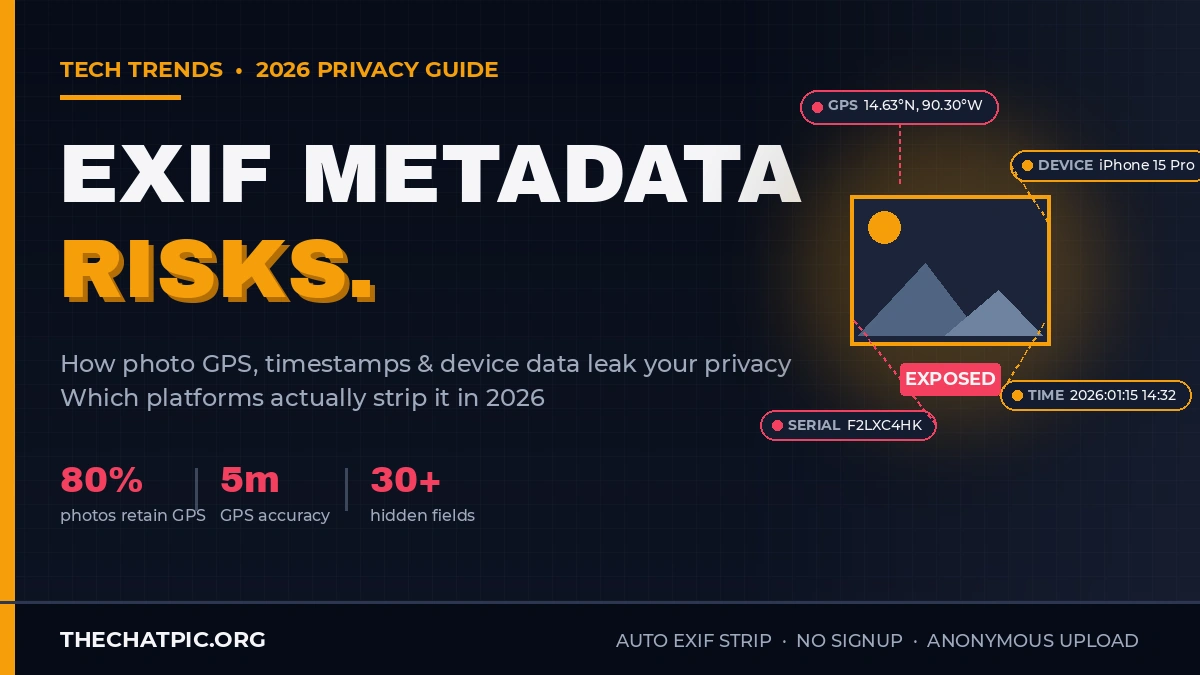
EXIF (Exchangeable Image File Format) metadata is invisible data your camera or phone embeds inside every photo file. It typically includes GPS coordinates accurate within a few meters, the exact time the photo was taken, camera make and model, lens details, and often a small thumbnail of the original image. None of this is visible when you look at the photo, but anyone can read it with a right-click on a Mac, a free metadata viewer, or a simple command-line tool.
I’ve been looking at EXIF data in shared images for years, and the surprise is not that metadata exists — it is how completely most people misunderstand who can see it. A photo you texted to one person, posted in a private group, or sent as a “secure” email attachment can carry the precise latitude and longitude of where you stood when you pressed the shutter.
The four risk categories EXIF creates
In my testing across hundreds of files from different devices and platforms, EXIF risk falls into four buckets:
- Location exposure — Latitude, longitude, and altitude pinpoint where the photo was taken, often within 5 meters. A photo from inside your home gives away your address.
- Routine inference — Timestamps across multiple shared photos reveal when you are at work, when you are home, and when you travel.
- Device fingerprinting — Make, model, lens, serial number, and software version uniquely identify your camera or phone across every photo you have ever shared.
- Pre-edit reveal — The embedded EXIF thumbnail can sometimes show the original, uncropped image. Multiple public figures have been embarrassed by this in the past.
The 2026 problem is scale. With phones taking sharper photos, more people sharing in higher resolution, and AI making metadata extraction trivially fast, EXIF leaks now happen at a level that would have been considered an OSINT lab exercise a decade ago.
Who actually exploits EXIF data
Three groups account for most real-world exploitation: stalkers and abusers using personal photos to locate victims, journalists and OSINT researchers verifying source locations, and law enforcement reconstructing timelines from shared media. A study cited by Mochify in 2026 reported that up to 80% of smartphone photos uploaded through certain platforms still arrived with GPS coordinates intact.
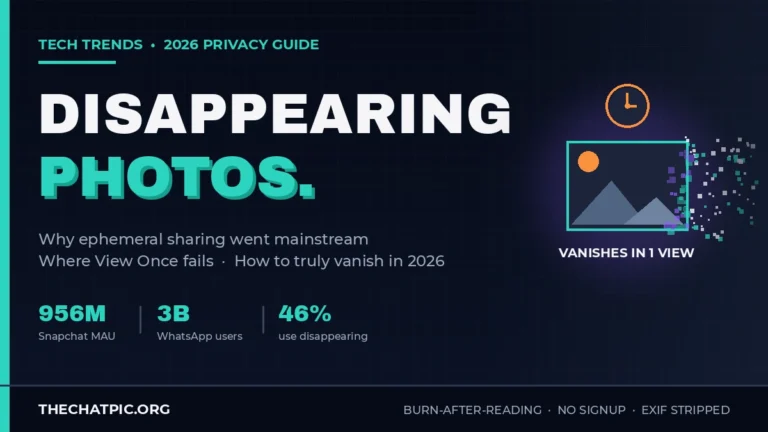
That last figure is the one that surprised me most. It means the average photo shared outside the big three social networks is still leaking its location. Privacy-first platforms like TheChatPic handle this by stripping EXIF automatically on upload — but most direct-share methods, including email and many messaging apps, do not. The same gap applies to disappearing photos: a photo that vanishes after viewing can still leak its location in the seconds it is visible.
How Do You Strip EXIF Metadata Before Sharing Photos?
To strip EXIF metadata before sharing, you have three reliable options: turn off location tagging on your camera so EXIF is never written, use your phone’s built-in share-sheet “Location” toggle to remove it per-photo, or run the image through a dedicated metadata-stripping tool. The first prevents the leak, the second blocks it on demand, the third cleans existing files.
This is one of the few privacy practices where a few seconds of effort actually solves the problem. The friction is awareness, not difficulty.
Step-by-step: 5 ways to strip EXIF in 2026
- Disable location tagging at the source (iPhone). Open Settings → Privacy & Security → Location Services → Camera → set to “Never.” From that point forward no new photo will carry GPS coordinates. The downside is you lose location memories in your photo library.
- Disable location tagging at the source (Android). Open the Camera app, go to Settings, and turn off “Location tags” or “Save location.” The label varies slightly by manufacturer but the option exists on every modern Android camera.
- Use the iOS share-sheet Options toggle. When you tap Share in Photos, tap “Options” at the top of the share sheet and toggle off “Location.” This strips GPS from the copy being sent without touching your original. It is the fastest per-photo fix on iOS.
- Use a dedicated EXIF stripper. Free browser-based tools and command-line utilities like ExifTool let you remove all metadata in seconds. Browser tools that process the image locally (without uploading) are safest for sensitive photos. Tutorials in the Tutorials section walk through specific tools and edge cases.
- Upload to a privacy-first host that strips automatically. Web-based image hosts like ChatPic remove EXIF on upload as part of the platform, so any link you share contains a cleaned file. This is the lowest-friction option for one-shot shares.
What “stripping” actually removes
A proper EXIF strip should remove the entire metadata block: the EXIF table, the embedded thumbnail, any XMP tags, any IPTC data, and the camera “makernotes” (proprietary fields some manufacturers embed). Half-measures are worse than no measure because they create false confidence.
I’ve tested common consumer tools and the patterns are clear. macOS Preview removes most EXIF on export but can leave ICC color profile traces. iOS share-sheet stripping removes GPS reliably but preserves camera model. ExifTool with -all= removes everything cleanly. Browser-based strippers vary widely — some only strip GPS, others strip everything, and a few re-encode the image entirely.
For genuinely sensitive shares, the safest workflow is to strip locally with a tool you trust and then verify with a metadata viewer before sending. Five extra seconds, zero leaked location.
What Are the Real Cases Where EXIF Data Leaked Identities?
Real-world EXIF leaks have exposed fugitives, celebrities, journalists’ sources, and ordinary people. The pattern across cases is the same: someone shared a photo trusting the visible content, did not realise the file carried invisible metadata, and a third party extracted the location, device, or timestamp from the embedded fields. The technology has not changed much — but recognition of the risk has, slowly.
I find these cases useful because they map directly to risks ordinary users face. A celebrity stalked through Instagram in 2010 and a journalist’s source identified through a leaked photo in 2023 are the same failure pattern at different scales.
The Vice / McAfee case (December 2012)
The textbook example. John McAfee was on the run from Belize authorities after his neighbour Gregory Faull was murdered. Vice Magazine editor-in-chief Rocco Castoro and photographer Robert King met McAfee in hiding and published a photo on Dec 3, 2012 with the headline “We are with John McAfee, suckers.”
The iPhone-shot image carried full EXIF GPS coordinates. Twitter user @SimpleNomad spotted the metadata and posted the latitude and longitude. The Next Web, Gizmodo, NPR, and others picked up the story within hours. The coordinates pinpointed Nuestra Tierra restaurant near Rio Dulce in Guatemala. McAfee first claimed he had faked the data, then admitted on his blog that the coordinates were genuine and he was indeed in Guatemala seeking asylum.
The case is the most cited EXIF leak in privacy literature because every element is recognisable: a routine smartphone photo, a publisher who did not strip metadata, a public observer who knew what to look for, and an outcome the subject specifically wanted to avoid.
The Craigslist study (2010)
Less famous but more sobering, the ICSI Networking & Security Group documented in 2010 that photos posted to Craigslist routinely contained EXIF GPS coordinates that revealed sellers’ home addresses. Researchers extracted exact locations from thousands of for-sale listings. The methodology was trivial — open the photo, read the EXIF, plot the coordinates.
That study is 16 years old. Direct-upload classifieds platforms, hobby marketplaces, and forum image attachments still routinely preserve EXIF in 2026. The behaviour has not changed across the long tail of the web; only the big platforms have improved.
OSINT and ransomware traces (2023)
A 2026 MetaClean writeup documented an OSINT case from 2023 where analysts traced a ransomware group’s recruitment advertisement to its likely origin country using EXIF embedded in a promotional screenshot. The image had been edited on a device in Kyiv, leaving the city embedded in the file. The group did not realise their visual marketing material was carrying geographic fingerprints.
This pattern repeats across investigative work. Newsrooms now routinely strip metadata from photos submitted by sources before review, specifically to protect the submitter’s location. Organisations like the Freedom of the Press Foundation publish source-protection guidance that puts metadata stripping at the top of the checklist.
Stalking, harassment, and the everyday case
For deeper context on personal threat models — including how attackers use EXIF in stalking, domestic abuse, and harassment contexts — the Privacy & Security section walks through scenarios with practical mitigation. The takeaway is consistent across cases at every scale: people who share photos online almost never check their metadata, and people who want to find them often do.
Which Platforms Strip EXIF and Which Preserve It in 2026?
In 2026, public social-media uploads are mostly safe — Instagram, Facebook, X, TikTok, LinkedIn, and Reddit all strip EXIF from the public copy. The danger zone is direct messaging and file sharing. WhatsApp document mode, iMessage, Telegram file mode, Discord attachments, email, and direct cloud-storage links all routinely preserve full metadata including GPS. The send mode you pick matters more than the app.
I tested or verified each of these in 2026, and the gap between “platform default” and “what users assume” is wider than it should be.
Comparison: How major platforms handle EXIF in 2026
| Platform / Method | Public Post | DM / Photo Send | Document / File Mode | Verdict |
|---|---|---|---|---|
| Strips EXIF | Strips EXIF | N/A | Safe (public copy) | |
| Strips EXIF | Strips EXIF | N/A | Safe (public copy) | |
| X (Twitter) | Strips EXIF | Variable in DMs | N/A | Mostly safe |
| TikTok | Strips EXIF (re-encode) | Variable in DMs | N/A | Mostly safe |
| Strips EXIF | Strips EXIF | N/A | Safe | |
| Strips EXIF (re-encode) | N/A | N/A | Safe on i.redd.it | |
| N/A | Strips ~89% in photo mode | Preserves 100% | Document mode is the leak | |
| Telegram | N/A | Strips in photo mode | Preserves 100% | Same pattern as WhatsApp |
| iMessage | N/A | Preserves full EXIF | Preserves full EXIF | Always preserves |
| Signal | N/A | Strips everything | Strips everything | Privacy-first by design |
| Discord | Strips GPS (CDN) | Strips GPS | Variable | Improved but inconsistent |
| Slack | N/A | Strips GPS (since 2020) | Preserves device info | Partial protection |
| Email attachments | N/A | Preserves everything | Preserves everything | Worst case |
| Cloud-storage links | N/A | Preserves everything | Preserves everything | Worst case |
| Flickr | Preserves and displays | N/A | N/A | By design |
| TheChatPic | Strips on upload | Anonymous link | N/A | Privacy-first |
What surprises people most
Three patterns trip up almost everyone I’ve spoken to about this:
- iMessage preserves full EXIF. Unlike every other major messenger, iMessage transmits photos with metadata intact by default. Many users assume iMessage is “safe” because Apple is privacy-focused. Apple is privacy-focused at the encryption layer; the file still carries its full EXIF block.
- WhatsApp’s “send as document” mode preserves everything. Photographers, designers, real estate agents, and anyone wanting better image quality routinely tap “Document” instead of “Photo” in the attachment menu. The trade-off is full EXIF retention including GPS. The default photo mode is safe; the document mode is not.
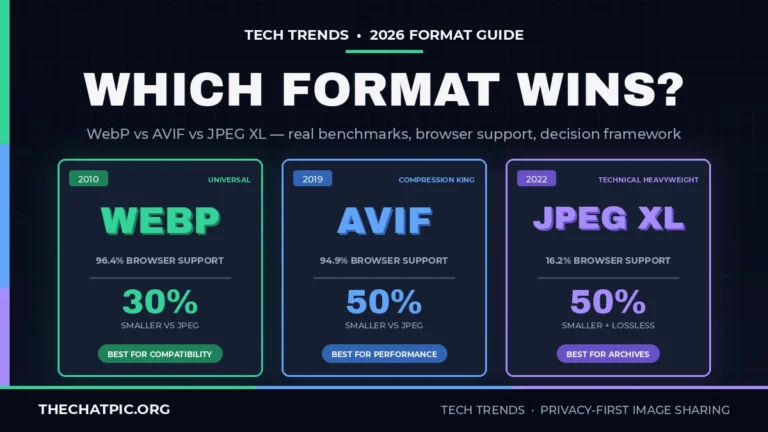
- Email attachments are the worst case. No processing, no compression, no stripping. The file the recipient gets is the file from your device, GPS and all. The same applies to Google Drive, Dropbox, and OneDrive sharing links — the receiver downloads the original. Hosts that re-encode images into modern formats — covered in the WebP vs AVIF vs JPEG XL guide — usually drop EXIF as a side effect of conversion.
Common EXIF myths worth retiring
In my testing, four myths cause the most damage:
- “Cropping a photo removes location data.” It does not. Cropping only changes the visible pixels; EXIF remains untouched. Most modern phones now regenerate the embedded thumbnail to match the crop, but older files and processed images can still leak pre-crop content.
- “Screenshots have no metadata.” They do. Screenshots usually do not have GPS (because the screen-capture process does not query location services), but they always carry device model, timestamp, and software version.
- “If a platform strips EXIF, it never saw it.” False. The platform receives the original file at upload, strips for the public copy, but retains the original internally. Server-side retention varies by platform and policy. For deeper platform-by-platform analysis, see the Comparisons section.
- “Encryption protects metadata.” Encryption protects the file in transit. Once the file reaches the recipient’s device, metadata is fully readable. End-to-end encrypted image sharing and metadata stripping are different problems with different solutions — both are needed, neither replaces the other.
Frequently Asked Questions
What is the biggest privacy risk of EXIF metadata?
The biggest single risk is GPS coordinates embedded in photos. Modern smartphones record latitude and longitude accurate to within a few meters when location tagging is enabled. A photo taken in your home, school, or office gives away the exact location to anyone who downloads the file and opens it in a metadata viewer.
Does Instagram remove EXIF data from photos in 2026?
Yes. Instagram strips EXIF data including GPS coordinates from the public copy of every uploaded photo, and the same applies to Facebook, X, TikTok, LinkedIn, and Reddit. The catch is that the platform still received the original file at upload time, so your full metadata existed on their servers even if it never reached other users.
Does WhatsApp strip EXIF data?
WhatsApp strips EXIF data from photos sent through normal photo mode, removing GPS coordinates in roughly 89% of cases per MetaClean’s 2026 testing. However, sending the same image as a “document” instead of as a photo preserves 100% of the EXIF data including precise GPS. Always send sensitive photos in standard photo mode.
Is it safe to send photos through iMessage?
iMessage is end-to-end encrypted in transit, but it preserves full EXIF data including GPS coordinates by default. The recipient’s device receives the original file with all metadata intact. For sensitive photos sent through iMessage, strip EXIF first using a tool, the iOS share-sheet Location toggle, or by saving a cleaned copy.
Can I remove EXIF data from a photo I already shared?
You cannot remove EXIF from a copy someone else has already downloaded. Once a photo is on another device, its metadata is permanent there. You can delete the original from platforms where you uploaded it, request removal from cached versions, and strip EXIF from any future shares — but copies already in circulation are out of your control.
Do screenshots contain EXIF data?
Screenshots contain limited EXIF data. They typically do not include GPS coordinates because the screen-capture process does not query location services, but they always include device model, operating system, software version, and exact timestamp. Treat screenshots as identifying but not location-leaking unless the underlying screen contained location data.
What’s the safest way to share a photo anonymously?
The safest approach combines three steps: strip EXIF locally before uploading, use a privacy-first host that does not require an account or email, and choose a short link expiry. TheChatPic.org automates the first two — anonymous upload with automatic EXIF stripping — and adds expiry options from 1 hour to burn-after-reading for the third.
The Bottom Line
EXIF metadata is the quietest privacy risk in modern photo sharing. Every photo your phone takes carries a hidden block of data that names your device, marks your exact location, and records the second you pressed the shutter. When you share that photo, the metadata travels with it — unless you stripped it or unless the platform stripped it for you. In 2026, public social posts mostly strip; direct messaging, file attachments, and email mostly do not.
The fix is simple: turn off location tagging at the camera, strip EXIF before sending anything sensitive, and prefer platforms that strip on upload over those that preserve everything. The McAfee case proved how much one ignored field can reveal back in 2012. Fourteen years later, the same field still leaks the same information for anyone who has not actively decided to remove it.
For one-shot anonymous shares — IDs, screenshots, sensitive personal photos — a privacy-first host that strips on upload is the lowest-friction option. Try sharing your next sensitive image with Chat Pic — no signup, no email, automatic EXIF stripping, and link expiry from 1 hour to burn-after-reading.